


Reply MCP:
The Fastest Way to Orchestrate
Cut campaign admin, make smarter decisions, scale your outreach without hiring.
Your AI handles the operations while you close deals
Why successful teams use MCP

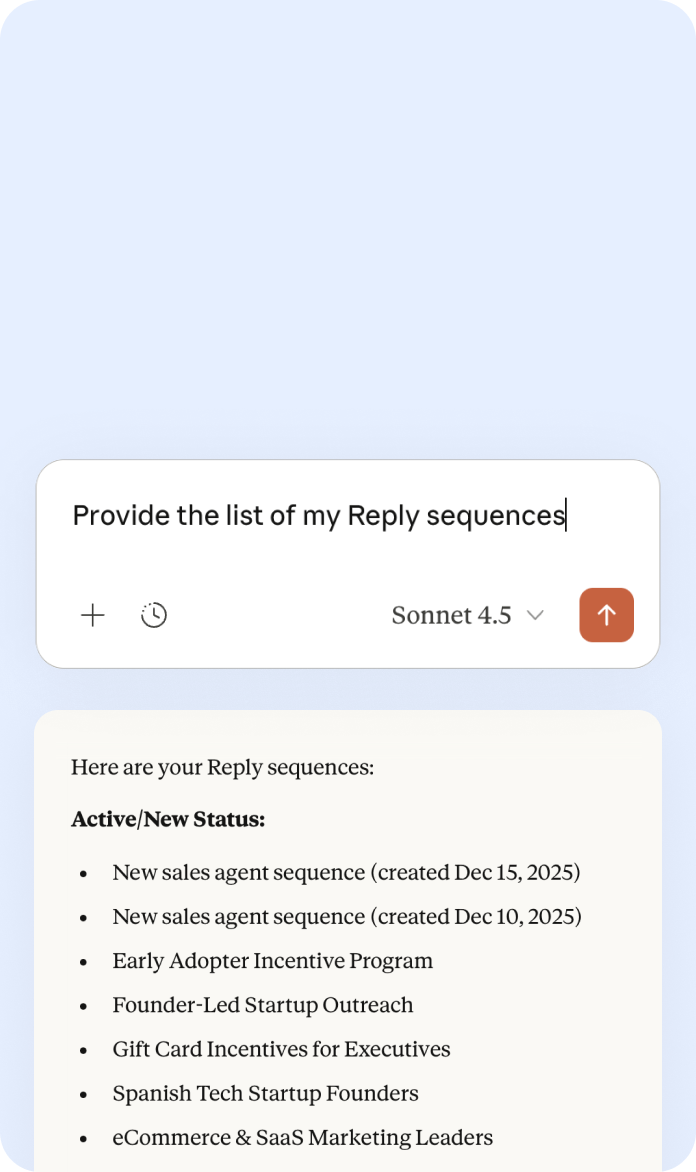
Get analytics in 30 seconds

Catch problems before they drain your budget

Your ops person becomes a strategist

Discover more clients than ever before
How to get started

Get your MCP Connection URL

Connect your AI

Orchestrate Your Campaigns




Frequently Asked Questions
What is MCP?
Model Context Protocol (MCP) is an open standard that lets AI assistants connect directly to business apps. Think of it as a universal translator between AI and software. Instead of you manually switching between tools, your AI handles the coordination.
Do I need to know how to code?
No. Setup takes 5 minutes and just requires copying your API key. No programming required.
Which AI assistants work with Reply MCP?
Any MCP-compatible AI, including:
Claude Desktop (Anthropic)
ChatGPT (OpenAI) via n8n
n8n (for AI agent workflows)
Make.com
Is my data safe?
Yes. The connection uses your personal API key over encrypted HTTPS. Your AI can only access what your API key permits. You control the scope.
Can my AI accidentally break something?
No. Most actions are reversible. Pause/start sequences? Easy to undo. The AI will confirm major actions before executing them. You always stay in control.
Can I try it for free?
Yes. MCP is included in your Reply free trial, so you can start using it immediately. Some commands may consume Reply API credits, some always consume credits, and others do not consume any credits at all. For example:
May or may not consume credits: reply_get_sequence_details
Always consume credits: reply_get_contact_statistics, reply_get_sequence_step_stats, reply_get_sequence_clicks, reply_mark_contacts_as_replied
Do not consume credits: reply_connect_email_account, reply_connect_linkedin_account, reply_record_voice_profile, reply_connect_calls, reply_connect_crm, reply_upgrade_plan, reply_list_sequences, reply_add_contact_to_sequence, reply_pause_sequence, reply_start_sequence
You can see full details on the MCP page.