
GTM Implementation in Days in 2026 (Claude Code + 8 Tools)

GTM Implementation in Days in 2026 (Claude Code + 8 Tools)

There’s a gap in every B2B company between “leadership approved the GTM plan” and “the first email actually went out.” In many mid-market orgs, that gap is a full quarter.

That quarter goes on stitching eight tools together, and the person who can do the wiring usually sits three teams away from the people who need it.

The outbound part of a GTM implementation has changed and can now run in days, because AI agents can use the necessary tools at the right time directly instead of waiting in line for custom integration work.

Below, we’ll cover what GTM implementation actually involves, the eight-tool stack that compresses it, and the specific Claude Code workflows worth building right away.

What GTM implementation actually covers

GTM implementation is the work of turning a go-to-market strategy into running systems. Strategy is the deck, and implementation is having all the moving pieces in place and integrated before a single prospect hears from you.

It breaks into five main workstreams:

  1. ICP and target account list → who you’re going after, defined tightly enough that software can accurately filter for it.
  2. Data and enrichment → finding those accounts and contacts, verifying them, and adding extra researched context to improve your messaging.
  3. Messaging and sequences → the actual GTM plays, built as multichannel sequences that adjust the channel, messaging, and timing in real time.
  4. CRM objects, fields, and routing → where the records live, who owns them, and what’s the pre-set next step whenever a certain action happens.
  5. Reporting and the feedback loop → what you measure, and how last month’s results change next month’s build.

Almost all the delay lives in workstreams 2 through 4. Nobody spends six weeks arguing about the ICP, but they do often spend that time waiting for data to sync properly between three systems that were never correctly designed to talk to each other.

One honest boundary before we go further: this article is about compressing workstreams 1 through 3 and most of 4. A full CRM migration or an attribution rebuild still takes weeks, and anyone telling you otherwise is most probably selling something.

Why GTM implementation used to take a full quarter

A mid-market CRM implementation runs 12 to 16 weeks from kickoff to stable operation, according to The Pedowitz Group, which has run more than 400 B2B CRM implementations. Poor data condition and internal integrations are what push it past that, and they’re also what nobody scopes for at kickoff.

The breakdown is where it gets uncomfortable. Discovery takes the first two weeks, architecture design runs weeks 2 through 4, the build itself weeks 5 through 9, and user acceptance testing weeks 9 through 11. Go-live lands in week 12, with hypercare running through week 16.

Every tool in the stack has had an API for a while now, but having an API is not the same as having an integration, because someone still had to write and maintain the glue code. And let’s be honest, with everything going on in a company, “syncing the enrichment fields into the sequence” was nowhere near the top of a roadmap or priority list.

What changed in 2026

The integration layer stopped being custom code, and Model Context Protocol (MCP) is the reason.

MCP is a standard way for an AI client to discover what a platform can do and then call those operations directly, through one interface instead of a separate integration per tool. Each operation carries an annotation saying whether it only reads data or changes something, which means the client can decide what needs human sign-off before the agent ever asks.

Practically, a coding agent can now maintain your entire stack at once: query your CRM, enrich a list, build a sequence, and read the results back inside a single session.

Claude Code specifically, because it has a shell. It can drive command-line tools and MCP servers side by side, keep context in a repo between sessions, and be reviewed like any other code your team ships.

This isn’t a small-vendor phenomenon anymore, either. All leading sales tools like HubSpot, Salesforce, Reply.io, Attio, and Clay ship official MCP connectors. For the broader strategic picture of where all this fits, we’ve covered GTM with AI separately.

Book cover for 'Claude x Sales Playbook for 2026' with a light purple background and bold title, plus a purple 'Get your free copy now' banner at the bottom.

Claude x Sales Playbook for 2026

This playbook shows you how sales teams can use it for prospecting, account research, follow-ups, pipeline management, and workflow automation.

What’s inside:

→ How to set up Claude for everyday sales work

→ 60+ prompts for outreach, discovery calls, follow-ups, and deal management

→ 20 Claude Skills you can reuse across your sales process

→ 5 sales workflows powered by Claude and your GTM tools

→ Examples using HubSpot, Reply.io, Notion, Clay, Slack, and more

Download the playbook and start building your AI-powered sales workflow today.

The 8-tool stack for a days-not-weeks GTM implementation

Here’s an example of a full GTM stack, one tool per layer:

Layer Tool What it does in the build
1 Agent runtime Claude Code Drives everything else; holds project context between sessions
2 Outreach + AI SDR Reply.io + Jason AI Contacts, multichannel sequences, sending, reply handling
3 CRM HubSpot, Attio, or Salesforce Record of truth, ownership, routing
4 Enrichment orchestration Clay Waterfall enrichment across many providers
5 Conversation intelligence Gong Call transcripts and objection language
6 Web research Firecrawl or Exa Turns public sites into structured evidence
7 Warehouse Snowflake or Postgres Where “what actually converted” lives
8 Human loop Slack Where approvals and alerts land

The selection rule that matters more than any individual pick is to choose the tool with a real agent surface over the tool with the nicer UI. A polished dashboard is worth very little when the actual work is happening in a terminal.

The second rule is one tool per layer, no exceptions. Two enrichment providers means the agent has two sources of truth and may eventually run into issues, quietly, on the record that mattered most.

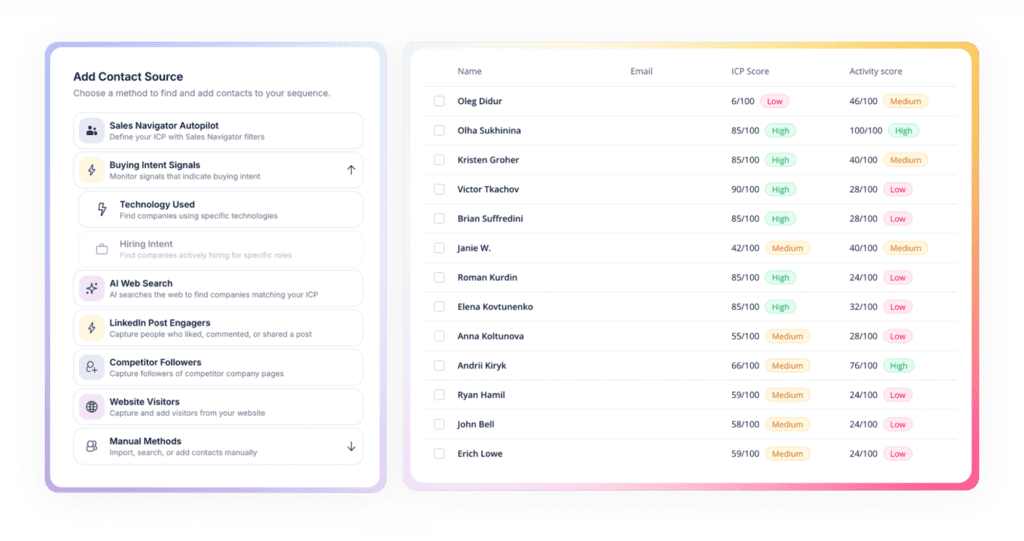
For layer 2, the lead database inside Reply.io matters more than it looks in a table. Over a billion live contacts and accounts across 150+ countries means sourcing stops being a separate procurement decision and simply becomes a filter you write.

GTM AI implementation best practices

Reply’s four access layers: API, MCP, CLI, and Skill

Reply.io is an integral part of many B2B GTM stacks, primarily for combining multiple GTM layers under one roof. It offers a native lead database with enrichment, multichannel outreach, analytics, and an AI sales agent that can autonomously run the operations on its own.

Reply is reachable four different ways over one account, one API key, one object model, and one rate-limit budget. You pick the surface that matches how you’re building, not the other way around:

Layer Where it lives What it gives you Best for
MCP https://mcp.reply.io/ 70 tools across sequences, contacts, inbox, tasks, and Jason Agents in Claude, Cursor, Make, n8n
REST API https://api.reply.io/v3 Full surface, webhooks, background jobs, 100 requests/min and 3,000/hour Production integrations, bulk work, exports
CLI npm i -g reply-cli Browser login, profiles, teams, authenticated passthrough to any endpoint Claude Code, shell scripts, cron, CI
Skill github.com/replyio/reply-skill Four workflows with previews and hard confirmation gates Coding agents that need procedure, not just tools

The 70 MCP tools break down as 16 for sequences, 8 for contacts, 3 for the inbox, 3 for tasks, 5 for resolving IDs, 4 for help and app mapping, and 31 for Jason AI — the AI sales agent we just mentioned.

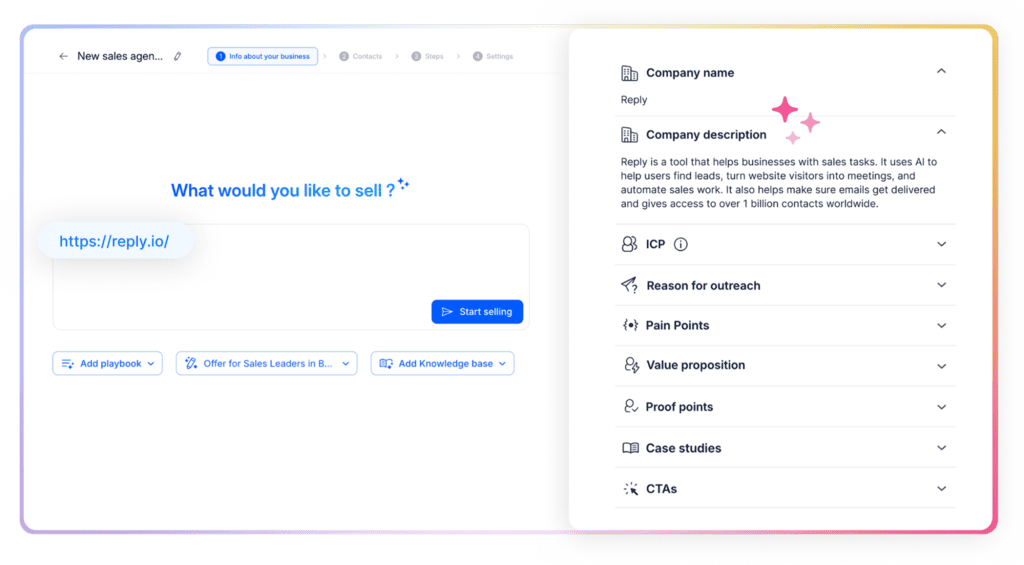
Jason learns everything about your business, ICP, and strategy, and then starts finding targeted leads, researching them, launching personalized outreach across emails and LinkedIn, and even handling replies and booking meetings on your behalf. It works in “co-pilot” or “autopilot” mode, depending on how much you wish to fully delegate to AI.

GTM implementation check agency

Approvals, outreach launch, contact updates, knowledge bases, reply handlers, offers, playbooks, and the review-vs-autonomous switch are all programmable, which means your AI SDR is something you configure in a workflow rather than click through in a settings page.

The obvious worry with any of this is whether an agent should be allowed near your outbound at all. It should, provided the gates are there, and Reply’s are built in. Of the 70 tools, 31 are annotated read-only and 39 are annotated destructive. Your client reads that annotation and knows, before it calls anything, whether the operation needs your sign-off. You don’t even need to write that policy yourself, it ships on the server.

The Skill layer goes further by encoding procedure. Its four v1 workflows (import-prospects, launch-outreach, manage-replies, and analyze-performance) each include previews, verification steps, and hard confirmation gates. Nothing sends, starts, or deletes without explicit approval. It’s a folder of markdown instructions your agent loads on demand, cloned into \~/.claude/skills/, with no runtime code involved.

Full details live in the Reply MCP docs.

Five Claude Code GTM workflows worth building first

These are the five that pay for themselves fastest. Each one names the tools and the gate, so you can judge the shape without needing to read code:

1. Cold-start a segment in an afternoon

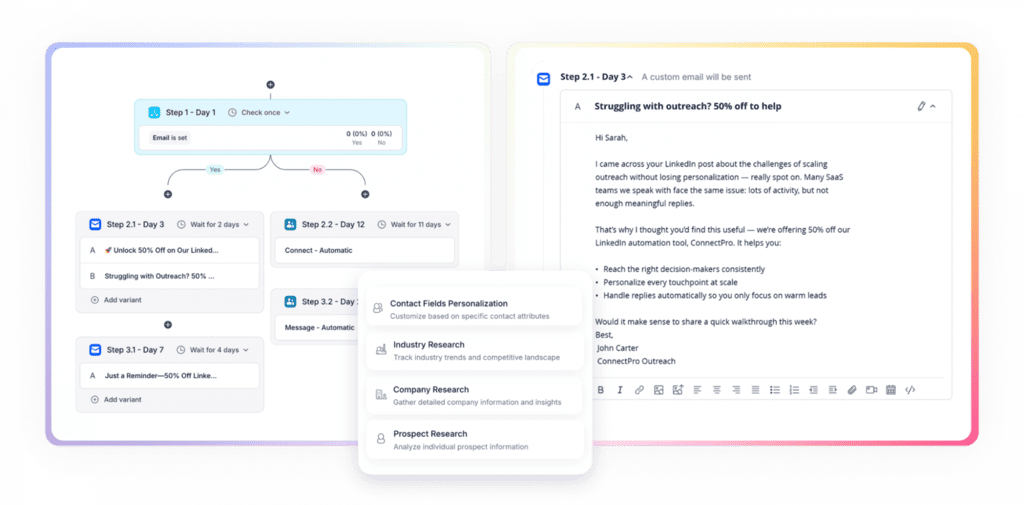
Firecrawl pulls the target companies’ sites, Clay enriches the contacts, and the agent creates them in Reply and builds the sequence. Then it stops. You review the list and the copy, approve, and only then does reply_start_sequence fire. Start to live in a few hours, and the only manual step is the one you’d want to keep for approval anyway.

2. Turn a closed-won pattern into a play

Point the agent at your data warehouse and ask what actually converted last quarter: industry, headcount band, trigger, entry channel. It drafts an ICP filter from the answer, pulls matching accounts from Reply Data, and builds a sequence around the angle that has already proved effective. Most teams skip this one, yet it’s the one that separates a system from a campaign.

3. Rewrite around real objections

Pull the top three objections from your Gong transcripts, have the agent re-build the steps of the sequence that’s underperforming, and post the before-and-after to Slack. You approve in Slack, and the agent applies it. Pair this with conditional logic and the rewrite only reaches the branch that actually needs it.

GTM implementation support

4. Supervise Jason’s replies without living in the inbox

The agent calls reply_list_pending_approvals, compares each draft against the playbook you’ve attached to that sequence, and either approves it or sends it back with specific feedback via reply_regenerate_message. Two things to know before you build this: rejecting a message is irreversible and removes that contact from the sequence entirely, and bulk approval is atomic, so one stale draft means the whole batch sends nothing.

5. Monday-morning hygiene

A scheduled job pulls sequence stats through the CLI, flags anything below your reply-rate threshold, and drops a short summary in Slack. No writes, no gates needed, about twenty minutes to build. It’s the least impressive workflow on this list but the one you’ll get a great deal of value out of.

GTM AI implementation best practices

Most GTM AI implementation best practices come down to one key idea, which is to give the agent room to work fast, and a hard stop in front of anything you can’t undo. The teams that get this right in 2026 often run the same six rules:

  • Gate every irreversible action → reads run free, writes get confirmed, sends stay human-approved until the numbers earn autonomy. The annotation system exists precisely so you don’t have to remember which is which.
  • Move Jason AI to Autonomous per sequence, never globally → start in Co-pilot mode, watch how Jason answers questions, handles objections, and qualifies leads across a few hundred replies, and only then switch to Autopilot mode (just make sure your knowledge base and playbooks are connected).
  • Version prompts and playbooks in the repo, like code → if a change tanks reply rates, you want a revert, not an archaeology project.
  • One tool per layer → worth repeating, because it’s the rule that gets broken first, usually by a well-meaning trial that never got cancelled.
  • Warm up before you scale up → compressed implementation does not compress domain reputation. Mailbox warm-up and email deliverability still run on calendar time, roughly three weeks for a new domain, and no amount of agent tooling changes the arithmetic of how mailbox providers build trust. Build up your sender reputation, warm-up your email account, and set strict guardrails for email and LinkedIn messages per day (Reply and Jason both handle this on their own).
  • Measure the loop, not the launch → if nothing reads sequence stats back into the next build, what you’ve got is automation, not a GTM system, which is much less valuable.

Do agencies offer the best GTM implementation service for mid-market B2B?

Often, yes, but for a narrower scope and a shorter engagement than two years ago.

Here’s the honest take. Agencies still hold a real advantage on positioning, offer design, and the deeply unglamorous political work of getting sales and marketing to agree on what a qualified lead is. That work is judgment, and judgment doesn’t compress.

Their lead on execution speed is the part that has eroded, however. Building a sequence, enriching a list, and wiring the CRM are all tasks any competent GTM engineer with the stack above will match an agency’s pace, while keeping the institutional knowledge in-house.

Integrated strategy plus execution from an outside agency can run you anywhere around $10,000 to $30,000 per month on a six-to-twelve-month retainer, while fractional specialist support like RevOps will cost you about $5,000 to $15,000 per month.

Set that against a compressed in-house build, where your recurring cost is tool spend plus one person’s time. The best GTM implementation service mid-market B2B teams go for is a narrow one, where an agency only does the strategy and positioning, plus a short implementation sprint, rather than a twelve-month retainer. Our roundup of GTM agencies covers who’s genuinely good at which part of the overall system.

How to run a GTM implementation check on an agency

Five questions, and the answers tell you more than any case study:

  1. Which parts of this do you automate, and which do you staff? Anyone billing hourly for work an agent does in minutes should be able to explain why.
  2. Can you show me a real workflow you’ve shipped? A screenshot of an actual build beats a methodology diagram every time.
  3. Who owns the accounts and API keys when we’re done? The answer should be “you,” without hesitation.
  4. What does handover look like? Documented, in your repo, or it doesn’t exist.
  5. Can you give me a reference of a client at our size? An enterprise logo tells you nothing about how they run a 40-person company.

Run the same GTM implementation check on agency teams making any unrealistic speed claims. ColdIQ, for example, states campaigns go live roughly two weeks after signing, which is a reasonable benchmark to hold others to.

What GTM implementation support should you expect after launch?

Three things, at a minimum. Someone owning deliverability monitoring, with a named threshold for when it escalates. A fixed cadence for sequence reviews, monthly at the outside. And documented ownership of every credential, because the most common failure mode in outsourced GTM is an API key nobody can find eight months later.

If ongoing GTM implementation support is part of the deal, get the escalation path in writing before the first campaign, not after the first problem.

The fastest thing you can do this week

Don’t buy anything just yet. Pick one segment, one sequence, and one afternoon, and run the cold-start workflow end to end, Firecrawl to Clay to Reply, with your hand on the confirmation gate. You’ll learn more about where your real bottleneck is in four hours than in a four-week discovery phase.

Then decide what you want to add to your GTM system. If you want lead data + outreach and/or an AI sales agent layer, start a free trial and connect Reply to Claude in minutes.

FAQ

What is GTM implementation?

GTM implementation is the build phase that turns an approved go-to-market strategy into systems that actually run. It involves ICP definition, data sourcing and enrichment, messaging and sequences, CRM fields and routing, and reporting. Strategy decides who you sell to and why, while implementation is what makes the first email send.

How do you set up a GTM?

Work in this order: define the ICP tightly enough that software can filter for it, source and verify the data, build one channel properly before adding a second, then wire the reporting that tells you which part to fix. Teams that reverse this and start with tool selection spend the first month integrating things they haven’t proven their place in the stack.

Can GTM implementation really be done in days?

The outbound motion can. ICP, data, sequences, and basic CRM wiring genuinely compress into days when an agent like Jason AI drives the stack. CRM migrations, attribution rebuilds, and territory redesigns cannot, and still run on the approximate 12-to-16 week timeline.

Do I need to be technical to use a GTM MCP server?

You need to be comfortable with a terminal and able to read what an agent proposes before approving it. You don’t need to write code, Claude can take care of that for you, and that’s the entire point of the protocol.

Is it safe to let an AI agent send emails from my domain?

With gates, yes. Reply’s MCP tools are annotated read-only or destructive so your client knows what needs approval, and Jason’s Review mode holds every email, LinkedIn message, or response for sign-off until you’ve seen enough of them to trust the pattern.

Subscribe to our blog to receive the latest updates from the world of sales and marketing.
Stay up to date.

Related Articles

How AI Powers GTM Enablement in 2026 to Book More Meetings

How AI Powers GTM Enablement in 2026 to Book More Meetings

How AI Powers GTM Enablement in 2026 to Book More Meetings
The Best Lead Capture Software That Saves Time in 2026 (Our Picks)

The Best Lead Capture Software That Saves Time in 2026 (Our Picks)

The Best Lead Capture Software That Saves Time in 2026 (Our Picks)
11 Email Productivity Tools for 2026 (Top Picks + How to Use Them)

11 Email Productivity Tools for 2026 (Top Picks + How to Use Them)

11 Email Productivity Tools for 2026 (Top Picks + How to Use Them)