
1
Find
Providers and scrapers that surface the right accounts. Well-served, and easy to demo on day one.
Reply is the send step in the automations you build for clients. Wire it into Claude Code, n8n, trigger.dev or Zapier, and get sequences, warmed mailboxes,
a unified inbox and reply webhooks without becoming an email infrastructure company.
Every workflow you build
stops at the same wall
You wire up signals, enrichment and an LLM that writes something worth reading. Then the workflow ends with a CSV, or a Slack message telling someone to go and paste it somewhere. The client sees a clever machine that stops one step short of the only step that makes money.
Providers and scrapers that surface the right accounts. Well-served, and easy to demo on day one.
Signals, scoring, waterfall enrichment. Also well-served — the part clients expect you to have solved already.
An LLM step that turns a record into a reason to reach out. Genuinely good now.
Mailboxes, warmup, throttling, bounce handling, reply detection. Nobody wants to build it, so the workflow hands off to a human instead.
Every workflow you build
stops at the same wall
You wire up signals, enrichment and an LLM that writes something worth reading. Then the workflow ends with a CSV, or a Slack message telling someone to go and paste it somewhere. The client sees a clever machine that stops one step short of the only step that makes money.
Providers and scrapers that surface the right accounts. Well-served, and easy to demo on day one.
Signals, scoring, waterfall enrichment. Also well-served — the part clients expect you to have solved already.
An LLM step that turns a record into a reason to reach out. Genuinely good now.
Mailboxes, warmup, throttling, bounce handling, reply detection. Nobody wants to build it, so the workflow hands off to a human instead.
Not the platform, not the centre of anything. One step, with an API on both sides. The dashed line is the part most stacks never close: a reply is an event your workflow can subscribe to, not a thing your client checks manually in someone else’s tool.

Every line below is a system, not a ticket. If you build the sending layer yourself, this is the backlog you inherit, permanently, because each one degrades if nobody owns it.
Google and Microsoft consent flows, token refresh, revocation handling.
Ramp curves that adapt to engagement, not a fixed cron.
Stitching replies to the right contact and stopping the sequence.
One client’s contacts never visible from another’s workspace.
Hard vs soft, feedback loops, automatic suppression.
Suppression lists, per-jurisdiction rules, audit trail.
Per-mailbox caps that hold when a client doubles their list overnight.
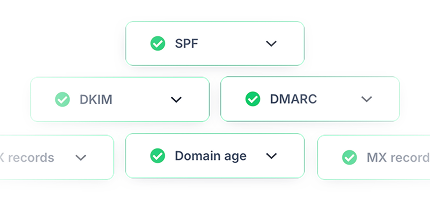
SPF, DKIM, DMARC per sending domain, per client.
Time zones, business-hour windows, daylight saving changes, and holiday calendars.
Your systems talk to one Reply account. Inside it, each client gets a workspace that cannot see any other. This is the diagram to forward when a client’s security team asks how their data is separated.

Two jobs, and the second one is what stops a five-client setup turning into an incident.
Zapier and Make ship native Reply apps, both maintained by Reply. n8n does not, so you point its HTTP Request node at the v3 API with header auth. That is a two-minute setup, and it reaches all 213 endpoints, which is more than a native node would give you anyway.
Native app, 10 triggers and 6 actions, 31 connected apps.
Native app, 10 modules, including a passthrough Make an API Call.
HTTP node, Generic Credential, Header Auth.
One call to /v3/whoami before you build anything on the credential.

Scoped keys follow a domain:verb model. Domains include contacts, sequences, inbox, webhooks and ai-sdr; verbs are read, write and operate. Broader satisfies narrower, and wildcards cover a domain.
A client-facing dashboard gets reporting:read and physically cannot send.
The campaign automation gets sequences:operate and nothing else.
Rotating one client’s key never touches another client’s workflows.
From a shell or CI, the CLI keeps a named profile per client so a script cannot hit the wrong account.

This is the half of the integration that matters and the half most sending tools treat as an afterthought. Every event below is a real Zapier trigger; outside Zapier the same events are available as webhooks through the API’s 23 automation endpoints, so nothing has to poll.


Each one starts from a real Reply event and ends somewhere the client can see. Navy is Reply’s side of the line, white is yours. These are the builds that turn a demo into a retainer.
The one every client asks for within a fortnight, and the one that makes the whole system feel alive to them. A human sees only the replies worth a human.
• Fires on New Email Replied, so nothing polls and nothing is missed.
• Your LLM classifies intent: interested, objection, wrong person, out of office.
• Route each class somewhere different. Only real intent pages anyone.
• Write the outcome back with Mark as Replied so the sequence stops.

Your client’s own product events become outbound. No CSV, no export, no human in the middle deciding when to bother.
• Starts from their webhook or form, not from a list someone remembered to build.
• Enrich first, then pick the sequence by segment, so the copy fits the person.
• One action does the rest: Create\Update Person and Push to Campaign.
• Because it is event-driven, outreach happens at the moment of interest.

Activity flows back without anyone exporting anything. A stale CRM is usually the real reason a client quietly stops trusting a stack you built.
• Subscribe to New Emails Sent, New Email Opened and Prospect Finished.
• Map each event once to the CRM object, then leave it alone.
• Sales sees outbound activity where they already work, not in a second tool.
• Reporting endpoints cover anything the events do not.

Bounces and opt-outs are the two events that quietly destroy a client’s domain reputation. Handling them is unglamorous and it is why the other three keep working.
• Fires on New Person Bounce and New Person Opt Out.
• Suppress at source so the same address never enters another list.
• Flag the list itself. A spike in bounces means the data supplier, not the copy.
• Close the loop with Remove Person From Campaign.


For agents in Claude, Cursor and Claude Code. Annotated read-only or destructive, so your client can gate them.

Multi-step outreach procedures with confirmation gates and previews. Four more listed as coming soon.

Sign in once, then call any v3 endpoint as yourself from a shell or CI.

The exhaustive surface. Webhooks, bulk imports and background jobs live here and nowhere else.
years running outbound
businesses
on G2, from 1,480 reviews
email delivery rate
Zapier and Make, both maintained by Reply rather than by a third party. Zapier has 10 triggers and 6 actions across 31 connected apps; Make has 10 modules including a passthrough Make an API Call and a Watch Call Tasks trigger.
No, and we’d rather say so than let you find out mid-build. You use n8n’s HTTP Request node with a Generic Credential of type Header Auth: name Authorization, value Bearer YOUR_KEY, against https://api.reply.io/v3/…. It takes about two minutes and every one of the 213 endpoints is reachable that way.
Anything that runs code runs Reply. Use the REST API directly, or npm i -g reply-cli and call reply api /v3/… from the job. The CLI’s per-client profiles are particularly useful here, because a scheduled job that picks the wrong account is a bad way to find out your credentials are ambiguous.
Every tool is annotated: 31 are read-only, 39 are marked destructive, so your client can gate them before they run. On top of that, the Skills wrap sending in an explicit confirmation step, so you see the preview and approve before anything leaves.
Two ways. On Zapier, the New Email Replied trigger. Everywhere else, register a webhook: the API has 23 automation and webhook endpoints, and webhooks fire in real time on replies, opens, clicks and status changes, so nothing polls.
One scoped key per client per purpose. Scopes are domain:verb, so a reporting workflow gets reporting:read and can’t send anything, while the campaign automation gets sequences:operate. If you drive things from a shell or CI, the CLI keeps a named profile per client: reply profile use [email protected].
No, and we wouldn’t suggest it. The terminal is faster for bulk work, reporting and starting or pausing from a script. The dashboard is genuinely better for reading a thread, judging tone, and watching mailbox health. Same account, two surfaces.
MCP is for the steps where an agent decides something, not for your plumbing. Its 70 tools are annotated read-only or destructive so you can gate them. Anything scheduled, bulk, or webhook-driven should go through the REST API, which is where those capabilities live.
100 requests per minute and roughly 3,000 per hour, per user. A 429 comes back with a Retry-After header telling you exactly how long to wait. The budget is shared across MCP, the CLI and the API, so one limit covers every surface you touch.
100 requests per minute and roughly 3,000 per hour, per user, and a 429 comes back with a Retry-After header. The budget is shared across MCP, the CLI and the API, so build your retry logic once and it covers every surface.
Yes. Each client sits in its own workspace, and one client’s contacts and sequences are not reachable from another’s. Your integration points at one account and selects the workspace, with scoped keys enforcing the boundary.
Scoped API keys with least-privilege defaults, per-workspace data isolation, SOC 2 certified and GDPR compliant infrastructure, and credentials in the Authorization header rather than the URL. The architecture diagram on this page is built to be forwarded as-is.
Yes. The API, MCP, the CLI and Skills are all included in the free trial. Get a key from Settings → API Key and start wiring.


