

For years, white label LinkedIn lead generation meant putting your logo on a tool that simply fires connection requests and templated messages. And to be honest, that was worth the money back when sending at scale was the hard part.
That’s no longer the case, however. Sending messages is the easy part, but what your clients really pay for now is everything around it: the targeting, the research, the personalization, and the coordination with other channels.
This article covers what a LinkedIn lead gen offer is made of in 2026, when white labeling one beats licensing software, why the AI SDR is the layer worth putting your name on, and how the whole thing runs end to end.
LinkedIn lead generation in 2026: where it sits in the sales motion
LinkedIn stopped being a standalone channel quite some time ago. It’s the identity layer of B2B outbound now, the place a prospect often goes to check whether the person emailing them is real and credible. That’s why we always recommend having your LinkedIn touchpoints next to emails in coordinated sequences.
Strip an offer down and you get five building blocks:
- Targeting → who counts as a lead, and who quietly doesn’t.
- Data and enrichment → verified contacts, plus enough researched context to say something specific and relevant.
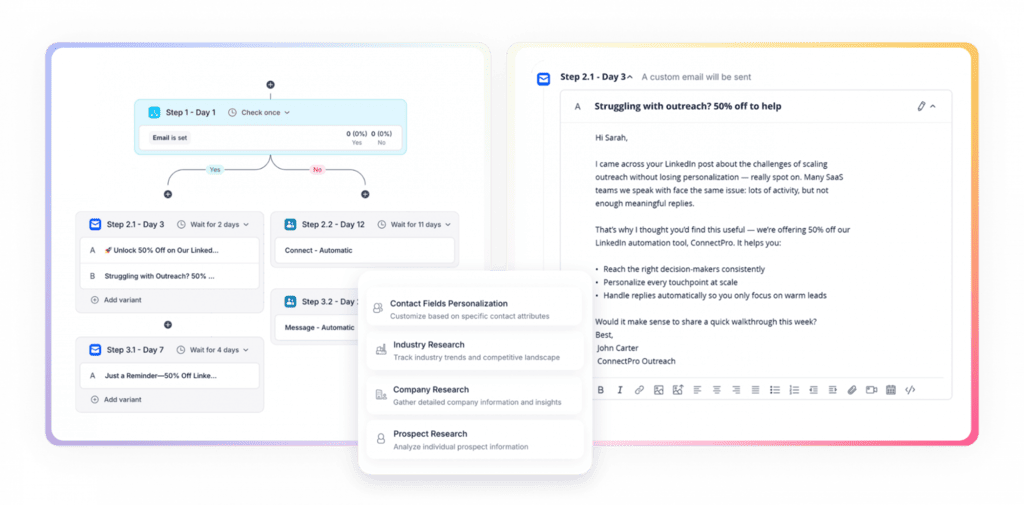
- Sequenced touches → the actual choreography across LinkedIn and email.
- Reply handling → questions, objections, “not right now,” and follow-ups
- Meetings and reporting → booked calls, and proof of where they came from.
The touchpoints themselves are more varied than many teams use in their lead gen process. While many software tools can automate connection requests and messaging, an AI sales agent like Jason AI can also view profiles, post comments, leave voice notes, and send InMail messages. It also continuously finds targeted leads, researches them, and adjusts the touchpoint, timing, and messaging in real time based on each lead’s engagement levels.
| Touch | What it signals | Where it fits | The catch |
| Profile view | Low-cost curiosity, lands in their notifications | Before the connection request | Roughly 80-150 views a day on a free account before throttling |
| Post comment | Public interest, visible to their whole network | Warming a target days before you ask | Only works when you have something worth saying |
| Connection request | A direct ask for access | The opening step for 2nd and 3rd degree | About 100 a week on a rolling window |
| Direct message | The actual conversation | Once the request is accepted | 10-30 a day to new connections |
| Voice note | Effort, and a pattern break | Mid-sequence, after a message goes quiet | Reads as personal, so it can’t be templated |
| InMail | Paid access without connecting | When the request is ignored | 50 credits a month on Sales Navigator Core |
Those limits are the reason LinkedIn punishes bad lists harder than email providers do. LinkedIn caps invitations at roughly 100 per week on a rolling seven-day window, per Overloop’s 2026 breakdown, with restrictions running 24 to 72 hours when you push it. You can’t buy your way out with volume, but you sure can make each of those 100 count.
This is another reason why layered sequences beat single shots so decisively. Another Overloop benchmark assessed Belkins’ data across 20 million outreach attempts, and found that single-action campaigns had a 1.07% reply rate against 5.26% for campaigns running five nurturing actions, while a message paired with a profile had 11.87%.


![B2B SaaS Marketing Strategy in 2026 [Step-by-Step Guide]](https://reply.io/wp-content/uploads/marketing.agency-300x158.jpg "B2B SaaS Marketing Strategy in 2026 [Step-by-Step Guide]")

