How do manual and free methods compare with paid AI software?
Manual hacks still work, up to a point. You can Google a name + company, try common formats, stalk LinkedIn, or plug guesses into basic lookup tools. For tiny lists, that’s fine, though time-consuming. But once you’re doing real prospecting, it gets slow, messy, and really painful to scale.
Free extensions and lookup tools help a bit, but they usually cap searches and rarely verify anything in real time. This way, you can end up with a half-clean sheet and eventually ruin your sender reputation. That’s where using dedicated AI to find email addresses pulls ahead.
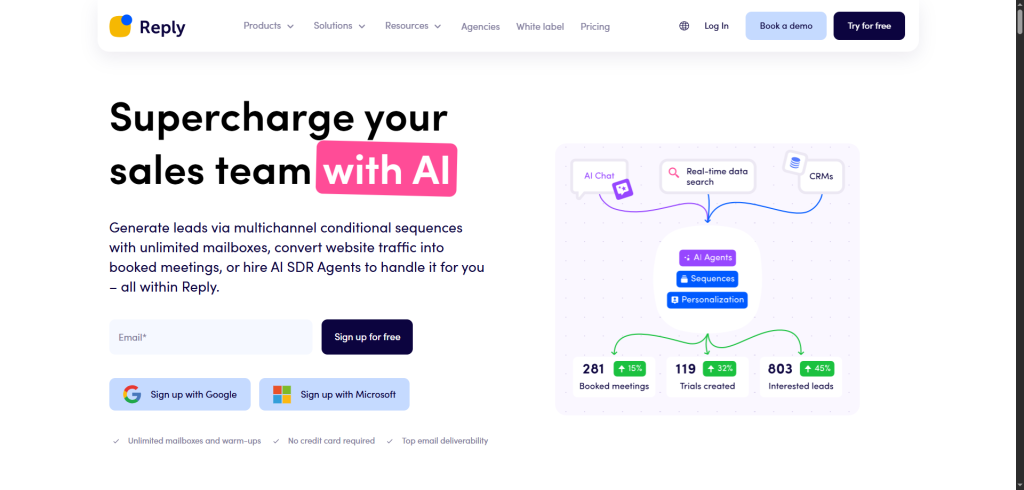
A good AI email finder will combine search + pattern matching + checks in one place. Instead of juggling three tabs, you fire one AI email search, let it match names and domains, and get back scored, verified options. In fact, you can even find a free AI email finder to test it out before committing (on a trial or limited plan), as in the case with Reply’s 14-day trial.
Manual methods are fine for quick one-offs. For consistent lead generation and outreach, you’ll need AI tools to find business emails at scale, because you definitely want automation doing all the grunt work, so you can focus on your actual work, instead of babysitting every address.
With so many AI tools out there, picking the right one can feel overwhelming. But it’s actually pretty simple once you know what you’re looking for.
If you want a hands-off, fully automated process, go with Jason AI SDR. It finds, verifies, and contacts leads without much input from you. Perfect if you want results without managing a bunch of steps.
If you just need email addresses and plan to handle the rest manually, tools like Apollo or Hunter are solid. They’re fast, affordable, and get the job done—especially if you already have an outreach system in place.
When choosing, think about your priorities:
- Automation vs. control → Do you want it done for you, or do you prefer managing each step?
- Cost vs. time saved → A pricier email finder might save you hours every week.
- Data quality → Always check how fresh the contact info is. Outdated data = wasted time.
Also, beware of tools that rely on old databases or skip verification. Just because a tool finds an email doesn’t mean it’s valid. And whatever you pick, make sure it’s a GDPR-compliant AI email finder so you’re not trading speed for legal headaches later.
Choose a tool that matches how you work, not just what looks good on paper. The right match will boost results, and make your outreach way easier.
Now you know everything about finding emails with AI. But before you jump in, let’s quickly recap the key points.
What additional resources and frameworks help?
Finding emails is one thing, but turning them into revenue-generating pipeline is where the real leverage is. That’s where a few simple frameworks can make all the difference.
Start with a clear ICP: industry, company size, tech stack, role, region, etc.. That’s your filter for any AI email finder or AI tools to find business emails — otherwise you’re just hoarding contacts.
Layer intent signals on top (to see who’s interested in your offer right now) so you’re using AI for actual lead generation, not just list building.
Once you have your lists with verified emails and additional data ready, it’s time to launch your outreach campaign. You’ll definitely want to gear up with a solid AI-powered outreach tool like Reply.io to automate this, as its AI engine finds relevant prospects, researches them and their companies, and crafts personalized emails and LinkedIn messages.
With a solid tool like Reply you can also rest assured that all emails in your lists will be 100% verified, your email deliverability and spam rates protected at all times, even as you scale.
What a free AI email finder actually gives you
Almost every tool here has a free tier, and they are genuinely useful for the case they are built for: checking a handful of addresses. They are not built for lists, and the limits are placed precisely where a list would begin.
The four things a free tier typically caps:
- Monthly lookups, usually between 10 and 50, resetting each month
- Verification, often excluded, so you get an address but not a confirmation
- Bulk upload, almost always paid-only, which is what turns a tool into a workflow
- Export, sometimes restricted, so the results stay in the interface
That combination is deliberate. Finding one address is a demonstration; finding four hundred and exporting them to a sequence is the product.
A free tier is the right tool when you need a specific person’s address, when you are validating whether a naming convention holds before committing to a list, or when you are running the accuracy test in the previous section, which is exactly what trials exist for.
It stops being the right tool the moment you are copying addresses out by hand. At that point the free allowance is costing you more in time than the paid plan costs in money, and stacking three free tiers to avoid a subscription usually produces a messier result than picking one and paying for it.
One caution on the tools that are free with no visible upgrade path. Email data is expensive to acquire and maintain, so a permanently free finder with no paid tier is being funded another way, and the two common ways are advertising and reselling what you search for. Check the terms before uploading a client list.
Final thoughts
AI has made it easier than ever to find verified email addresses. What used to take hours of searching, guessing, and cleaning now takes minutes, with better accuracy and less effort.
That said, most tools are still semi-manual. You’ll often need to export lists, verify emails, and upload them elsewhere. It works, but it takes time. If you’re looking for something more streamlined, Jason AI SDR stands out. It automates the whole process—from finding leads to sending the first message.
2026 is shaping up to be the year of automated prospecting. More teams are ditching the spreadsheets and switching to smarter workflows powered by AI.
When choosing a tool, think about what matters most to you:
- Speed → want fast results with minimal input?
- Scale → need to reach hundreds of leads weekly?
- Accuracy → focused on quality, verified contacts?
Some tools are perfect for bulk email finding, while others are better for full automation or enriched targeting. Just pick one (or two) that match your goals and workflow.
In the end, the best tool is the one that helps you connect with the right people quickly, reliably, and without burning hours on manual tasks.
If you’re curious what fully-automated outreach looks like in real life, Jason AI SDR is worth a peek. You can book a quick demo and see how it works; no pressure, just a walk-through.