
The Ultimate 2026 Guide to Automated Prospecting Tools

The Ultimate 2026 Guide to Automated Prospecting Tools

Prospecting has always been the heaviest lift in sales, but 2026 has pushed it into a different category. 

Buyers move faster, respond less, and expect messages that sound like they were written for them, not for a spreadsheet. 

Teams that still rely on manual list building and scattered follow-ups are losing hours every week to admin work while their pipeline feels thinner month after month.

Automation stepped in because reps needed a way to keep pace. 

Modern prospecting tools qualify leads in the background, enrich incomplete data, surface buying signals you’d never spot manually, and generate outreach that adapts to who you’re speaking to. 

When used well, they give SDRs and small sales teams something they haven’t had in years: time to actually sell.

In this guide, I’ll break down how automated prospecting works, the AI behind it, the tools that can help, and the workflows that help teams scale without losing the human touch. 

By the end, you’ll know how to choose the right tool and build a system that keeps your pipeline healthy.

What is automated prospecting and why does it matter?

Automated prospecting replaces manual list building, scattered research, and one-off emails with a system that finds, enriches, qualifies, and engages leads for you. 

Instead of juggling spreadsheets and tabs, reps work from cleaner data and a steady stream of prioritized prospects.

Manual prospecting falls apart when volume rises. Lists age quickly and hours disappear into admin work. That’s when teams see slower pipelines and mounting burnout.

Automation closes those gaps. 

It enriches contacts in real time, scores leads based on fit and intent signals, triggers timely follow-ups, and keeps CRM data accurate without constant manual updates. 

For SDRs and small revenue teams, this means more selling time and steadier pipeline creation.

It matters now because buyers move faster, switch channels often, and expect relevant outreach from the very first touch. Automation helps teams keep up with that pace while maintaining personalization and consistency.

How does AI improve prospecting?

AI makes prospecting more predictable and less manual. It helps you strengthen every stage of the outbound workflow in practical, measurable ways:

Prioritize the right leads

AI evaluates fit, intent data, website activity, and historical patterns to surface prospects that are more likely to convert. Reps start their day with a ranked list instead of manually sorting through spreadsheets.

Improve personalization without extra effort

It scans signals like job changes, funding news, tech stack updates, and previous messages to suggest talking points or tailor outreach. Reps get context they can use immediately, so messages feel relevant.

Keep CRM data accurate automatically

AI enriches missing fields, updates outdated contact info, and merges duplicates in the background. Cleaner data leads to cleaner targeting and reduces the number of wasted touches.

Optimize follow-up timing

Tools analyze when prospects usually open, click, or reply and recommend the best moment to send the next touch. It helps teams increase reply rates without increasing volume.

Improve message quality

Many platforms generate draft emails, subject lines, call scripts, and social messages based on buyer intent and tone. Reps still add their voice, but they no longer start from a blank page.

Also read: 2026 Guide: Using AI to Write Personalized Sales Emails

What are the essential tools to automate prospecting in 2026?

Here are the best automated prospecting tools you must check out:  
Jason 

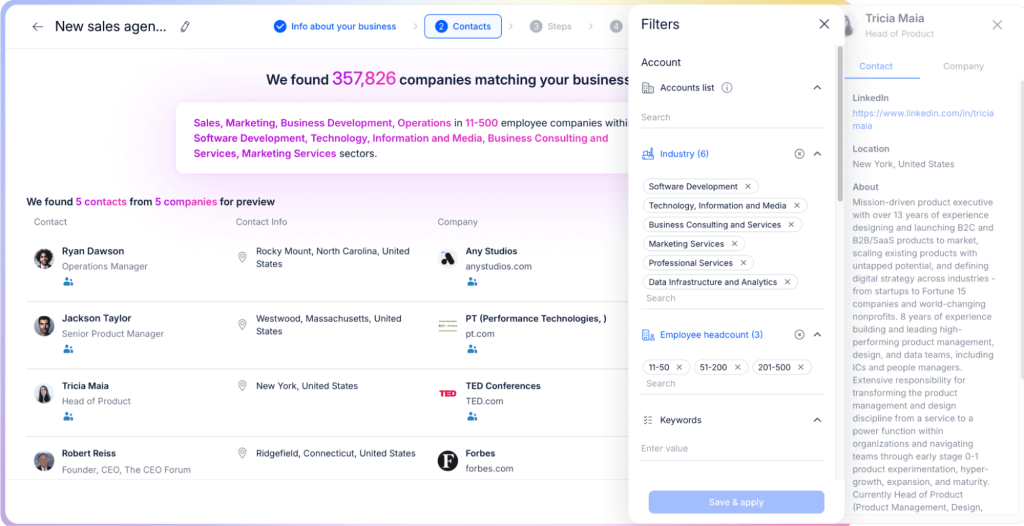
Jason by Reply functions as an always-on SDR that finds, qualifies, contacts, and nurtures prospects across email, LinkedIn, and calls.​

Key features:

Find and qualify prospects

Jason helps reps define their ICP automatically by analyzing the product, offer, and pain points, then converting that understanding into precise, ready-to-use filters. 

It pulls high-fit prospects from a global database of more than a billion contacts by combining firmographics, hiring intent, tech stacks, and behavioural activity to reveal the accounts and personas most likely to convert. 

From there, it populates your pipeline continuously by adding new ICP-matching prospects in real time so your top-of-funnel stays full without any manual prospecting.

Research your prospects and personalize outreach

Jason conducts research on every prospect by gathering insights from LinkedIn, company websites, news mentions, and online activities. 

Then it crafts tailored messaging by blending social insights with your value props, proof points, and case studies, layered with role-specific data. 

Manage multichannel outreach

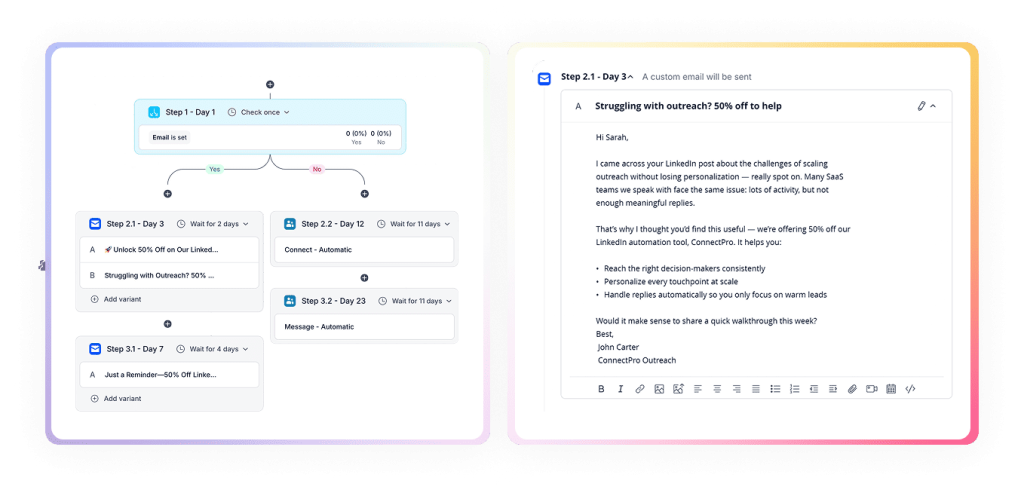
Jason launches sequences across email, LinkedIn, and calls, creating structured outreach that includes follow-ups, timing rules, and branching logic for various scenarios. 

It refreshes sequences automatically by injecting new ICP-matching prospects the moment they appear, keeping campaigns active without extra setup. 

It also sends outreach in multiple languages, delivering messages in the prospect’s preferred language across more than 150 countries so teams can expand into new regions confidently.

Automate replies and meeting booking

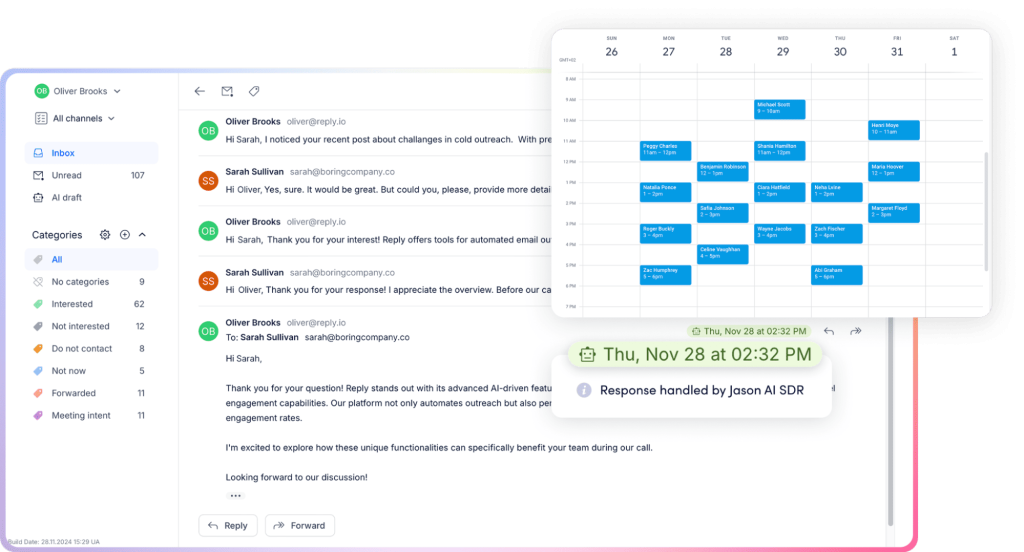
Jason handles replies automatically by reading inbound messages, interpreting intent, and drafting responses that match your tone and align with your sales strategy. 

It schedules meetings without manual input; it syncs with your calendar, proposes available times, and confirms calls as soon as interest appears. 

Throughout the process, Jason also scores and reports on performance, keeps track of engagement, highlights strong sequences, and identifies the prospects that deserve immediate attention.

Integrate with your tech stack 

Jason runs on top of Reply.io, so it taps into Reply’s full integration ecosystem for prospecting and outreach. 

You can sync leads, contacts, and activities with CRMs like Salesforce and Copper, connect Google Calendar for automated meeting booking, and link your email accounts so Jason can send, track, and handle replies. 

It also pairs with Reply’s LinkedIn automation to run social steps in your sequences. 

For broader workflows, you can connect it through Zapier, the Reply API, or third-party tools like Clay and V7 that use Reply/Jason as the outreach engine.

Pricing

Free trial available; paid plans start from $500

Start your 14-day free trial today!

LinkedIn Sales Navigator  

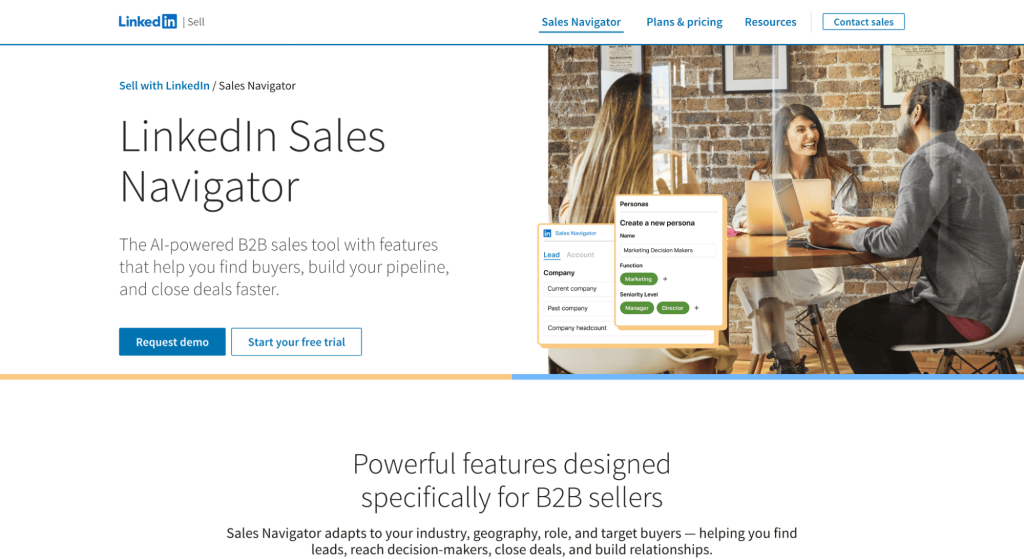
LinkedIn Sales Navigator makes it easier to find the right buyers on LinkedIn, get warm insights about them, and reach out with personalized messages at scale. It turns LinkedIn’s network data into a targeted lead-generation and account-based prospecting workspace.

Key features

  • Use advanced search and filters to quickly identify the right buyers among LinkedIn’s membership
  • Act on real‑time insights so you reach out when interest is high
  • Visualize relationships and key stakeholders in target accounts to focus on true decision‑makers
  • Use AI features that summarize account/lead insights and help draft more relevant outreach

Pricing

Free trial available; paid plans start from $119.99/month 

ZoomInfo  

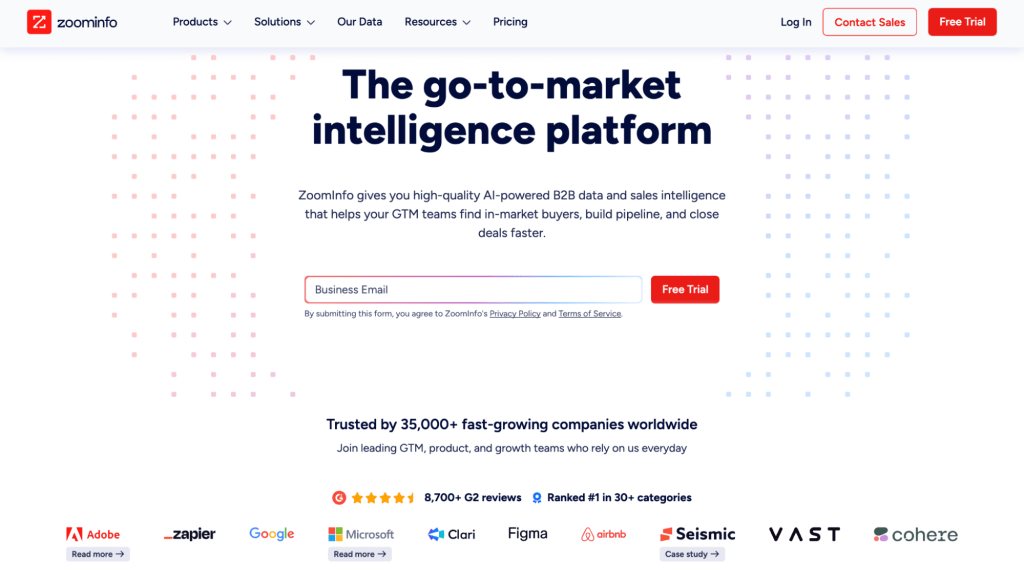
ZoomInfo’s GTM AI platform uses rich B2B data and AI to decide who to target, when to reach out, and how to engage, inside one system. 

Key features

  • Provides a global graph of companies, contacts, and technologies, with validated phone numbers and emails, so you can reliably connect with people in your ICP
  • Uses AI to watch for behavior that suggests buying interest, leadership changes, and market shifts, then flags accounts that are more likely ready for outreach
  • Combines account, contact, and signal data into a single view that clarifies who your ideal customers are, what they care about, and when they are most receptive
  • AI features summarize accounts, identify likely decision-makers, recommend targets, and help generate tailored messaging 
  • Connects deeply into CRM, sales engagement, and marketing tools 

Pricing 

Custom pricing

Hunter.io  

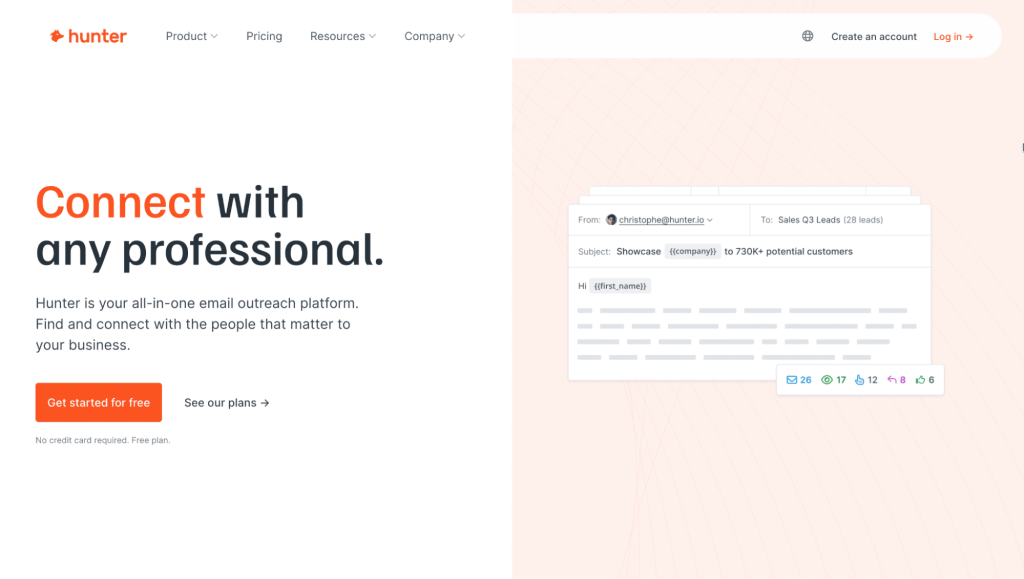
Hunter is an email-based prospecting stack: it helps you find the right contacts, verify them, and run simple cold email sequences from one place. 

Key features​

  • Finds people’s work emails at a given company or domain, with names, titles, and departments to help you pick the right decision‑makers
  • Checks whether email addresses are valid to reduce bounces and protect sender reputation 
  • Processes large CSV lists (domains, names) to generate or clean big prospect lists in one go
  • Lets you send personalized campaigns with follow‑ups, tracking opens/replies, and scheduling from your own inbox (Gmail, Workspace, Outlook)
  • Offers a browser extension and connections to CRMs, Google Sheets, and automation tools so you can push found/verified leads straight into your prospecting workflow

Pricing 

Has a free plan; paid plans start from $34/month

Mailshake  

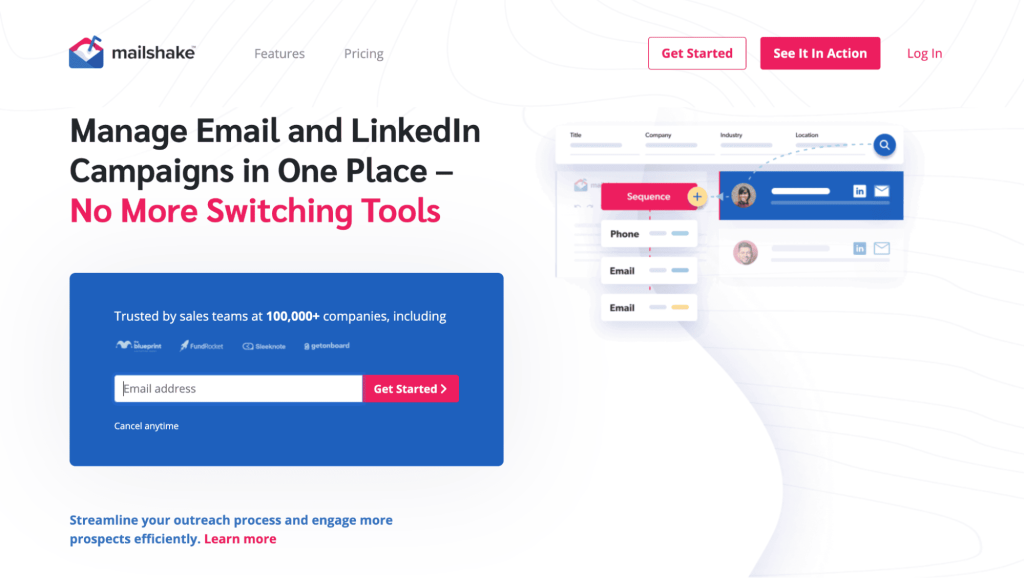
Mailshake is built for outbound prospecting. It helps you find contacts, put them into multichannel sequences, and focus on the ones most likely to convert. 

Key features 

  • Use the built‑in database to search for prospects by role, location, and company, then add them directly into campaigns without using a separate list provider
  • Captures leads from forms and tools like LinkedIn Lead Gen via integrations, then creates or updates leads inside Mailshake
  • Helps you run personalized cold email campaigns with automated follow‑ups, throttling, and reply‑based pauses so you can run large-scale outreach 
  • Tasks and automation for calls, LinkedIn messages, profile views, and connection requests stay inside the same sequence
  • AI-assisted copy generation plus domain/mailbox setup and deliverability features 

Pricing 

Paid plans start from $45/month

Persana AI  

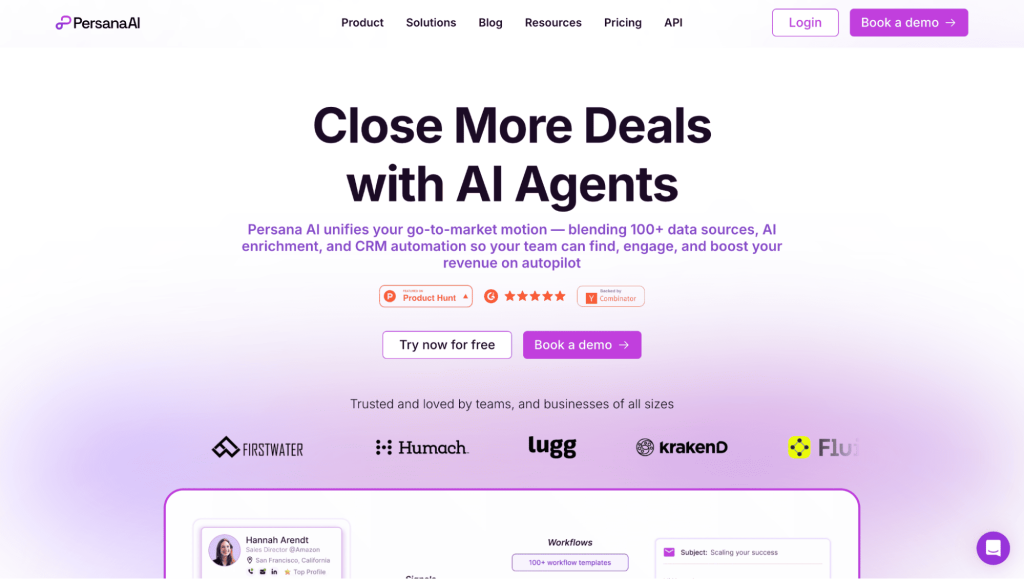
Persana automates prospecting end-to-end: it finds accounts and contacts, enriches them, researches them, and then personalizes outbound with AI agents. 

Key features​

  • Access to an extensive number of contacts and companies with multiple filters to build highly targeted ICP-based lead and account lists
  • Generates ideal customer profiles and scores prospects using signals like engagement, firmographics, and behavior to surface the best targets first
  • Pulls data from 75+ sources to append emails, phone numbers, LinkedIn URLs, job titles, company news, and other attributes to each prospect
  • 24/7 agents scan websites, news, and social data for each account, producing company summaries, talking points, and competitive intel automatically
  • Supports email and LinkedIn-style outreach, with personalization tokens and templates to run personalized campaigns at scale
  • Connects with systems like Salesforce and HubSpot plus outbound tools

Pricing

Free plan available; paid plans start from $68/month

PhantomBuster   

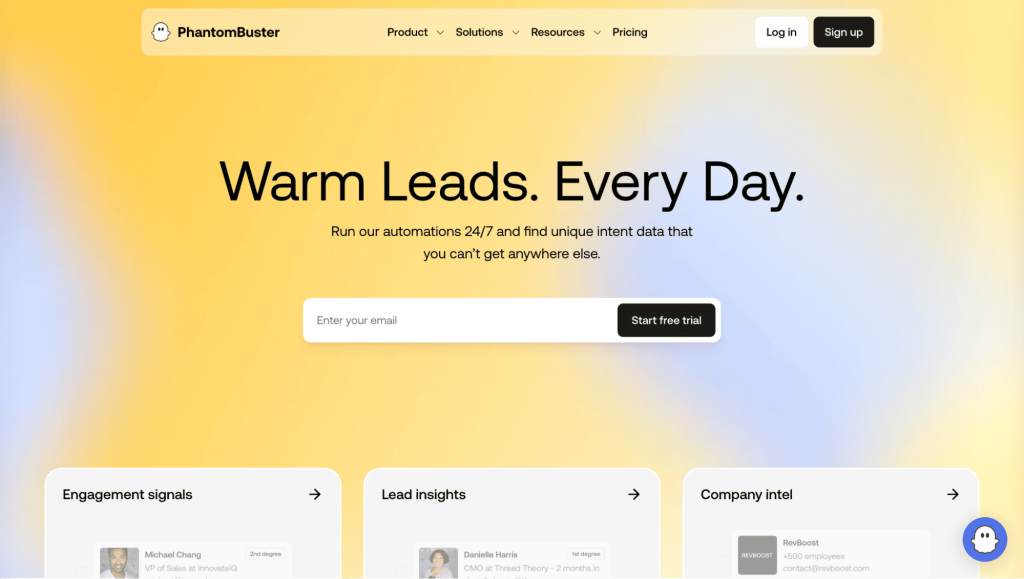
PhantomBuster is a prospecting automation platform that scrapes live data from many sites, enriches lead lists, and then triggers outreach actions based on real-time signals. 

Key features​

  • Cloud automations run continuously to scan 15+ platforms (e.g., social, job boards, communities) and extract fresh profiles, activities, and events
  • Captures niche signals like job changes, profile activity, event participation, and content engagement 
  • Adds multiple possible data points per lead (role, company info, recent actions, etc.)
  • Uses smart segmentation to group leads into tightly defined segments that are ready for tailored outbound​
  • Feeds collected signals into your AI writer so messages can reference real, recent behavior and context
  • Can trigger DMs, connection requests, likes, or event invites directly from the captured signals

Pricing 

Free trial and free plan available; paid plans start from $56/month

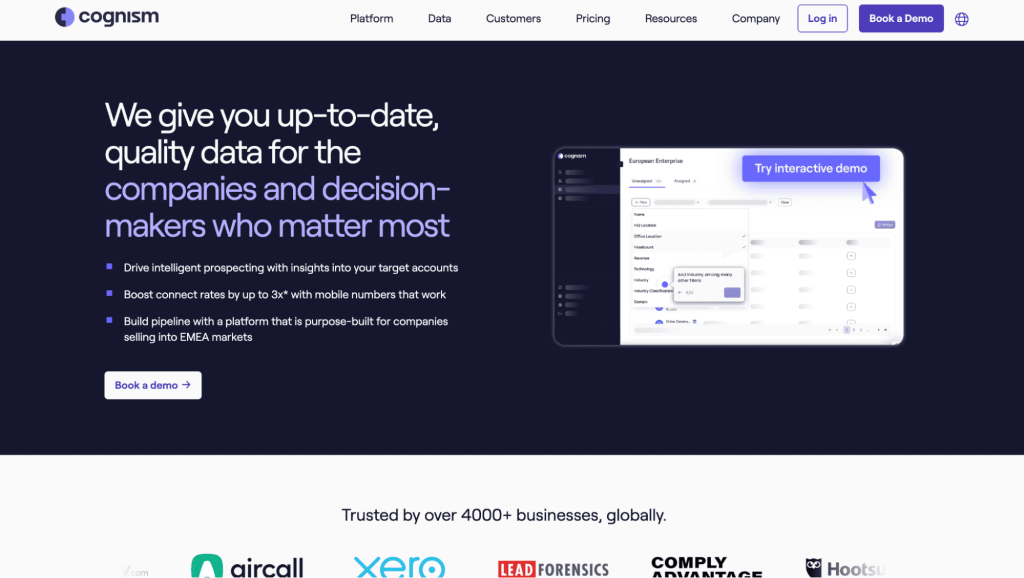
Cognism

Cognism’s prospecting edge is giving reps accurate decision‑maker data plus signal-driven and AI‑driven guidance on who to contact next, when, and why. It’s a sales intelligence layer on top of your outbound motion, rather than just a static database.​

Key features

  • Provides fresh, compliant B2B contact and company data so reps can reliably reach senior buyers in target accounts
  • Lets you define and segment ICPs, then create contact and account lists with complete, enriched records via CSV/API enrichment and CRM sync
  • Surfaces hiring trends, funding rounds, tech changes, and topic interest so you can spot new opportunities and time outreach to key moments
  • Enrichment and integrations keep CRM and sales tools stocked with current data and suggestions, so reps can dial, email, and log activity without manual list cleanup

Pricing 

Custom pricing

Also read: Cognism Pricing Explained: Is It Worth It in 2026?

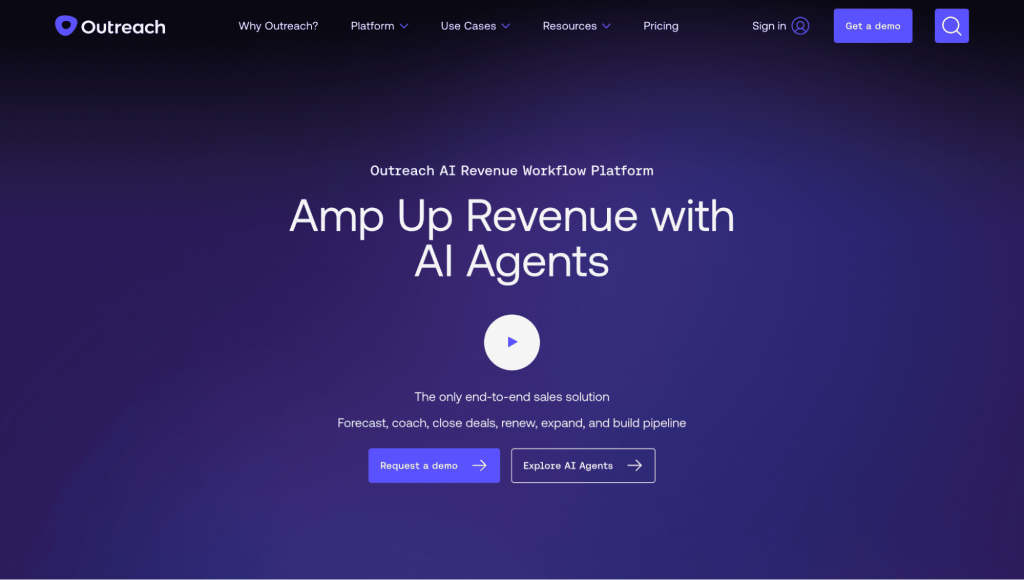
Outreach 

Outreach helps with prospecting by automating multichannel outreach, using AI to prioritize and personalize touches, and giving reps a single place to manage all prospect interactions. 

Key features

  • Workflow automation pauses or resumes steps automatically and keeps prospects engaged across their journey 
  • The AI Prospecting Agent can identify target accounts based on firmographics, past engagement, or buying signals, then find the right personas inside each account
  • It performs automatic account research and generates channel-specific messaging for every step
  • AI-assisted writing tools (like Smart Email Assist) help reps tailor subject lines and body text using fresh account signals ​
  • Reply handling and tasking ensure responses are tracked, sequenced appropriately, and turned into next actions
  • Buyer signals and engagement data from email, calls, and social are captured in one place, helping prioritize the warmest prospects and refine cadences

Pricing 

Custom pricing 

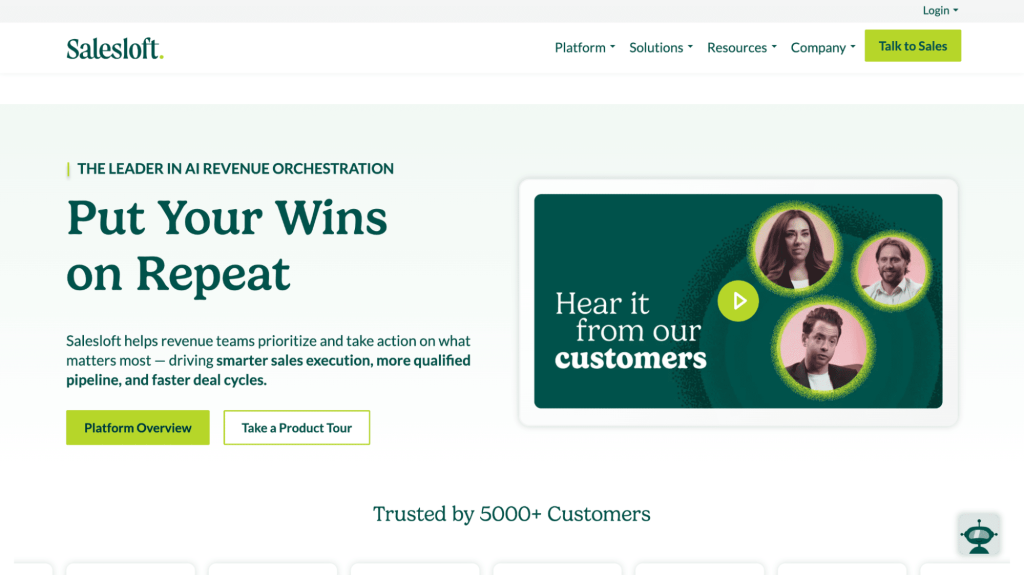
Salesloft  

Salesloft helps with multichannel outreach by surfacing the best buyers to contact next and using AI to research and personalize at scale. 

Key features

  • Cadence engine to run structured sequences of emails, calls, and social touches so reps never lose track of who to follow up with
  • Integrated dialer, email engine, and activity tracking so all prospect interactions sit in one place and sync back to CRM
  • Consolidated buyer signals from CRM and the wider revenue stack so sellers can see which prospects are engaging and should be contacted first
  • Real-time alerts on opens, clicks, replies, and other behaviors 
  • Person and Account Research Agents that auto-generate up-to-date buyer and account insights​
  • Custom object-triggered plays that turn CRM changes and buyer activity into automatic prospecting actions

Pricing 

Custom pricing 

Also read: Reply.io vs Salesloft: The Transparent Salesloft Alternative

How to integrate automated prospecting into your sales process?

The easiest way to bring automation into prospecting is to treat it as workflow design, not tool stacking. You want your systems to handle the repetitive work while reps stay focused on conversations.

Break down your current prospecting flow

Lay out how a lead moves through your workflow today, step by step. 

Start from sourcing and research, then move into drafting, sending, follow-ups, and whatever you do to log activity. 

Seeing the full chain on paper makes friction easier to spot. It also shows you which actions deserve automation versus the moments that still benefit from a human touch.

Pick tools that fit your primary channels

If your outbound motion is LinkedIn-heavy, pair Sales Navigator with Jason for list filtering and tailored outreach. 

If your team runs high-volume email, use sequencing platforms that enrich data, verify contacts, and trigger follow-ups without manual effort. 

Choose tools that fit how your team already works, instead of forcing major changes.

Create simple trigger-based workflows

Start with a few reliable triggers. 

New ICP job change. New funding round. Website visit. Product page view. 

Each trigger can launch enrichment, scoring, and a first-touch draft. It keeps prospecting moving even when reps are in calls or deep work.

Blend automation with human involvement

Let your tools prepare the groundwork: research, data cleanup, message suggestions, sequencing, reminders. 

Reps step in where nuance matters, like warm replies, objections, or opportunities that need a personal call or voice note. 

The balance keeps outreach fast without feeling automated.

Sync everything back to your CRM automatically

An automated prospecting process only works if your CRM is clean. 

Use enrichment, automatic activity logging, and status updates to keep records accurate so reps never waste time on stale leads or outdated data.

Introduce automation gradually and refine as you go

Roll out one workflow at a time and collect feedback from the reps who use it daily. 

Small improvements compound quickly, and you avoid overwhelming the team with too much change at once.

When you integrate automation this way, prospecting stops feeling chaotic. Follow-ups happen on time and the pipeline grows without adding extra admin work to anyone’s day.

How to balance automation with personal touch?

Automation supports scale, but the conversations that move deals forward still rely on human judgment. The goal is not to replace personal outreach but to reserve it for the moments that actually matter. Here are a few tips to maintain a good balance:

Let automation handle the repetitive steps

Tasks like initial research, list cleanup, first-touch drafts, and follow-up reminders can run in the background. It frees reps from the admin work that usually takes up most of their day.

Use signals to decide when to step in

Warm replies, repeated website visits, intent spikes, and profile views are cues for human outreach. These moments benefit from a call, a quick Loom, or a tailored message that shows genuine attention.

Personalize where it has the most impact

The first and second touches can rely on templates and dynamic fields. The third or fourth touch, especially when an account shows interest, should be written by a rep. 

Avoid one-size-fits-all messaging

Even with AI assistance, generic outreach weakens trust. Use insights from enrichment, recent events, and shared connections to add relevance. Small details make your message stand out without slowing the process down.

Create a hybrid workflow

Automation prepares context, drafts messages, scores leads, and tracks engagement. Reps handle the conversations that require nuance. This mix keeps outreach consistent at scale while preserving the human tone prospects expect.

What metrics and KPIs should you track?

Automated prospecting works best when you measure the right signals. These metrics help you understand whether your workflows are increasing qualified conversations or simply increasing volume.

Outbound to meeting conversion

Track how many prospects move from outreach to booked meetings. It shows whether your targeting and messaging are aligned with real buyer interest.

Lead quality indicators

Look at reply quality, meeting acceptance rates, and the number of conversations that progress to qualification. High volume with low-quality replies usually points to weak targeting or stale data.

Engagement metrics

Open rates, click-through rates, call connection rates, and response time help you understand if timing and message angles are working.

Negative engagement

Unsubscribes, spam complaints, and “not interested” replies highlight issues with list accuracy or message relevance. These signals help you refine your ICP filters and templates.

Pipeline velocity

Measure how quickly leads move from first touch to opportunity. Faster movement generally means better-fit accounts and clearer messaging.

ROI per channel

Compare cost per meeting, cost per opportunity, and revenue generated by automated versus manual outreach. These help you spot which workflows actually deliver pipeline.

What common challenges should you watch out for?

Challenge What it causes How to fix it
Data privacy and compliance gaps Risk of violating GDPR, CAN-SPAM, or CASL. Creates hesitation in larger deals. Use verified data sources, document consent, and build compliance checks into your workflows.
Outreach that sounds automated Lower reply quality and reduced trust. Prospects feel like part of a bulk list. Mix AI-generated drafts with light manual edits and use recent signals for relevance.
Stale or inaccurate lead lists Wasted touches, high bounce rates, and misleading reporting. Automate enrichment, run regular cleanup, and verify contacts before sequencing.
Over-automation of early touchpoints Prospects receive too many touches without context, leading to quick unsubscribes. Keep sequences focused and align them with how top performers communicate.
Poor CRM syncing Duplicate records, unclear ownership, and unreliable pipeline visibility. Automate activity logging, enrichment, and status updates to maintain clean data.

Automation is moving beyond simple sequencing. The next wave of tools is shaped by measurable shifts in how companies use AI and where they see the most value.

The rise of autonomous AI 

McKinsey estimates that agentic AI, i.e., systems that can take autonomous, decision-driven actions, will account for more than 60 percent of the incremental value companies gain from AI in sales and marketing. 

It points to a future where AI manages enrichment, outreach timing, and follow-up logic without constant human input.

Mainstream AI adoption across sales teams

Salesforce reported in 2024 that 81 percent of sales teams have either tested or fully adopted AI, and 83 percent of those teams saw revenue growth in the same period. 

As adoption becomes the norm, outbound teams will expect AI-driven prospecting features as part of their core stack, not as add-ons. 

Predictive analytics shaping pipeline creation

Companies are increasingly using predictive models to flag accounts nearing a buying cycle. 

Prospecting tools will integrate these models natively so that outreach begins before a prospect shows obvious intent.

Together, these trends show a clear direction: prospecting will become increasingly autonomous, data-driven, and predictive. Teams that adopt these capabilities early will build faster and more consistent pipelines with far less manual effort.

Wrapping up: How to get started and win with automation

Prospecting works best when the manual weight is off your team’s shoulders. 

Once enrichment, research, scoring, and follow-ups happen automatically, reps spend their time where it actually counts and your pipeline stops swinging between slow and overloaded.

A simple way to begin is to automate one slow part of your flow and watch what changes.

Remove the step that consistently eats hours, let automation handle it, then build from there. That steady improvement is what turns a scattered outbound motion into a predictable system.

If you want quicker traction, consider a platform that already brings the full workflow together.

Jason, for instance, is built for exactly that: it finds high-fit accounts, researches them, drafts the outreach, and books meetings while syncing everything back to your CRM. Your team stays focused on real conversations, not the prep work.

Book a free demo and see how Jason can handle the groundwork for your reps!

Subscribe to our blog to receive the latest updates from the world of sales and marketing.
Stay up to date.

Related Articles

Top 12 GTM Outbound Sales Platforms to Try in 2026

Top 12 GTM Outbound Sales Platforms to Try in 2026

Top 12 GTM Outbound Sales Platforms to Try in 2026
What’s New in Reply: New API, AI Custom Fields, LinkedIn Enrichment, and More

What’s New in Reply: New API, AI Custom Fields, LinkedIn Enrichment, and More

What’s New in Reply: New API, AI Custom Fields, LinkedIn Enrichment, and More
Best 12 CRM for Marketing Agencies in 2026

Best 12 CRM for Marketing Agencies in 2026

Best 12 CRM for Marketing Agencies in 2026