Lavender AI Review in 2026: The Ultimate Sales Email Assistant?
Eugene Suslov29 Mar 2025
It’s no secret that artificial intelligence (AI) has completely reshaped how modern businesses sell their products and services to customers. Most notably, what used to take sales teams hours—building targeted prospect lists, writing emails, and researching ways to personalize each message—can now be accomplished in minutes by AI tools.
One most prominent AI sales tools that have become rapidly popular are AI email assistants that, as you’ve guessed, help businesses generate effective and personalized emails at scale. Think ChatGPT but specifically designed for sales.
In fact, some of them take it a step further with additional sales features to become fully fledged AI-powered sales agents, commonly referred to as AI SDRs, but more on that later.
For now, we’ll focus on one email assistant that’s slowly gaining traction—Lavender AI.
We’ll explore its main features, pricing plans, reviews from verified users, how it compares to some of the leading alternatives on the market, and ultimately—whether Lavender AI is the right sales email assistant for your business in 2026.
What is Lavender AI? Product overview
Let’s start from the very beginning—what is Lavender AI?
At its core, Lavender AI is an AI-powered sales email assistant that integrates with the top email platforms like Gmail and Outlook and comes with a neat Chrome extension to help businesses craft emails faster and better, and therefore, increase their reply rates.
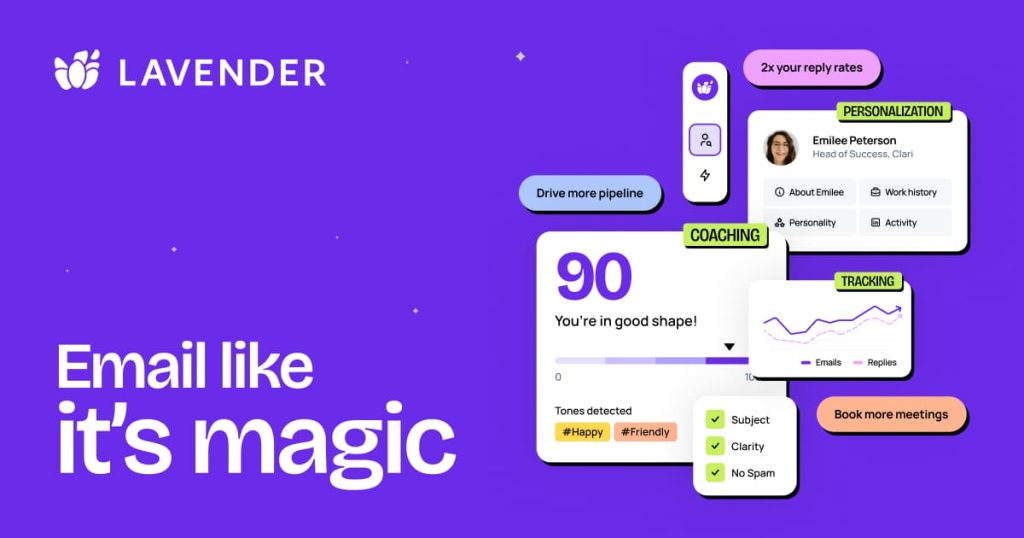
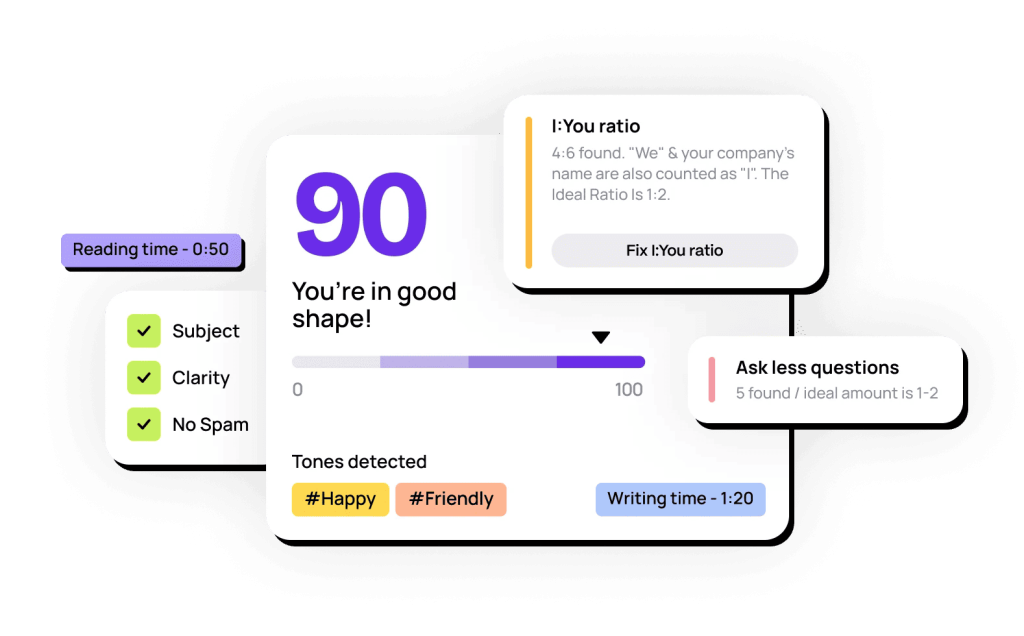
The Lavender AI email assistant analyzes your email copy in real time, assigning each email with a score from 0-100, and makes suggestions based on your subject line, intro, message length, and level of personalization.
Unlike AI sales agents likeJason AI which generate entire multichannel outreach sequences and respond to emails on users’ behalf, Lavender AI solely focuses on outbound email outreach.
On the other hand, Lavender AI ticks all the main boxes of an AI email generator, operating as a real-time assistant looking over your shoulder and optimizing every email with actionable feedback on things like:
Lavender AI can be used by SDRs and BDRs for account-based outreach, sales leaders and managers for coaching, marketers for account-based marketing, and even recruiters for connecting with candidates.
Overall, Lavender AI is undoubtedly a topAI email reader and writer and a solid option for supporting individual professionals to craft highly effective 1:1 emails with data-driven insights and coaching.
However, when it comes to automating sales prospecting and large-scale outbound campaigns, it doesn’t quite measure up to dedicated AI SDRs.
What are the main Lavender AI features?
Now it’s time to get to the main event—the main features of Lavender AI that make it an increasingly popular choice for modern sales teams.
In a nutshell, while all of its features are fairly standard for AI email assistants, we’ve got to give credit where credit’s due—they work pretty effectively.
AI email generator
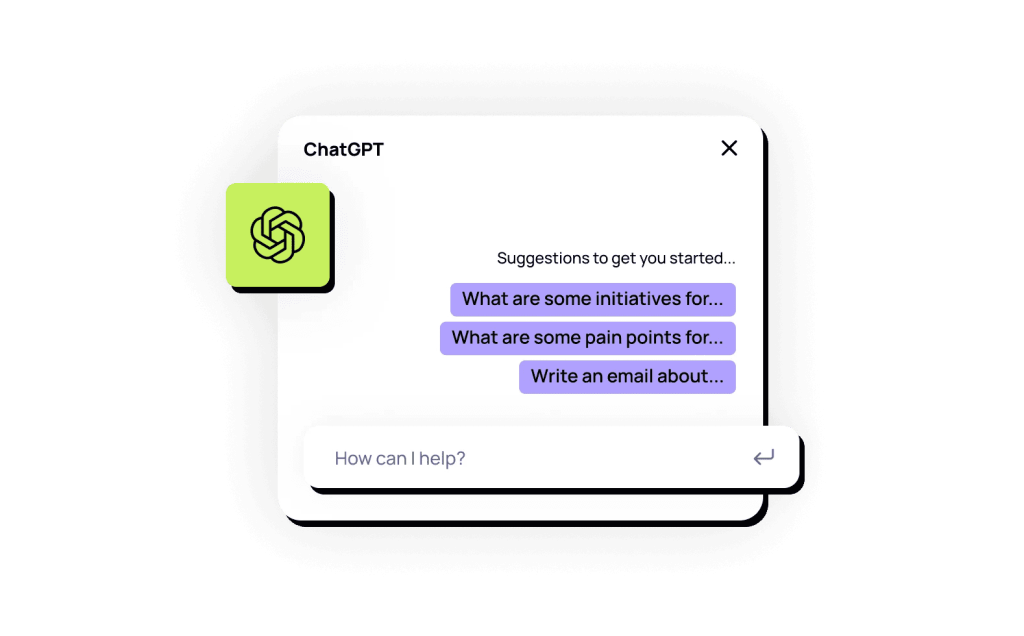
We’ll kick things off with the most straightforward but core feature of Lavender AI, and every AI email generator for that matter, and that’s the AI email writer powered by GPT models.
The way it works is fairly simple and exactly as you would work with ChatGPT—users input bullet points with relevant information (prospect/company/product/intent signals/etc.) or full-on AI sales prompts. In return, Lavender will generate an effective email in seconds.
Users can rest assured that each Lavender AI sales email will have a unique and relevant intro, value proposition, and CTA, while the email length, structure, and tone will also be adjusted to each unique prospect based on the available information. To make things a little more interesting, Lavender AI includes fun GIFs in its email writing feature.
Lavender AI integrates directly into your preferred email provider like Gmail or Outlook, and it also offers a neat Chrome extension that enables users to write emails on the go whenever browsing the web (this could be fairly useful when browsing LinkedIn for decision-makers).
There are several limitations here, however, such as Lavender’s email writing capabilities mainly designed for individual emails rather than mass email campaigns. On the other hand, AI sales agents like Jason AI generate entire multichannel sequences with automated follow-ups and LinkedIn touches at scale, on top of crafting highly-effective and personalized emails.
AI email coach
This is perhaps Lavender’s flagship feature that makes it stand out from many other AI email assistants, we’re talking about its AI email coach.
It works in two main ways.
First, Lavender AI stays right by your side as you write your emails, analyzing your message and providing real-time optimization suggestions based on its internal data models. These data models are built on research from millions of emails to determine what drives replies and what doesn’t.
It gives feedback on subject lines, sentence length and complexity, tone adjustments (based on prospect profiles), personalization suggestions, potential spam trigger words, and more.
On top of that, Lavender AI reviews each rep’s email performance and creates special coaching dashboards that show who’s hitting or missing their set goals and how sales leaders can help them.
AI personalization assistant
For any business email to be effective, there has to be some level of personalization. A generic mass-blast email will likely make your prospect feel unimportant and just another name on some sales or marketing list, so why would they reply?
AI email assistants are great at personalizing email messages with relevant data points, and Lavender AI is no exception.
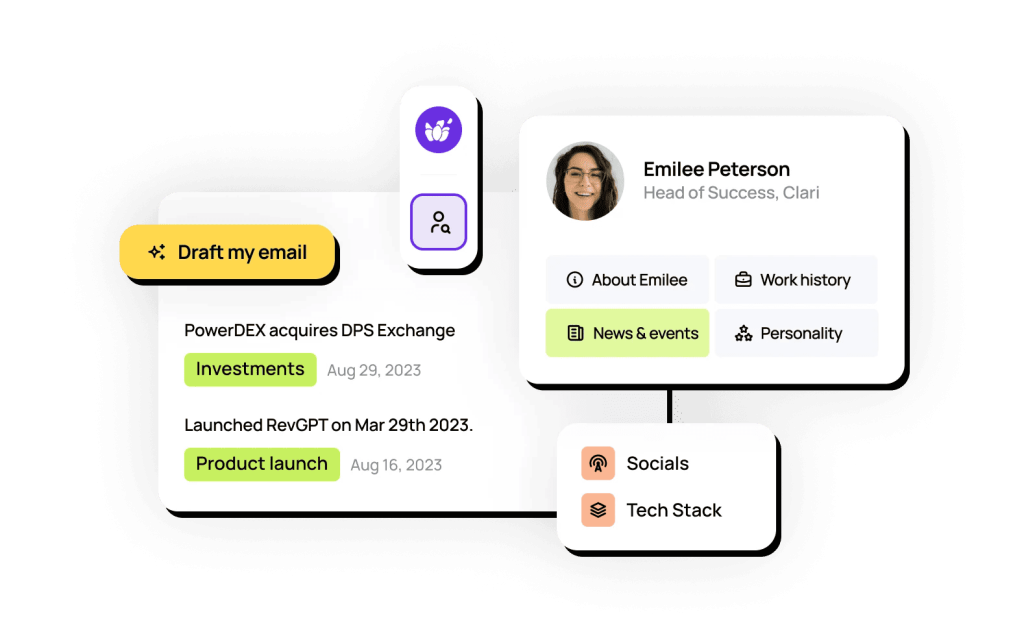
Lavender does surface-level research on your recipients to identify their work history, individual and company news & events, and picks up on personality traits and sentiment. It will then suggest users personalization suggestions in real-time as they write their emails, ensuring that every email is meaningful and personal.
It may also suggest email tone or context adjustments based on any real-time changes in prospect online activity, which can be very helpful beyond the first initial email.
Ora AI sales agent
Lavender’s Ora is its brand-new addition, positioned as a separate AI agent that’s built to research prospects, write personalized emails, and run outbound campaigns automatically.
The setup is different from Lavender’s original email coach. Users can upload a CSV or connect their CRm, train Ora on what matters to their business, give it campaign instructions, and let it research the prospect, company, and market before writing the outreach.
Under the hood, Ora uses Lavender’s ACI (Augmented Communication Intelligence), which is meant to decide on the context of each message based on Lavender’s vast sales-email data.
Pricing is separate too. Ora is listed as free to build, then $500 per agent/month at launch, with 1,000 emails per month and 4,000+ contacts per year included for each launched agent.
So yes, Ora is a real expansion beyond Lavender’s original coaching product. The catch is that it still looks centered on email-led outbound.
A more established AI sales agent like Jason AI, besides finding targeted prospects from a much larger database and LinkedIn, also launches multichannel outreach across email, LinkedIn, and calls, while also handling replies and booking meetings on your behalf.
What are the Lavender AI pricing plans?
Now that we’ve covered its main features, it’s time to explore the available Lavender AI pricing plans in 2026 to help determine which one would be best for you or your team.
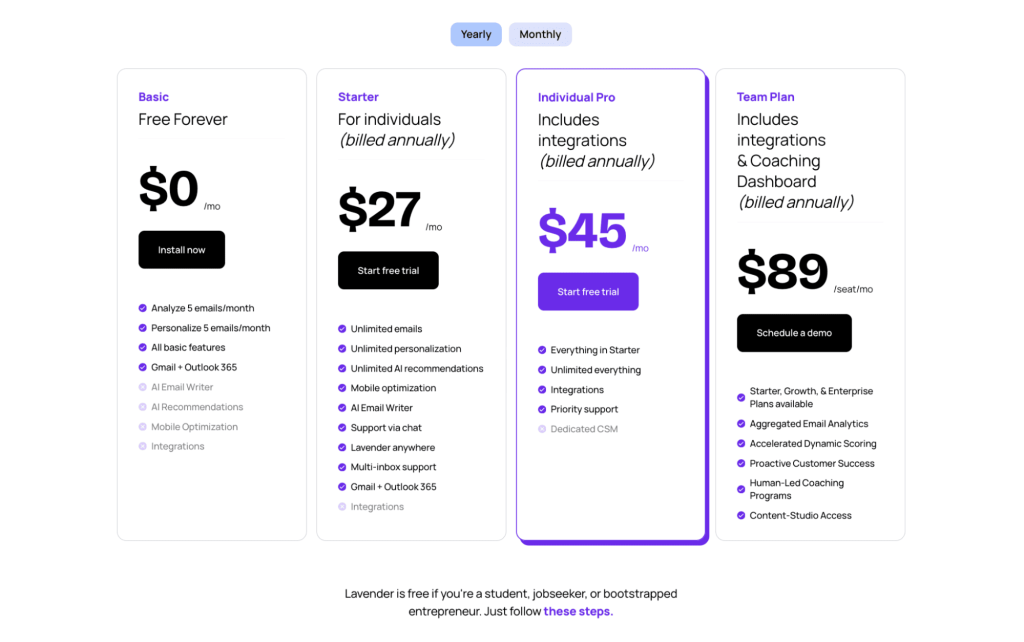
For starters, it’s worth noting that Lavender AI offers both a completely free plan and a 7-day free trial for the paid plans.
No surprise that the ‘Free Forever’ plan is fairly limited and definitely not sufficient even for individual professionals looking to improve and automate their email outreach. It offers only 5 email analyses and 5 personalizations, along with all the other basic features. However, don’t expect any AI features on integrations.
Then there are 3 paid tiers—2 for individual professionals and one for teams, depending on how many users plan on using this tool and what kind of features they need:
Starter ($27/month) → offers pretty much full, unlimited access to all the features of Lavender AI, including their core AI writer, Chrome extension, and AI recommendations;
Individual Pro ($45/month) → offers all the features included in the ‘Starter’ plan + third-party integrations and priority support, ideal for those with existing tool stacks containing other AI software for sales;
Team Plan ($89/user/month) → teams looking to use Lavender AI can choose from 3 distinct team plans (Starter, Growth, & Enterprise), which include all the AI coaching and analytics features to improve individual and team effectiveness.
As a pleasant surprise, Lavender AI is reportedly free for students, job seekers, and bootstrapped entrepreneurs, so if you fall under one of those categories—you’re in luck!
What are Lavender AI reviews by real users?
You know what they say—software is only as good as the user reviews!
G2 → 4.8/5 ⭐️
On that note, for this Lavender review, we’ve skimmed through some of the top review platforms to get an idea of the most commonly reported pros and cons from real and verified users:
✅Users consistently say Lavender makes their emails more concise, clear, and professional without losing their voice ✅The real-time suggestions, scoring, and insights (like tone, length, and personalization tips) help improve cold outreach especially. ✅Users appreciate that it’s lightweight, plugs directly into email tools, and doesn’t require a steep learning curve.
❎ Especially for experienced salespeople, some feel the output lacks creativity or personalization beyond the surface level. ❎Multiple users mention that $29-$49 per user/month feels steep, considering other tools (or even ChatGPT) offer similar capabilities cheaper. ❎ Users report occasional glitches with Gmail or LinkedIn integrations, or scoring not showing properly in real-time.
And, here are some of the most popular real-world Lavender AI reviews. First up, the positives:
“Ease of Use: The UI (in this case, G-Suite) is simple, intuitive and powerful. A seller can easily type an email from scratch and receive feedback on how to improve the likelihood of their email getting read; sellers can also see a mobile phone view, which shows exactly how their email will appear on mobile devices and mobile preview.
Also, there is a feature that leverages AI to write an email for you or take an email and reword it for you to make it stronger. All of this is fairly seamlessly integrated into the interface and is easy to understand, use, and leverage.”
Then there’s the coaching experience, which many users rave about:
“The coaching itself is really awesome. Rarely do you find a product that teaches you while you use it. The product is excellent. The educational content and lessons the team posts on socials are infinitely more valuable, though.
Any team struggling to book meetings or get replies on email should really consider onboarding this tool across the board. It’s a game changer when it comes to reply rates and starting meaningful conversations with prospects.”
Of course, not every experience has been glowing. Some users have voiced frustrations with reliability and support:
“As an SDR, I’ve had the opportunity to use Lavender.ai, and here’s my experience:
1. Buggy Performance: The product frequently crashes, making it unreliable. The user interface is also quite buggy, which hampers productivity.
2. Unhelpful Customer Support: The customer support team hasn’t been very helpful. Their advice often feels condescending, focusing on superficial aspects of email tone rather than providing constructive feedback. Their office hours are more about explaining basic email concepts than offering genuine support.
3. AI Functionality: While the idea of using AI to rewrite emails is fantastic, I’d recommend ChatGPT over Lavender. Lavender’s feedback tends to be limited to critiquing sentence length rather than offering meaningful improvements.
4. Lack of Compelling Features: The product itself is uninspiring and hasn’t led to an increase in booked meetings. It doesn’t deliver the results it promises.
Overall, I wouldn’t recommend spending your money on Lavender.ai. There are better alternatives available.”
What are the best Lavender AI alternatives?
We’ve taken a good look under the hood, covering its main features, pricing plans, and user reviews—the good and the bad. Now, let’s find out how Lavender AI measures up to the other leading AI sales tools out there.
There are quite a few AI tools on the market to help sales teams with their outreach, and if we compare Lavender AI to other lightweightAI email assistants—definitely a solid option.
It covers all the foundational features of AI-powered email outreach, including AI writing, AI personalization, and AI optimization. On top of that, it offers additional AI-driven coaching and analytics features to teams—once again, lightweight, but highly effective.
On the other hand, if we were to judge Lavender AI as an AI sales outreach tool, this is where things get tricky.
At Reply, we’ve worked very hard to create one of the leading AI sales agents in the market—Jason AI, and truth be told, so have many others, and they are undoubtedly much more powerful than Lavender AI.
For instance, here are the key reasons why Jason AI would be the more suitable option for sales teams:
While Lavender AI helps you write effective emails, Jason AI does it on its own, even when talking about hundreds or thousands of prospects;
Jason AI finds targeted prospects for your business on your behalf from over 1 billion contacts without the need for any manual work;
Jason AI creates tailored multichannel sequences for each unique lead, including emails, LinkedIn, SMS, and more;
Jason AI hyper-personalizes each message by researching relevant prospect and/or company data from external sources and staying alert for any intent signals;
Last but definitely not least, Jason AI handles responses on your behalf by answering questions, handling common objections, and booking meetings on your behalf!
Brand newAI SDR Playbooks that enable you to train your AI sales agent to sell exactly how you want it to (seriously, check it out!).
Powerful analytics, email deliverability, and much more in store for you!
All in all, if you just need a lightweight AI email assistant, Lavender AI will do the job. But for sales or BD professionals looking to fully leverage AI for prospecting and engagement, Jason AI and other Jason AI SDR alternatives are a far better choice.
Where Lavender fits, and where it doesn’t
Lavender AI sales email workflows are strongest when reps are writing or improving one email at a time. It helps with structure, clarity, personalization, tone, subject lines, spam triggers, and coaching right inside the inbox.
The limitation is pretty clear, though. Lavender is still not a full-scale sales engagement platform. It doesn’t replace a CRM, data provider, deliverability tool, dialer, or multichannel outreach platform.
So if your team needs large-scale lead generation, enrichment, automated LinkedIn steps, inbox rotation, reply handling, and other more advanced features, Lavender will usually just be a part of your sales stack — not replace it.
At the same time, if you’re already using a reputable AI sales platform like Reply.io, that fully handles lead gen, outreach, deliverability, and analytics, there’s very little added value from a tool like Lavender.
Is Lavender AI the right tool for your business?
Lavender AI is definitely a solid tool for individual professionals and small teams looking for solid AI assistance in their email outreach efforts. With real-time coaching, email scoring & optimization, and writing assistance right through your preferred email provider, this tool definitely gets the job done.
The only thing to keep in mind is that in 2026, there is much more advanced AI tech designed for outreach, with features that go far beyond basic email assistance.
Ultimately, Lavender AI is a great assistant for the micro-task of writing emails and optimizing individual emails within existing workflows.
But for companies looking to fully automate and scale their outbound efforts across multiple channels and with powerful AI research and personalization, AI sales agents like Jason AI are the better choice.
At the end of the day, it ultimately depends on your exact business needs and existing workflows, but the good thing is that Lavender AI, Jason AI, and most other reputable AI outreach tools have some sort of trial for you to test them out and make the right decision.
Good luck!
FAQ: Lavender AI Reivew
What is Lavender AI used for?
Lavender AI is used to make sales emails better before they’re sent. For a quick Lavender AI company overview, think of it as an email coach inside the inbox — scoring drafts, suggesting edits, improving personalization, and helping reps write clearer cold emails.
Is Lavender AI a sales engagement platform?
No. Lavender AI is not a full sales engagement platform, as it doesn’t offer lead gen, deliverability, and sequences. It has recently launched its dedicated AI sales agent, though it’s positioned and priced as a separate product.
What makes Lavender AI email assistant different from traditional email tools?
The main difference is that Lavender AI email assistant focuses on coaching while you write. It scores the draft in real time and suggests fixes around tone, clarity, length, structure, and personalization.
How does Lavender AI handle personalization without full CRM data?
Lavender can pull context from places like LinkedIn, company pages, social activity, and public web data to suggest angles for personalization.
What should users expect when pairing Lavender with Reply.io?
Lavender helps improve the email itself, while Reply.io handles the actual outreach automation across email, LinkedIn, calls, SMS, and WhatsApp. One sharpens the messages, the other runs the system.
Subscribe to our blog to receive the latest updates
from
the world
of sales and marketing. Stay up to date.
We use cookies to enhance your browsing experience, serve personalised ads or content, and analyse our traffic. By clicking "Accept All", you consent to our use of cookies.