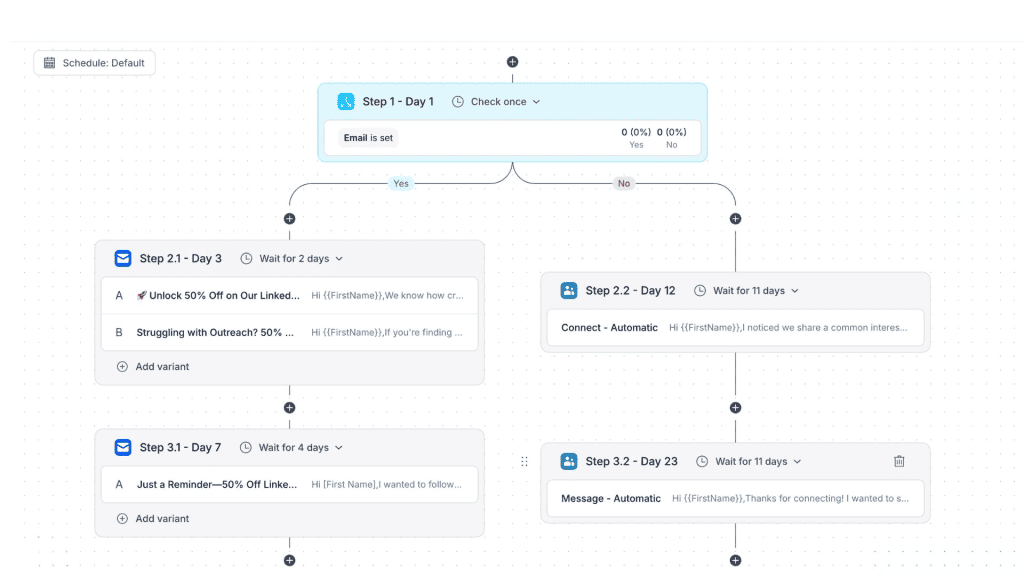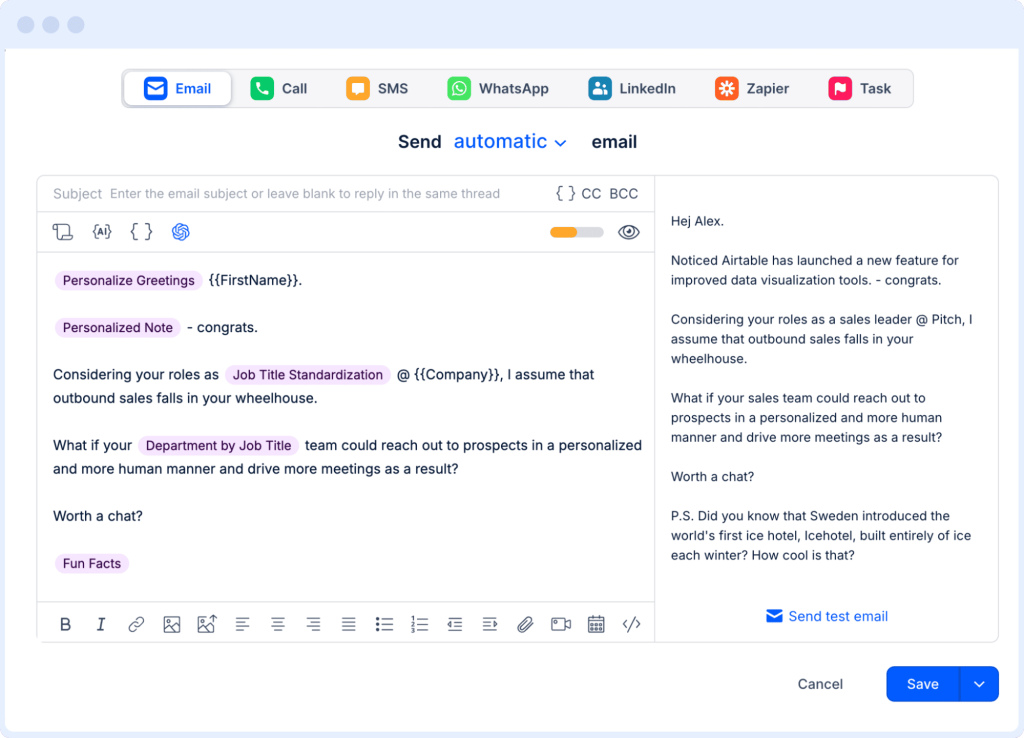

It’s becoming increasingly difficult to envision a business that isn’t utilizing AI in some aspect of its workflows, particularly in sales and marketing outreach.
Most already rely on large language models to help draft emails, summarize calls, or analyze accounts. But for a lot of teams, that still implies manual AI prompts, copy-pasting between tools, and static, one-size-fits-all outreach sequences.
OpenAI Agent Builder changes that dynamic. By turning OpenAI agents into visual, multi-step workflows, it lets you design a custom, automated B2B outreach engine with little to no coding, making it easy to create even for non-technical teams.
In this article, we’ll walk through how automated B2B outreach with OpenAI Agent Builder works and how to pair it with Reply.io to build a full-scale, custom AI sales outreach engine that actually runs in your day-to-day sales motion.
What is OpenAI Agent Builder (and what are OpenAI agents)?
OpenAI agents are AI systems that can reason about goals and instructions, call different tools, work with external data, and execute multi-step tasks instead of just answering one-off prompts.
Instead of giving you a single reply to a single question, an agent can plan and run a whole sequence of actions: pull data, analyze it, call APIs, decide what to do next, and keep going until the job is done.
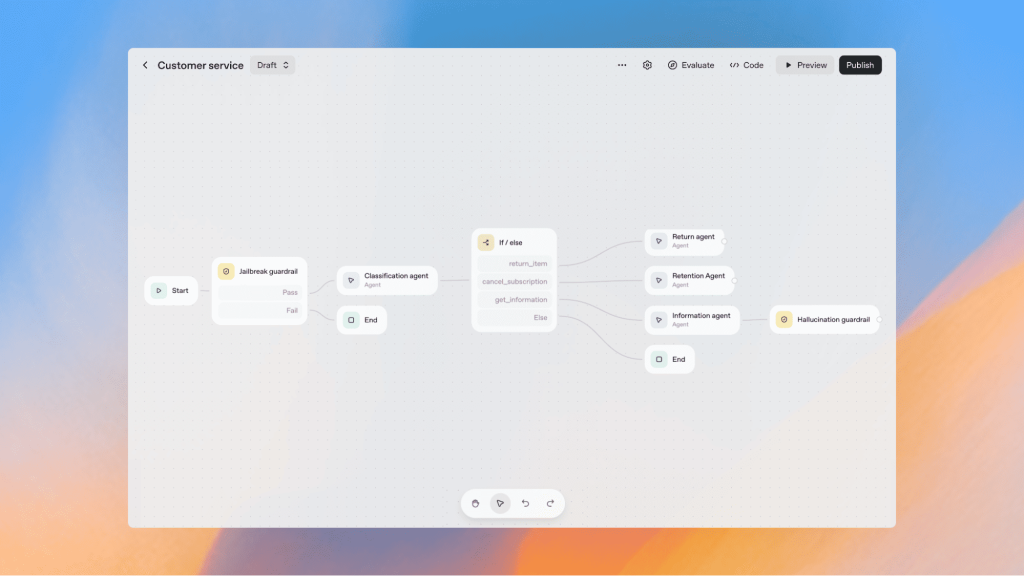
Source: OpenAI
Traditional chatbots are usually stuck with scripted intents and pre-written responses, while agents combine modern model reasoning with the ability to act in custom external systems, making OpenAI agents for B2B sales outreach a very natural fit.
In simple terms, OpenAI Agent Builder is the visual environment where all these agents and flows are designed and interact with one another. You get a drag-and-drop canvas to create multi-agent AI workflows, connect them to tools and data, and test how they behave before you plug them into your stack.
How OpenAI Agent Builder works
At its core, Agent Builder lets you assemble an agentic workflow using nodes and connections, each representing a concrete step:
- “Start” and “guardrail” nodes that define how the workflow is triggered and what constraints apply
- Agent nodes that run a model with a specific system prompt, instructions, and allowed tools
- Tool or connector nodes that call external APIs, run searches, or talk to databases and CRMs via MCP/connectors
- Conditional logic that routes the flow based on real-time actions, model outputs, or tool responses
You can preview runs with real data, inspect each step, and tweak prompts or tool configs until the behavior looks right. When a workflow is ready, you can export it via the Agents SDK, embed it into apps using ChatKit, or wire it directly into existing systems as part of OpenAI’s broader agent platform.
For sales teams, this means you can design an OpenAI Agent Builder sales workflow where your own AI agent continuously researches leads, scores them, drafts personalized messages, and coordinates with your outreach platform — without extensive coding from scratch.
Why automate B2B outreach with OpenAI Agent Builder
1. Pain points of manual and rules-based B2B outreach
Most B2B teams already “automate” parts of outreach, but on the ground, it still gets messy:
- SDRs manually research accounts, check intent signals, update spreadsheets or CRM fields, and write cold emails in separate tabs
- Most outreach tools run static, rules-based sequences with basic merge fields and light personalization, neither of which will cut it for modern-day business communication
- Data is spread across CRM, enrichment tools, product analytics, email, LinkedIn, and more, without a single intelligent layer to coordinate it all
The result? Slow throughput, inconsistent personalization, and high cost per meeting booked.
Even if you throw generic AI copywriting at the problem, humans still decide who to contact, which playbook to run, and when to escalate or stop and adjust.
2. Benefits of using OpenAI Agent Builder for outbound sales
Agent Builder lets you put a reasoning engine on top of your existing sales stack so you can move from “email tool with AI” to real agentic workflows for B2B sales outreach.
A sales-focused agent can:
- Continuously pull and enrich leads from external data sources or your internal database.
- Score and prioritize accounts based on fit, intent, and recent activity.
- Research each account for relevant details (news, product usage, hiring, tech stack) before drafting outreach.
- Draft personalized emails and LinkedIn messages tailored to persona, use case, and context.
- Decide when to move a prospect into a multichannel sequence, when to pause, and when to hand off to a human.
Compared to static automation, an agent can:
- Adapt messaging based on response patterns and fresh information.
- Choose the right playbook or segment on the fly instead of hardcoding flows per list.
- Make tool calls in real time—for example, updating CRM fields or triggering a campaign via your outreach platform.
In this setup, OpenAI Agent Builder becomes the “brain” planning and coordinating outreach. Tools like Reply.io provide the “hands”: a robust multichannel sales engagement layer with deliverability, reporting, and AI personalization.
Jason AI then acts as the AI SDR that handles a lot of the daily execution. Together, you get automated B2B outreach with OpenAI Agent Builder on top and Reply + Jason as the execution engine underneath.
Core building blocks of an automated B2B outreach agent
Before you drag a single node into Agent Builder, you need the foundation in place: who you’re targeting, what you’re targeting them with, and which systems your agents are allowed to interact with.
- ICP, segments, and data sources
Start by tightening your ideal customer profile (ICP), which usually includes:
- Firmographics: industry, company size, region
- Technographics: tools and platforms in use
- Buying triggers: funding rounds, hiring patterns, product usage milestones, tech changes
Then define your key segments and personas (e.g., VP of Sales, Head of RevOps, Marketing Ops), since each one needs its own value prop and outreach strategy.
From there, list the data sources your agent can use, such as:
- Lead databases like Reply Data, containing over 1billion live contacts
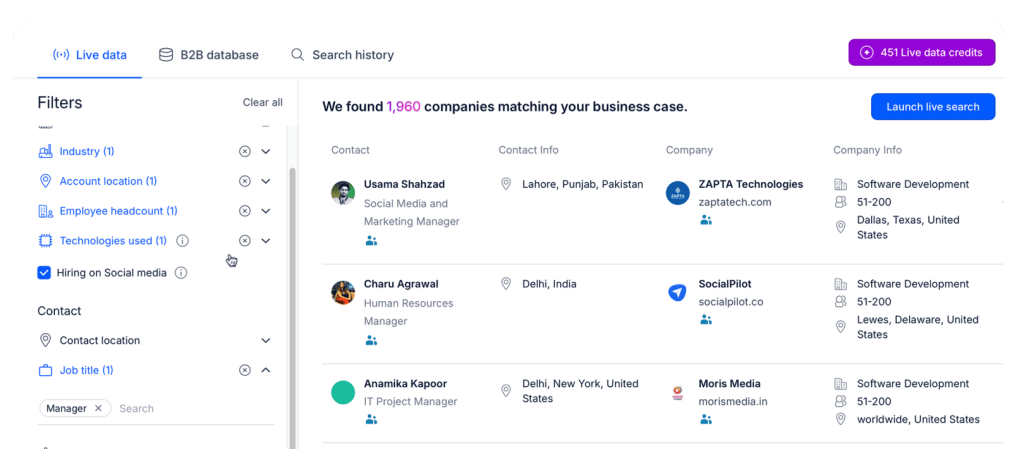
- Third-party enrichment APIs for extra firmographic and contact data
- First-party CRM data (past activity, pipeline status, renewals)
- Product usage or website behavior, if you run a PLG or product-led motion
These inputs form the structured context your automated B2B outreach agent uses to decide which leads to engage, when, and how, turning OpenAI Agent Builder into a solid AI B2B lead generation flow.
- Sales playbooks, messaging, and guardrails
Next, turn your sales playbooks into something an agent can actually follow in real life. That usually means spelling out, in plain language:
- Clear problem statements and value props per ICP and persona
- Preferred talk tracks, common objections, and approved ways to handle them
- Outreach cadences: touchpoints, channels, and timing
- Disallowed claims, compliance constraints, and escalation rules
In Agent Builder, this all turns into system prompts, structured instructions, and guardrail nodes that tell the agent what it can and can’t say, when to stop, and when to send something to a human.
For sales outreach, this layer is non-negotiable: you want the agent to be flexible and creative, but only inside clear boundaries on pricing, contracts, security, and anything sensitive or regulated.