How attachments fit into your overall email strategy
Let’s talk about attachments. Not the emotional kind—the file kind.
In cold emails, attachments can either help you stand out or get you sent straight to the trash. So how do you make them work for you, not against you?
First, remember this: attachments are tools, not the message. They should support your email, not carry it. The real goal of a cold email is to start a conversation. Your attachment should simply help that happen.
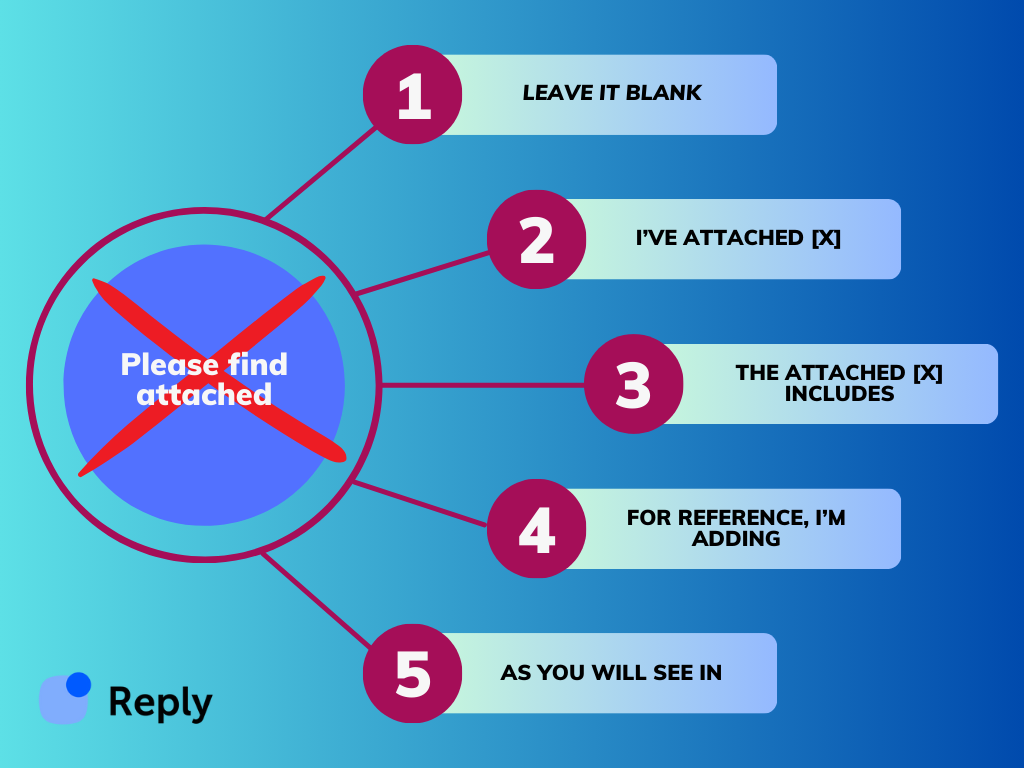
Use attachments to enhance, not replace. For example, with “kindly find attached”:
- A short PDF with case studies that back up your claims.
- A one-pager that sums up your service in a clean, visual way.
- A pricing sheet only if it’s been requested or highly relevant.
- A short demo deck or teaser—think movie trailer, not full documentary.
Before hitting send, ask yourself: Will this attachment make it easier for them to say yes, reply, or click?
If not, it’s probably just digital clutter.
Also, think about timing. You don’t always need to attach something in your first cold email. Sometimes, it’s better to hook their interest first and share the goods later. That way, the attachment becomes a value-add, not a distraction.
And let’s not forget trust. Random attachments from strangers (even with “please find the attachment”) can feel sketchy. Avoid big file sizes, weird formats, or anything that could trigger spam filters. Cloud links (Google Drive, Dropbox, Notion) can feel safer—as long as they’re clean, clear, and accessible.
Here’s a quick gut-check before including an attachment:
- Is it useful?
- Is it easy to open?
- Is it worth their time?
If you can say yes to all three, go ahead and attach.
Used wisely, attachments can make your email more engaging, more helpful, and more likely to convert. Just don’t let them do all the talking.
Personalizing every “I’ve attached” line across 10,000 prospects
A static “I’ve attached our deck” line is fine for 10 emails. At 10,000, it wastes your best asset — the attachment itself. A personalized intro roughly doubles the chance the prospect actually opens it.
Here’s how to pull it off inside Reply.io without hand-writing 10,000 emails.
1. Clean your data layer first. Every prospect row needs at least:
- First name, company, role
- One “hook” field — recent funding, new job title, tech stack, a job post they published
Pull hooks from Reply.io’s enrichment or your CRM. Missing hook = generic fallback, not a broken placeholder.
2. Build two layers of variables.
- Static:
{{FirstName}}, {{Company}} — for the greeting
- Dynamic:
{{Hook}}, {{AttachmentType}}, {{UseCase}} — these drive the intro line itself
3. Let Jason AI SDR write the line. Use a prompt like: “One sentence, mention {{Hook}}, tease the attached {{AttachmentType}}. No ‘please find attached.’”
Same attachment, 10,000 different framings.
4. Segment before you send. Split the list into 3–5 cohorts and let Jason tune tone per cohort:
| Segment |
Attachment |
Intro style |
| Seed-stage founders |
1-page case study |
Scrappy, ROI-first |
| Enterprise IT |
Security whitepaper |
Formal, compliance-led |
| Agency owners |
Client teardown |
Peer-to-peer, direct |
5. Write one safe fallback. For rows with thin data, give Jason a no-hook template so nothing ships broken.
That’s the whole loop: clean data → dynamic variables → Jason rewrites → segment tone → fallback safety net. Set it once, run it on every sequence.
When should you mention attachments in cold emails?
You might be wondering when it actually makes sense to call out an attachment in a cold email. Short answer: only when it genuinely matters.
- For formal situations like job applications, RFPs, contracts, or anything compliance-related, you should be explicit, ideally right after the greeting and (if applicable) opening line. In those cases, even lines like “please see the attached document” or “please find the attached file for your reference” are fine as the main concern of the entire discussion is the file itself.
- For lighter touch outreach or follow-ups, you don’t always need that level of formality. A softer please find attached synonym like “I’ve attached a short overview below” will feel much more natural. Sometimes, you don’t even need to mention it at all and just use a simple CTA, e.g.: “Let me know what you think about the proposal”.
The rule I use is that if the attachment is critical to the action you want them to take, pick your favorite please find attached alternative (from our list), and mention it. If not, keep the copy clean and focused on the reply, the attachment is still there and visible to the recipient.
When not to mention the attachment
Yes, you read that right. Sometimes, instead searching for “please find attached” alternative, the best move is to not mention the attachment at all.
Why? Because not every file needs a red-carpet introduction.
In cold emails, attention is limited. Every word counts. If the attachment isn’t the star of the show, it doesn’t always deserve a spotlight.
Here are a few moments when not mentioning the attachment actually works in your favor:
1. When the attachment is just supporting material
Think of it like background music. It adds value, but it’s not the main act. If your email stands strong on its own, the reader may naturally check out the attachment without prompting. Especially if it’s clearly labeled and relevant.
2. When you’re trying to keep it casual
Over-explaining can break the flow. If your email has a friendly, informal tone, a stiff “please find attached” can feel out of place. Sometimes, it’s better to let the file speak for itself—no announcement needed.
3. When the file is self-explanatory
Sending a interactive PDF document titled “Client Results – Before & After”? No need to spell it out. If your file is clear and named well, they’ll get the point without hand-holding.
4. When you want to create curiosity
This one’s a bit strategic. Leaving the attachment unmentioned can spark just enough curiosity to get them to click. It’s subtle, but it works—especially if the email itself teases the value inside.
Now, quick note: this only works if your attachment is clearly named, easy to open, and obviously tied to your email. Don’t make your reader guess what it is or why it’s there.
Also, don’t rely on this approach every time. It works best when:
- Your email message is strong on its own.
- The file is short, visual, or skimmable.
- You’ve kept things light and conversational.
The bottom line? If the attachment doesn’t need a mention (even without a please find attached synonym) — don’t force it. You’re not being sneaky. You’re being smooth.
Attachment phrases to retire alongside “please find attached”
Swapping one dated phrase for a fresher one does not help much if the rest of the sentence is written in the same register. A few constructions travel with “please find attached” and date an email just as fast.
“Kindly find attached.” “Kindly” as an adverb of request has largely dropped out of American and British business English, and it now reads as either formal to the point of stiffness or, in cold outreach, as a template someone forgot to edit. Say “here is” or “I have attached.”
“Enclosed please find” and “attached herewith.” Both are envelope-era phrasing. “Herewith” contributes no information that “attached” has not already given.
“As per our conversation” plus an attachment. “As per” is a legal borrowing that means the same as “per” or, better, “following.” Write “following our call, here is the proposal.”
“Please do the needful.” Common in some regional business English and widely misread elsewhere, because it never says what the needful is. Name the action: “could you sign page 4 and send it back?”
“I am writing to inform you that I have attached.” Four words of throat-clearing before any content. Cut to the attachment.
The pattern is the same in every case. Each phrase spends words on the act of sending rather than on what the file is for, and the reader has to get past the ceremony before learning whether the attachment matters to them. Compare “Please kindly find attached herewith the requested documentation for your perusal” with “Here’s the contract, the pricing is on page 3.” The second is shorter, but more importantly it tells the reader where to look.
One caveat worth keeping. Register varies by market and by industry, and a phrase that reads as stuffy in a US startup can be ordinary in legal, government, or academic correspondence, or in business English in parts of Asia and Africa. Match the person you are writing to rather than a style rule, and when you have no signal either way, plain and direct is the safer default.
What email etiquette should you follow when sending attachments?
Attachments themselves aren’t necessarily the problem, but sloppy handling is. A bit of basic etiquette makes you look organized instead of chaotic, and inherently makes the recipient much more inclined to open the attached doc in the first place:
- Clean filenames → no more “doc_final_v7”. Use something they can recognize at a glance, like “CompanyName_Q4_Review.pdf”. It’s a tiny detail that can potentially decide whether your file gets opened now or ignored.
- Match the subject line and body to the file → if it’s the main event, say so: “Strategy overview attached for your review.” You don’t have to repeat the same formula every time, but a clear pointer beats another vague “checking in”, and then a randomly attached file.
- Size and format → stick with PDFs, keep files light, and move big stuff to Drive, Dropbox, or another shared link. When you do, you can swap the outdated “please find attached” for a much cleaner “you can access the document here”.
- Finally, as weird as it may sound, always check the file is actually there before you hit send. One quick glance saves an awkward follow-up and even a potentially lost deal.
How to test and improve your attachment phrases
Instead of guessing which attachment phrasing sounds best, you can just test it.
Set up a simple A/B in your outreach tool: version A uses a classic “please find attached”, while version B uses a “lighter please see attached synonym” like those mentioned in this article. Send each version to a similar slice of your list and watch the open, reply, and click rates.
You’ll quickly see which lines get ignored and which ones people actually react to.
Reply.io makes this completely painless. You plug different phrases into separate outreach sequences (while keeping the actual cold email templates the same), and while the AI will be personalizing and sending each email and follow-up, you can sit back and monitor the performance of each variation in real time to decide the winner.
Over time, you end up with a small library of the best-performing “please find attached” alternatives that feel most natural in your voice and brand tone.
A/B testing email phrasing at scale inside Reply.io
Every phrase in this article is a hypothesis. “I’ve attached X” might beat “Sharing this with you” in your market by 3 points on reply rate — or lose by 5. You won’t know until you test. Reply.io’s A/B testing runs the experiment on autopilot.
Full workflow, start to finish:
Step 1. Pick one variable. Change one thing per test. Good first tests:
- Intro phrasing — “I’ve attached X” vs. “Sharing X below”
- Position — attachment mention in line 1 vs. the PS
- Presence — with vs. without any explicit mention
Don’t change phrasing, subject line, and CTA in the same run. You won’t know what moved.
Step 2. Build the sequence with two variants.
- New sequence → add your email step
- Click “Add variant” → “B”
- Write variant A and B. Keep subject, CTA, signature identical
Step 3. Size the audience.
- 200/variant — directional read
- 500+/variant — trust the result
- Reply.io splits 50/50 automatically, no manual list slicing
Step 4. Lock your success metric before you hit send.
- Reply rate — tone tests
- Positive reply rate — meaningful engagement
- Meeting-booked rate — full-funnel read
Skip open rates. Apple MPP broke them.
Step 5. Run a full cycle. Let the sequence complete end-to-end (usually 10–14 days). Pulling results on day 3 will mislead you — early responders aren’t representative.
Step 6. Read results under Sequence → Analytics → Variants. Reply.io shows:
- Send, delivery, reply, positive-reply rates per variant
- Statistical significance flag
- Confidence interval
If the winner clears 95% confidence, ship it. If not, variants are tied — pick either and move on.
Step 7. Promote the winner.
- Pause the loser
- Route remaining prospects to the winner
- Save the copy as a Reply.io snippet for future sequences
Step 8. Stack the next test. One variable at a time. Your second test might pit the winning intro against a no-attachment-mention version. Compounding wins across 4–5 tests beats any single “perfect” rewrite.
Scale tip. Jason AI SDR can generate variant B from a prompt, then propose the next test based on which angle underperformed. That turns A/B testing from a monthly chore into something every sequence does by default. You stop guessing at phrasing and start letting the data pick.
Farewell, “Please find the attached file”
“Please find attached my resume”: job applications and other non-sales emails
Most of this guide assumes you are writing outreach. The single most common real-world use of the phrase is not outreach at all: it is someone attaching a resume to a job application, and the calculus there is different.
In a cold email, dropping the attachment reference can work, because you want the reader focused on the message. In an application, the attachment is the message. A recruiter scanning 200 responses needs to see, in the first two lines, which role you are applying for and that the file is there.
That argues for stating it plainly rather than cleverly:
- “I’ve attached my resume for the Senior Account Executive role, along with a short portfolio.”
- “My resume is attached. I’ve highlighted the two years I spent running outbound at a similar-stage company.”
- “Attached: resume and cover letter for the Marketing Manager opening (job ID 4471).”
Each of those does the job that “please find attached my resume” is trying to do, and each adds something the recruiter needs anyway.
Three details matter more than the phrasing in this context. Name the file so it survives a download folder: Firstname-Lastname-Resume.pdf, not resume_final2.pdf. Send a PDF unless the posting asks for something else, because layout in a Word file shifts between machines. And mention the role in the first line, since many applications arrive at a shared inbox where nobody can guess which opening you mean.
The same logic covers other emails where the attachment is the point: an invoice, a signed contract, a deliverable a client is waiting on. When the file is what the person opened the email for, say it is there and say what it is. Save the lighter phrasings for the emails where the attachment is supporting material rather than the reason you wrote.
At a time when a simple email could be the difference between a new customer, client, or partner and a missed opportunity—it’s time to say goodbye to all the overused email phrases and be original.
“Please find attached” had a great run, but we encourage you to leave it in the past and instead use one of the provided alternatives in your emails moving forward.
The volume of business emails sent is increasing by the day, and so is the importance of being your authentic self in your messaging to have a better chance of connecting with other professionals.