10+ Top AI Tools for LinkedIn You Actually Need in 2026
Eugene Suslov24 Jan 2026
Key takeaways:
Over 1 billion professionals use LinkedIn for networking, recruiting, marketing, and sales.
AI tools speed up lead lists creation from hours to minutes using data from LinkedIn and other sources.
Jason AI runs fully automated, 24/7 LinkedIn outreach with personalized messages for each lead.
Findy and Zopto extract verified contact info directly from LinkedIn profiles for CRM use.
Supergrow and Shield provide analytics and content creation tools to boost LinkedIn engagement.
With over 1 billion professionals worldwide, it’s no surprise that LinkedIn has become the hub for business networking, recruiting, marketing, and even sales.
Recruiters use LinkedIn to find potential candidates, BD and sales professionals to find leads and connect with key decision-makers, and marketers to grow brand awareness and potentially run ads.
At the same time, it’s the place where every professional, regardless of industry or title, builds their personal brand to network, join niche communities, and help market and grow the company they work for.
Whichever the case, LinkedIn is not the place for generic messages or posts. When it comes to LinkedIn outreach, users expect personalized and value-driven messages, not generic cold blasts, and the same applies to posts.
And while LinkedIn automation tools have been around for some time, in 2026, AI-powered software has come to light, helping individuals and businesses supercharge their social workflows.
Let’s take a closer look at the 12 best AI tools for LinkedIn, covering outreach, lead generation, content creation, analytics, and more, along with their main features and use cases.
Why use AI tools for LinkedIn?
There are many ways AI can supercharge your LinkedIn efforts.
When it comes to generating leads, AI-powered tools enable sales and marketing teams to build targeted prospect lists in minutes rather than manually searching for profiles. Once these prospect lists are ready, dedicated LinkedIn scrapers can automatically source validated emails, phone numbers, and company data that you can export to your CRM or outreach tool with a click of a button.
When it’s time to engage LinkedIn leads, dedicated AI outreach tools will identify any additional relevant prospect data and use it to craft hyper-personalized messages at scale. Think about the sheer amount of time sales reps can save without having to craft each message individually.
AI can also help individuals and businesses craft, schedule, and automate engaging LinkedIn posts by generating value-driven texts, images, and even videos (which are growing in popularity lately).
There are numerous AI tools for LinkedIn out there, so we went ahead and picked a few of the top ones across each category, including lead generation, outreach, productivity, content creation, and profile optimization.
Some of these platforms bundle several AI features together, providing a more consolidated user experience, while others are highly specialized and focus on one niche function.
The 2026 AI outreach playbook
Your AI can write emails. But can it get replies? Discover how to combine ChatGPT with Jason AI SDR to run outreach 24/7, avoid reply-killing mistakes, and send campaigns that feel handcrafted—without spending hours on research.
AI tools for LinkedIn outreach automation
We’ll kick things off with what’s perhaps the most in-demand LinkedIn automation process—outreach. AI software has completely revolutionized the way businesses communicate with their audiences, not only helping them automate and scale outreach campaigns but also personalizing each message with relevant data points. Let’s take a look at some of the top AI-powered LinkedIn outreach tools out there.
Reply.io
We’ll kick things off with Reply.io—an AI-powered sales engagement suite that enables businesses to create tailored multichannel outreach campaigns for each unique lead, at scale.
Its AI engine will research available customer data from multiple sources, including LinkedIn, company websites, and a 1 billion+ contact database, and leverage that data to create highly relevant messages across email, LinkedIn, WhatsApp, SMS, and more.
Reply.io has powerful LinkedIn automation features that enable users with numerous functions to incorporate into their campaigns, including LinkedIn messages, connection requests, InMail, profile views, like recent posts, endorse skills, follow profiles, and even voice messages.
Even though these sequences can be exclusively LinkedIn touchpoints, every sales and marketing professional knows it’s always best to include several channels for maximum likelihood of a positive response.
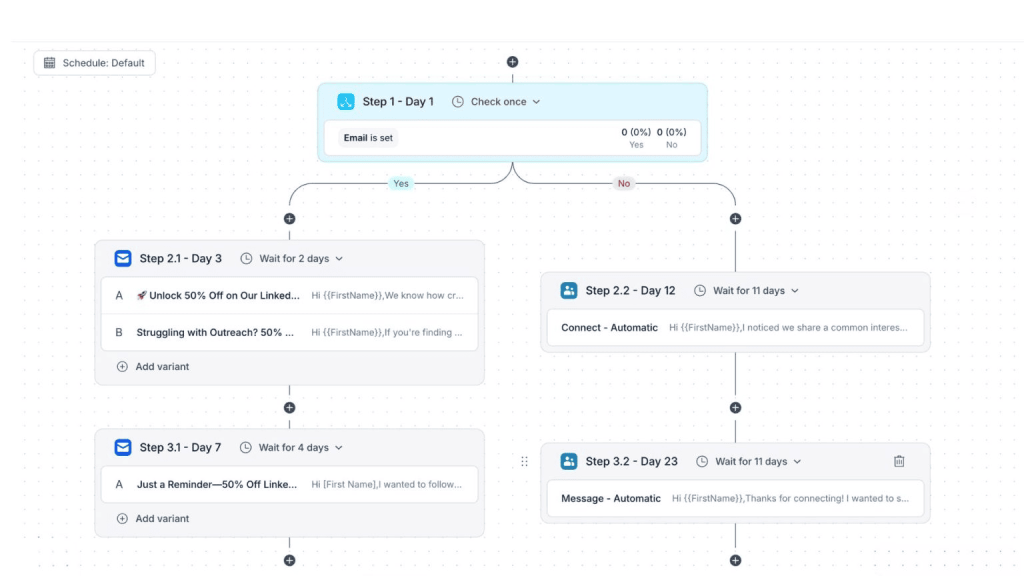
With Reply’s conditional sequences and AI variables, you can rest assured that the job will get done regardless of how each prospect chooses to respond:
Jason AI
Next up, we have Jason AI—one of the top AI sales agents on the market.
AI sales agents, also known as AI SDRs, are some of the most powerful examples of business AI tech up to date.
Jason AI learns everything there is to know about your product, company, and audience and then runs completely autonomous outreach campaigns on your behalf. Think of him as a completely new member of your team that works 24/7 and never makes mistakes, like ever.
Every decision is data-driven, every message is hyper-personalized, and every unique lead gets their own tailored engagement strategy and messaging.
Jason AI works fantastically with LinkedIn, identifying relevant prospects and creating full-on sequences with multiple touchpoints, automating initial messages, follow-ups, connection requests, and more.
By tracking any intent signals like technology or company changes, Jason AI keeps track of each potential lead in your LinkedIn pipeline and generates a steady stream of leads at any given time.
For teams looking to offload the entire prospecting process across emails, LinkedIn, and other channels, Jason AI is definitely a top choice.
Breeze AI
Breeze is a HubSpot-developed agentic AI toolset that automates tasks across departments: from generating cross-platform content for lead generation to automated chatbots for customer service for teams.
The platform integrates with LinkedIn Sales Navigator. That means Breeze automatically researches LinkedIn profiles and stores the gathered data in your CRM records, and uses the said data to craft personalized outreach messages at scale.
You can also visualize full LinkedIn profiles within the platform, see suggested icebreakers, related leads, recent company news, and so on. Plus, the platform lets you hold two-way conversations on LinkedIn, set up automated sequences complete with follow-ups, and set up message reminders.
Overall, HubSpot Breeze is a solid option for teams looking to improve prospecting outreach processes through AI-powered personalization.
Clay
Clay helps you find and prepare LinkedIn leads without jumping between tools, making it one of the most useful AI tools for LinkedIn lead generation.
Clay lets you pull LinkedIn profiles into one workspace and automatically enrich them with details like job roles, company size, and intent signals. This removes the need for manual research and copying data between tools.
Instead of building lead lists based on guesses, Clay helps you focus on people who are more likely to respond or convert. This makes outreach more targeted and saves your team a lot of time.
Once your lead list is ready, you can export it to your CRM or outreach tools and start conversations right away.
If your team does outbound, prospecting, or account research using LinkedIn, Clay helps you move faster with fewer tools.
HeyReach
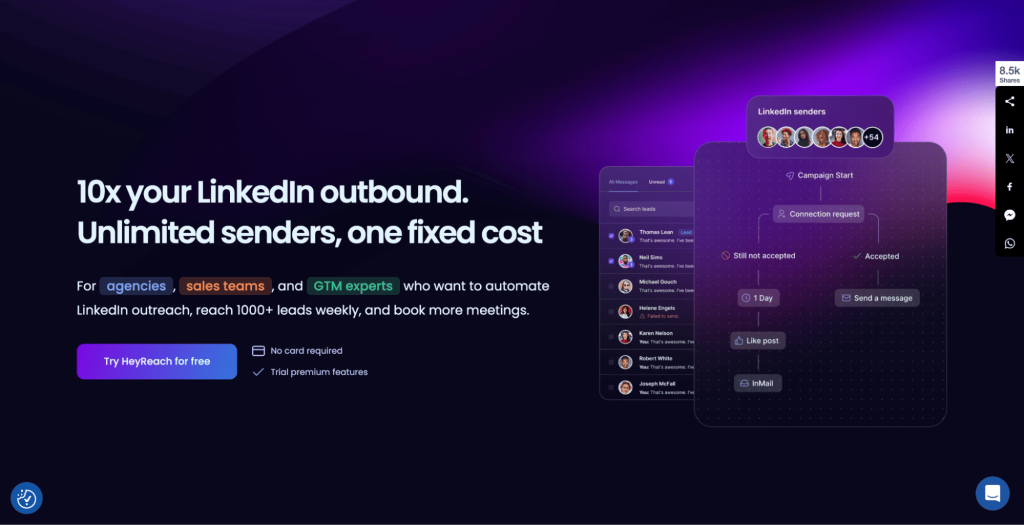
HeyReach is a specialized LinkedIn outreach platform that focuses on safely scaling your LinkedIn campaigns with numerous extra features in your back pocket.
For starters, you can connect multiple LinkedIn accounts under one project, and build “drip” campaigns of profile views, post likes, connection requests, and messages, all with built-in personalization, A/B testing, and even AI-generated ice-breakers.
One of HeyReach’s stand-out features is its unified inbox, which enables users to view and reply to messages across all connected accounts in one place for easier accessibility.
Teams can also leverage its detailed dashboards that show how each separate account and campaign is performing to help identify what works and what doesn’t for continuous strategy refinement.
All in all, HeyReach is a great solution for businesses and agencies that work exclusively with LinkedIn, providing them the entire toolkit to scale efforts with ease.
If, however, your business also leverages other channels like emails, cloud calls, and messengers, a multichannel outreach suite like Reply.io would be the better choice.
AI tools for LinkedIn lead generation
Beyond messaging, AI tools for LinkedIn lead generation have been gaining steady traction over the years given the 1billion+ pool of potential buyers, partners, and talents that this platform has to offer.
Findy
As previously mentioned, there are numerous LinkedIn scrapers like Findy that uncover and validate key prospect data points directly from LinkedIn profiles.
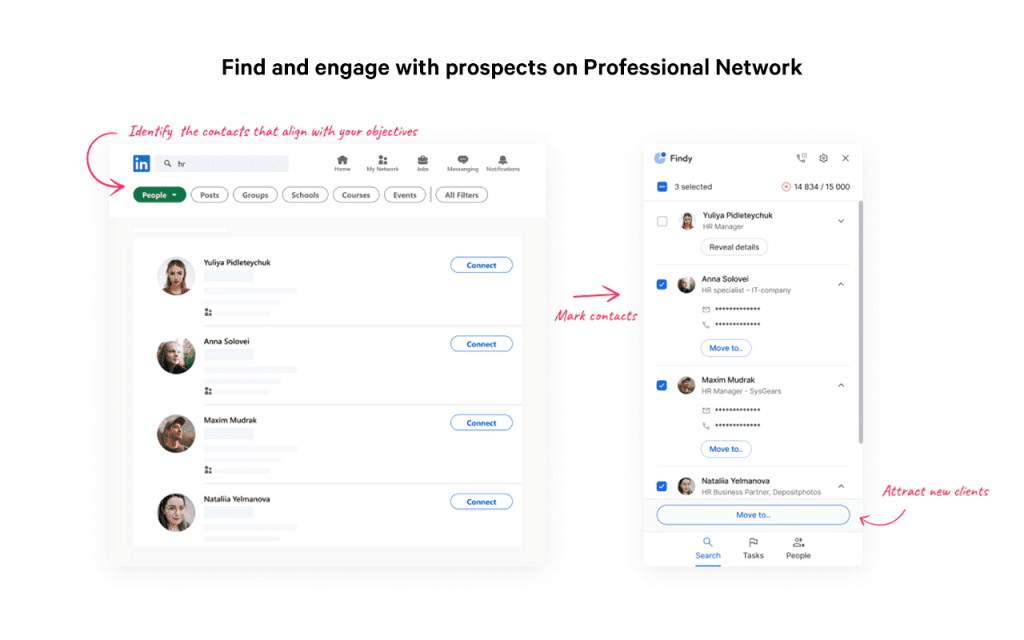
Tools like Findy are traditionally Chrome extensions that are always ready to roll whenever you’re browsing through LinkedIn. With a click of a button, Findy will uncover email addresses, phone numbers, and company information in seconds without users needing to leave their tabs.
Once you’ve got your new prospect data, Findy can export it into your desired CRM or outreach tool where you store customer profiles for future engagement and nurturing efforts.
Given its native integration with Reply.io, users can even launch AI-powered, multichannel outreach campaigns on the go with a simple click of a button, regardless of the LinkedIn account type you’re working with.
Zopto
If a simple LinkedIn scraper is not enough for your team and you’re looking for a more comprehensive LinkedIn lead generation tool, check out Zopto.
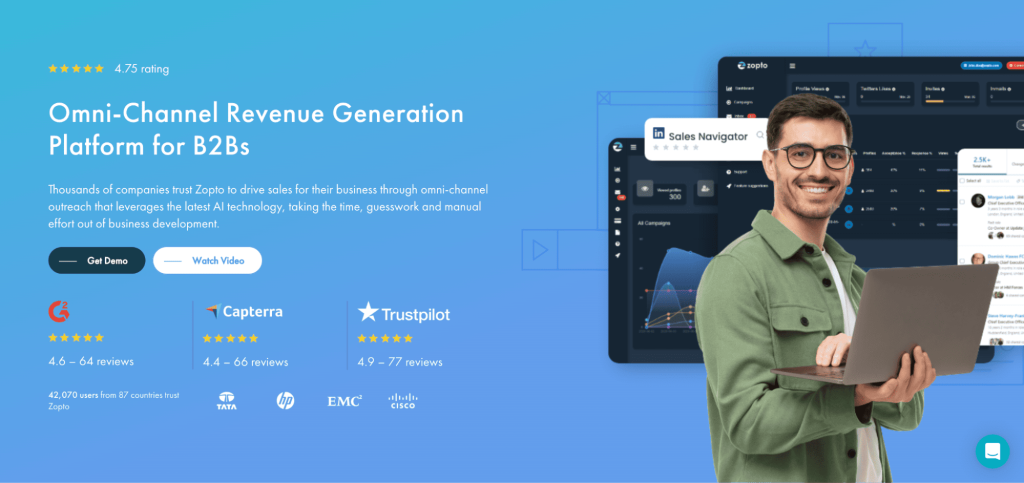
Zopto is a cloud-based platform that works with Sales Navigator or Recruiter accounts and helps you build your pipeline with targeted LinkedIn contacts.
The way it works is quite simple—you give Zopto your target criteria, including industry, job title, location, and more (it has hundreds of advanced search criteria), and it will automatically create prospect lists ideal for your business.
Because it’s cloud-based with a dedicated IP address, you can run campaigns safely and use multiple LinkedIn accounts in parallel, which is great news for agencies or large teams that often face issues with LinkedIn’s strict policies.
Last but not least, Zopto also provides built-in detailed analytics and reporting so you can keep track of how many leads each step of your campaign has produced.
LinkedIn generative AI tools for productivity and research
Next up, we’ll take a look at some of the top LinkedIn generative AI tools for productivity and research. Quite a broad category, we know, but given the sheer amount of various processes that professionals and businesses use LinkedIn for, the following tools may help automate those processes that more specialized tools do not.
Supergrow
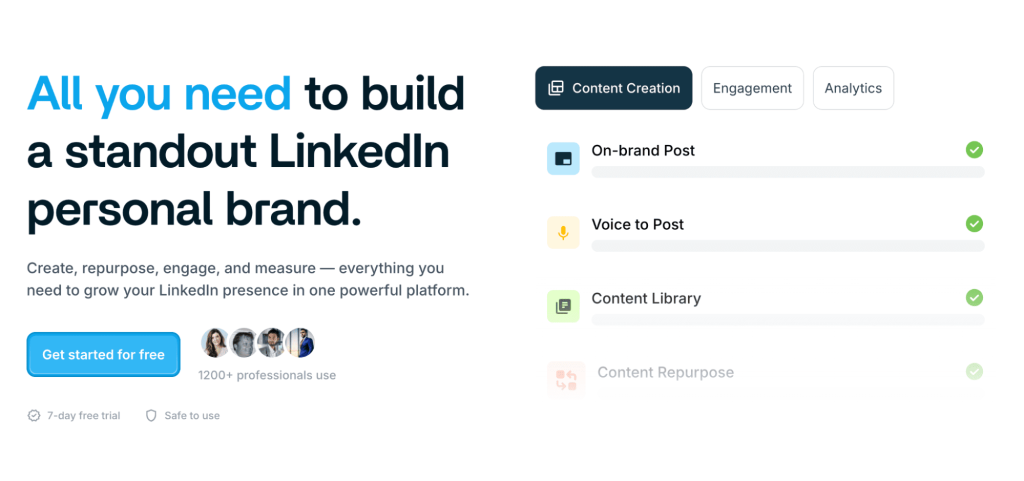
Supergrow is an AI-powered LinkedIn assistant that’s designed to help individual professionals grow their personal brand and deliver valuable content to their audience.
With features like an AI post generator, idea prompts, viral post search, and a content calendar, Supergrow is your all-in-one LinkedIn tool for creating and scheduling posts optimized for maximum engagement and reach. Another pretty cool feature is the ability to turn PDFs and YouTube videos into posts with just a few clicks.
Supergrow also has pretty decent analytics to track the performance of your posts and profile as a whole.
In short, Supergrow’s AI features help LinkedIn professionals come up with creative and engaging post ideas, turn ideas into ready-to-go posts in seconds, schedule and automate them across the calendar, and track the performance of their LinkedIn efforts in real-time.
If you’re building up your personal brand on LinkedIn and are (or working towards becoming) an industry thought leader, this is perhaps the best tool out there.
And if you’re serious about mastering LinkedIn, definitely check out The State of LinkedIn Outreach: H1 2026 report—it’s a great companion to tools like Supergrow.
Shield analytics
Sales and marketing professionals consistently track the performance of their efforts with thorough analytics to identify what works, what doesn’t, and what needs improvement to shape their strategies. Why should LinkedIn be any different?
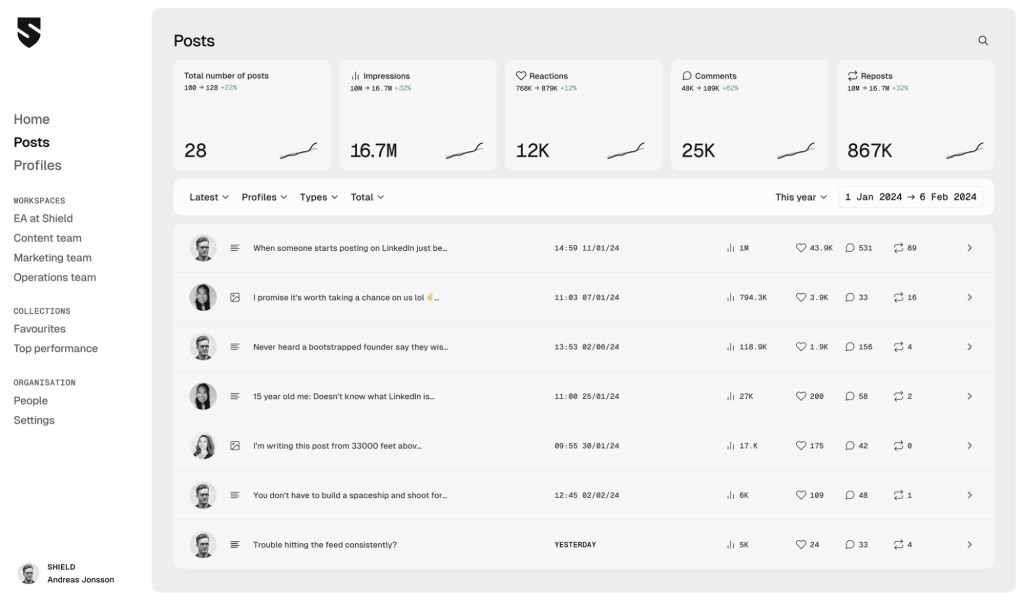
This is where Shield Analytics steps in—a dedicated LinkedIn analytics platform that helps uncover the effectiveness of all your LinkedIn efforts.
Users can connect multiple profiles, which makes it easy for teams and businesses to manage numerous C-suite and executive LinkedIn accounts.
Once the profiles are connected, Shield integrates all your posts, comments, reactions, and follower data into one main dashboard, where you can filter by post, date, and hashtag to track performance.
Shield takes your LinkedIn analytics a step further by providing audience demographics, engagement trends over time, and follower growth, covering all 1st, 2nd, and 3rd degree connections, for a more precise view of your strategy.
Trigify
Trigify helps teams understand what’s happening in LinkedIn conversations in real time and supports smarter decisions around AI tools for LinkedIn.
Trigify listens to social activity and turns large amounts of data into clear signals, sentiment, and recommended actions. This helps teams avoid manually scrolling through feeds and comments.
For GTM teams, Trigify makes it easier to spot trends, pain points, and intent signals earlier than competitors. Instead of reacting late, teams can engage at the right time with the right message.
If LinkedIn listening and insight tracking matter to your strategy, Trigify helps turn noise into useful direction.
LinkedIn’s own built-in AI features
Before adding any of the AI tools for LinkedIn above, it is worth knowing what LinkedIn already ships. Several of the gaps people buy tools to fill are now filled inside the platform, and the native versions carry no automation risk at all.
LinkedIn documents its AI features across its Talent products, and the named ones include AI-Assisted Messaging, AI-Assisted Search and Projects, Automated Follow-Ups, Candidate Likelihood of Interest, and Project Status and Insights. Most sit inside Recruiter and Sales Navigator rather than the free product, which is the important caveat: the native AI is largely a paid-tier feature.
That produces a three-way decision rather than a two-way one.
Where the capability lives
What it costs
Risk profile
Free LinkedIn
Nothing
None, it is the platform
Paid LinkedIn tiers (Recruiter, Sales Navigator)
A LinkedIn subscription
None, the AI is first-party
Third-party tools
A separate subscription
Varies, from zero for content tools to real for anything automating actions
The rule that follows is worth applying before every purchase in this space: if LinkedIn does the thing natively on a tier you already pay for, use the native version. It cannot get your account restricted, it does not need your credentials, and it will not break when LinkedIn changes its interface.
Third-party tools earn their place where LinkedIn genuinely does not compete: multi-account management, cross-channel sequencing that includes email, analytics that outlive LinkedIn’s own reporting window, and content workflows that live outside the platform entirely. Those are real gaps. “Helps you write a message” is not one of them anymore.
The same test applies to the profile category. AI tools for LinkedIn profile optimization are worth paying for when they produce an asset you keep, a headshot or a background image, and worth skipping when they only rewrite a headline you could rewrite yourself in the platform’s own editor.
Run that check across all fifteen tools above and the list usually shortens by a third before you have spent anything.
AI tools for LinkedIn content creation
We’ve covered outreach, lead generation, and productivity. Now it’s time to take a closer look at some of the top AI tools for LinkedIn content creation, whether it’s compelling text, video, or images. Individual and business profiles all rely on valuable and optimized posts to engage with their audience and increase their online reach, but it can get really time-consuming without the proper tools.
Scripe
Scripe helps you write LinkedIn posts that are easier to read and more likely to convert, making it one of the best AI tools for LinkedIn posts.
Scripe analyzes patterns from millions of high-performing LinkedIn posts and uses those insights to guide your content. It helps you understand what to write, how to structure it, and why it works.
The tool is built for sales and marketing teams that want to stay active on LinkedIn without spending hours thinking about hooks, formats, or wording.
With Scripe, you can turn rough ideas into publish-ready posts in minutes, making it easier to stay consistent and visible on LinkedIn.
If LinkedIn content is part of your growth strategy but writing feels slow or stressful, Scripe simplifies the entire process.
VEED
VEED makes it easy to create clean, professional videos for LinkedIn, making it one of the most practical AI tools for LinkedIn in 2026.
VEED allows you to turn simple scripts, ideas, or raw clips into polished videos using AI-powered editing tools. You don’t need prior video editing experience to get started.
The platform is especially useful for teams that want to post more video content but don’t have the time or skills to use complex software.
With VEED, creating short, engaging LinkedIn videos becomes faster and less intimidating, helping teams publish more consistently.
If video is part of your LinkedIn strategy but editing has been a blocker, VEED removes that friction.
Jasper
If you’ve worked in marketing, chances are you’ve heard of Jasper, one of the leading generative writing assistants designed for all kinds of marketing copy, from newsletters and product announcements to, you guessed it, LinkedIn and other social media posts.
Think of it as ChatGPT but with a built-in engine trained on the marketing do’s and don’ts. As a new user, you can define your brand voice and style preferences, after which Jasper will make sure to generate posts that sound exactly like you.
Jasper AI can also suggest creative topics when you’re feeling writer’s block, rephrase or expand your notes, and generally speed up your post-creation time without compromising the quality.
And don’t worry, Jasper knows all the best practices of LinkedIn post formatting, so rest assured that the posts generated will be 100% optimized for engagement, based on tons of historical data.
Descript
With the rapid rise of short-form videos, and video content as a whole, it’s no surprise that this trend has caught up to LinkedIn. But writing a post is one thing, creating a video is a whole different game.
Luckily, AI-powered video and audio editors like Descript have come to light, enabling users to create studio-quality videos and podcasts that can then be posted on LinkedIn.
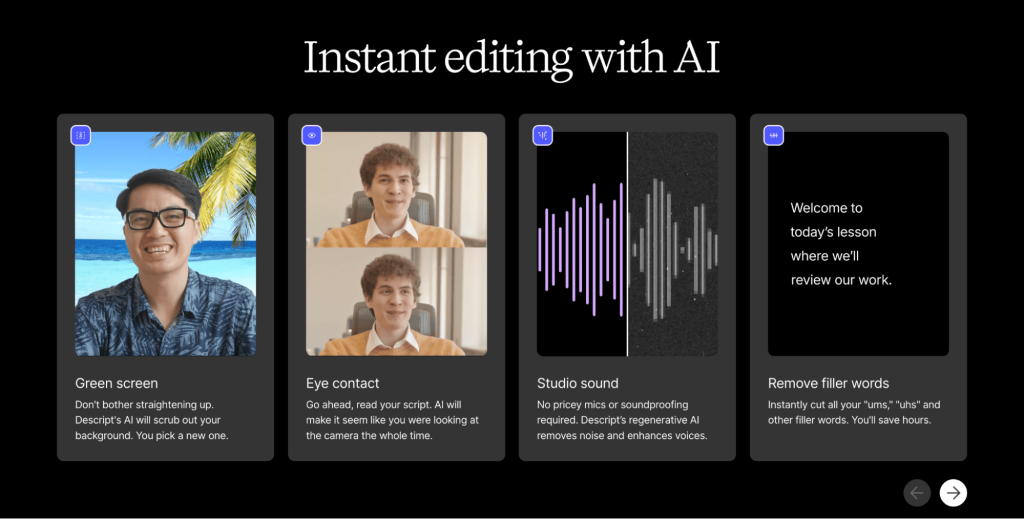
Descript auto-generates captions, offers professional green screens, re-positions eye contact, and removes all kinds of filler words like “um” that we all use in our speeches.
Once created, Descript transcribes your uploaded video or podcast, and then you can edit the media simply by cutting or deleting transcript text.
For the final version, this tool will use AI to polish all the visual and audio elements to ensure your video is ready to be posted, and then depending on your preferences also auto-generate captions and repurpose them into short highlight clips, ideal for social media engagement.
Buffer
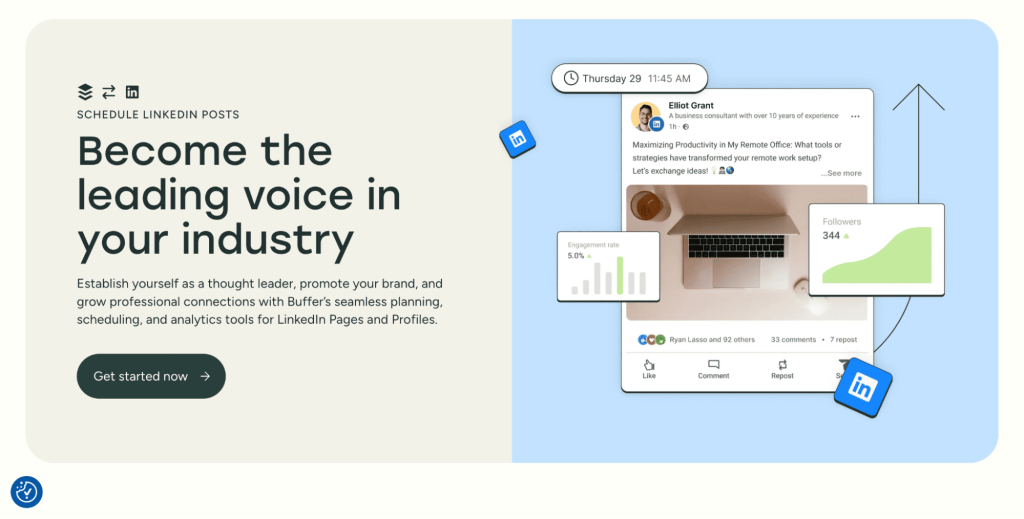
Buffer is your traditional social media scheduler and content creation tool with a special focus on LinkedIn, and it has recently integrated new AI features too.
Besides the classic features like post-scheduling and cross-platform pre-launch previews, this platform also lets you auto-add first comments to stay active where it matters, and most impressively—it has a built-in AI assistant.
Buffer’s AI assistant helps you come up with post ideas, generate optimized texts from simple prompts, and rewrite, expand, or enhance existing texts with a simple click.
All in all, Buffer is your generative AI for social media, but keep in mind that there are many free ChatGPT alternatives out there that, with the right prompt, can get the job done as well.
How to choose between LinkedIn AI tools
Fifteen tools across four categories is more choice than most people need, and the categories overlap enough that buying one from each is usually a mistake. Five questions narrow the field quickly.
What is the job, exactly? Writing posts, finding prospects, sending messages and reading analytics are four different products. Tools that claim all four usually do one well.
Does it act on your account, or only help you write? This is the risk line. A tool that drafts a post carries no account risk whatsoever. A tool that sends connection requests carries real risk, and belongs in a different mental category and a different budget.
Does it need your LinkedIn credentials? Content and analytics tools generally do not. If one asks, ask why.
Does it survive a LinkedIn interface change? Anything scraping the page breaks when LinkedIn ships a redesign, which it does regularly. Tools built on official APIs do not.
What happens to your data if you leave? Analytics tools accumulate history that is genuinely valuable, and some of them let you export it while others do not.
Category
Account risk
Sensible spend
Content creation and repurposing
None
Whatever the output is worth to you
Profile and visual assets
None
One-off, not a subscription
Analytics and listening
None
Worth paying for the historical record
Prospecting and data
Low
Priced per contact, so scale to your list
Outreach automation
Real
Buy on safety and support, not features
The pattern that falls out is a portfolio rather than a stack: one content tool, one analytics tool, one outreach tool, and nothing else until something is demonstrably missing. Teams that buy one from every category end up paying four subscriptions to do work that overlaps by half.
AI tools for LinkedIn profile optimization
We’ve explored various top AI tools for LinkedIn processes, but at the end of the day, none of them will work their magic unless your profile is properly optimized and engaging.
Look, it’s not rocket science and you can definitely get the job done on your own, without the help of any software, but then again why not leverage these 2 free AI tools for LinkedIn profile optimization?
ProfilePicMaker
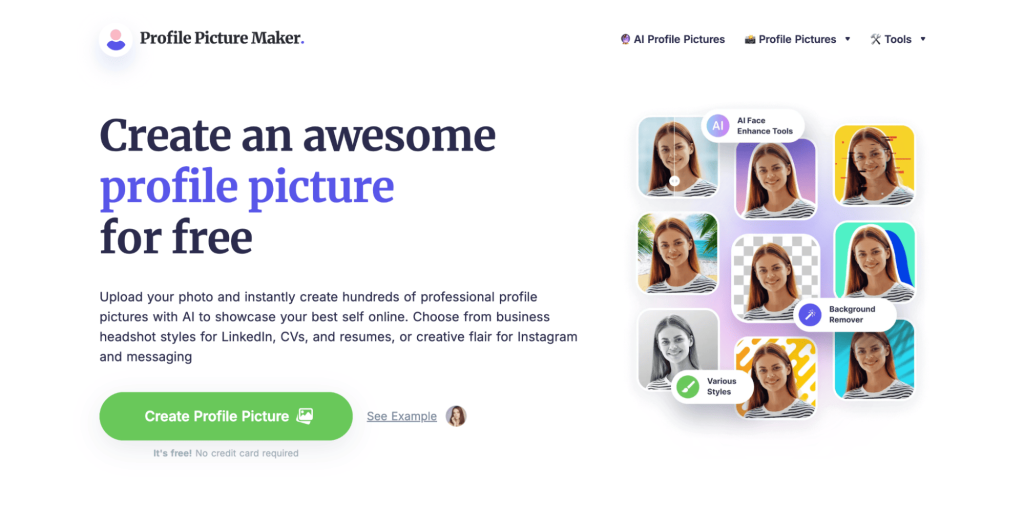
ProfilePicMaker is a free AI headshot tool that makes it easy to get a professional LinkedIn photo in a matter of minutes. You simply upload a selfie, and it uses AI to remove, change, or enhance the background, adjust lighting, and generate dozens of polished headshot images that look like they were taken by professionals.
There’s absolutely no need for any sort of design skills, just a high-quality photo and you’re good to go. Many recruiters and marketers note that a good profile photo significantly boosts first impressions and response rates, and tools like this make it quick to have a professional headshot on LinkedIn.
Canva
Canva is another one of those tools that needs no introduction—it’s the most popular graphic design platform out there which can be used to create virtually any kind of visual.
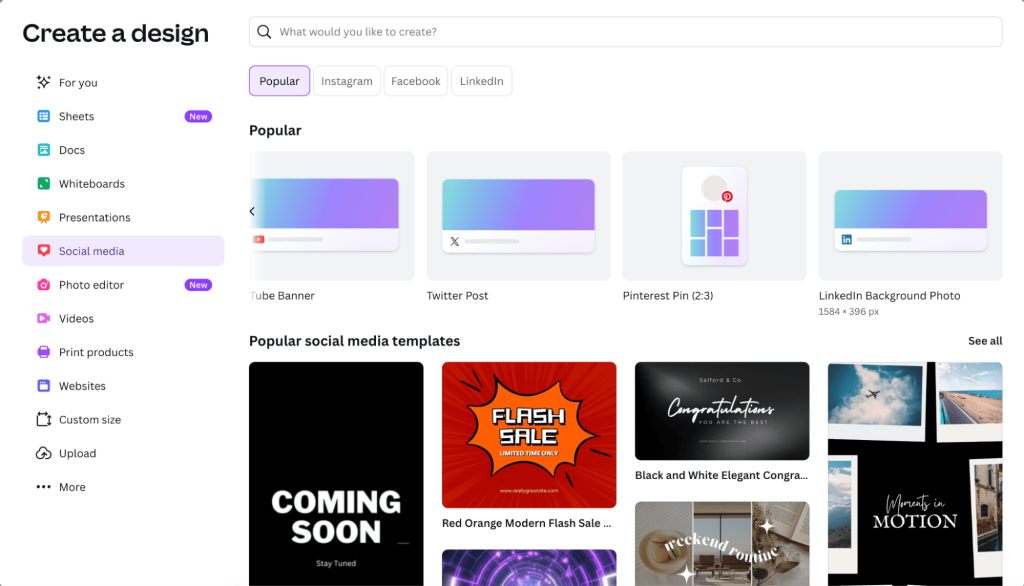
Not only can LinkedIn users leverage Canva to generate visuals for their posts, but there is also a dedicated ‘LinkedIn Background Photo’ feature that has a pre-built template and optimized design elements specifically for this.
You can use this feature to create eye-catching cover images that reflect your personal brand, company, or industry, depending on your preferences.
Interestingly enough, Canva now even has a free ‘AI LinkedIn Profile Picture generator’, just like the ProfilePicMaker we discussed above. You can simply upload your photos and it will create a polished LinkedIn-ready headshot in seconds.
Your background image and profile picture are the first things that everyone will notice once they visit your LinkedIn page, so it’s definitely a good idea to spend some time polishing it up!
Where AI helps on LinkedIn, and where it costs you
The tools above are genuinely useful, and the same technology used indiscriminately makes a LinkedIn presence worse. The difference is not the tool, it is which part of the job you hand over.
AI is reliably good at the mechanical work around a post. Turning a long piece into five short ones, cleaning up structure, generating alt text, drafting variants of a hook to test, producing a headshot or a background image, summarizing what your analytics did last month. In every one of those, the substance is yours and the labor is the machine’s.
It is reliably bad at the substance itself. A post generated from a topic rather than an experience reads as generic to exactly the audience you want, because your peers have now seen thousands of them. The tell is never grammar; it is the absence of a specific number, a named client, a date, or an opinion someone could disagree with.
Three places to keep AI out entirely:
Comments on other people’s posts, where generic praise is obvious and is one of the fastest ways to look automated
Connection request notes, which are short enough that a template is visible at a glance
Anything describing a result you did not get, since a fabricated case study is a reputational problem rather than a content problem
The workable division is to write the thinking and automate the production. Draft the argument in your own words, then let a tool cut it into a hook, a body and a close, generate the variants, and schedule it. You keep the part that makes the post worth reading, and lose the part that makes it slow.
One practical test before publishing anything a tool helped produce: could a competitor publish this exact post without changing a word? If yes, it says nothing about you, and it will perform accordingly.
Final thoughts
AI tools for LinkedIn have completely changed the way individuals and businesses leverage the number one professional network channel to generate leads, engage with their audience, and grow their brand awareness.
By automating routine tasks like identifying targeted prospects and sending connection requests, generating diverse content including posts, messages, images, and videos, and providing data-driven insights, AI enables professionals to provide more value to the LinkedIn world as a whole, instead of focusing on technical, monotonous tasks.
So whether you’re a sales executive, a recruiter, an entrepreneur, or just starting off your career, these above-mentioned tools will help you make the most of your LinkedIn efforts and grow your online presence.
Start by identifying the areas where you need help, whether it’s outreach, lead gen, content, or analytics, and then take some of these tools for a free trial to get a feel for them.
If you’re looking to automate and scale your LinkedIn outreach, we kindly invite you to check out Reply.io and Jason AI, both of which will guarantee hyper-personalized and highly targeted engagement campaigns for each unique lead.
FAQs
What are AI tools for LinkedIn used for?
AI tools for LinkedIn help automate tasks like finding leads, sending messages, and creating content. They save time and improve results by making work easier and more accurate. These tools also help personalize messages to connect better with people.
How can LinkedIn AI tools improve my outreach?
LinkedIn AI tools can write unique messages based on prospect data. They make your communication feel personal and timely. This increases chances of getting replies and building real relationships with potential clients or partners.
What makes AI tools for LinkedIn lead generation effective?
These AI tools quickly find and verify contact information for many potential leads. They gather data from profiles and other sources. This means you spend less time searching and more time reaching out to the right people.
Can AI tools for LinkedIn help with content creation?
Yes, LinkedIn AI tools can generate posts, headlines, and even videos. They help you stay active with regular, interesting content. This is helpful if you want to build your personal or business brand online without spending hours writing.
Are AI tools for LinkedIn safe to use?
Most LinkedIn AI tools follow platform rules to avoid being blocked. They mimic natural user behavior and limit actions per day. Still, you should follow best practices to keep your account secure while using these tools.
How do AI tools for LinkedIn lead generation save time?
They replace manual searching with automated data gathering. Instead of browsing profiles, you get ready lists of potential contacts quickly. This frees up time to focus on talking to leads and closing deals.
Can LinkedIn AI tools track my performance?
Yes, many provide detailed reports on your posts, messages, and campaigns. This helps you see what works and what doesn’t. With this information, you can improve your strategy and get better outcomes over time.
What kinds of professionals benefit most from AI tools for LinkedIn?
Salespeople, recruiters, marketers, and business owners all gain benefits. These tools help anyone who needs to connect with others or grow their brand. Even job seekers can use AI tools to enhance their profile and network.
Can AI tools for LinkedIn personalize messages at scale?
Absolutely. They analyze data like job titles and interests to tailor messages. This makes outreach feel more genuine. You can scale your efforts without losing the personal touch that wins trust.
Do AI tools for LinkedIn offer multi-channel outreach options?
Many do. Besides LinkedIn messaging, they can send emails, SMS, or WhatsApp messages. Using multiple channels boosts reply rates. It also allows you to meet prospects on their preferred platforms.
Subscribe to our blog to receive the latest updates
from
the world
of sales and marketing. Stay up to date.
We use cookies to enhance your browsing experience, serve personalised ads or content, and analyse our traffic. By clicking "Accept All", you consent to our use of cookies.