
How to Automate Outreach with No Code AI: Step-by-Step Guide

How to Automate Outreach with No Code AI: Step-by-Step Guide

Outreach is the bedrock of sales and marketing…but only if you automate it, otherwise, it becomes a draining and ineffective chore. 

Manual outreach is repetitive and time-consuming, and it’s nearly impossible to scale as lead volume grows, let alone while keeping messages relevant and personalized.  

It doesn’t have to be that way, though.

Welcome to no-code AI. 

If this is the first time you’re hearing about no-code AI agents, you’re in the right place. In this in-depth guide, you’ll learn:

  • What no-code AI is and how it powers outreach
  • How to choose the right no-code AI platform
  • Step-by-step workflow automation setup
  • Best practices to keep messaging human, compliant, and more. 

We’ll also tell you how Jason AI, a leading AI sales agent, uses no-code AI to automate outbound outreach across multiple channels with human-like interactions, and help you find targeted leads in the process. 

Let’s dive in.

What is no-code AI, and how does it work?

No-code AI allows you to build artificial intelligence-powered workflows without writing a single line of code.

A typical no-code AI agent builder comes with three main features. 

A drag-and-drop interface, visual workflow editor, and prebuilt AI module. These are intuitive enough to allow non-technical users to create scalable automation with ease.

In addition, no-code AI tools combine automation logic with pre-trained AI models. The models include natural language processing (NLP), image recognition, and generative AI.

Typical outreach tasks you can complete with no-code AI platforms include:

  • Lead enrichment via lead databases or APIs
  • Personalized message generation using GPT4/5 models 
  • Sentiment analysis of replies
  • Chatbots for lead qualification or meeting scheduling

Jason AI is a perfect example of a platform that offers a true no-code interface. 

With Jason, you can launch multichannel, AI-powered outreach workflows, automate replies, and target leads intelligently. Without writing any code, of course. 

Why use no-code AI for outreach?

No-code AI is redefining how sales and marketing teams operate. 

On one hand, it removes their dependence on developers or data scientists. On the other, it allows non-technical users to build and manage AI-powered outreach workflows.

That said, here’s why you should use no-code AI for outreach:

  • Faster campaign creation and iteration: No-code AI allows your team to create and test outreach sequences without technical bottlenecks. They can swap prompts, adjust triggers, or revise messaging logic on the fly. 
  • Cost savings across the board: Hiring developers or AI specialists to build outreach automations is expensive. With no-code platforms, you can get the job done without leaving a hole in your budget.
  • Easy multichannel outreach: No-code tools such as Jason AI allow you to automate campaigns across email, LinkedIn, and SMS from a single workflow.
  • Personalization at scale: You can generate personalized messages based on AI research from LinkedIn profiles, company pages, and more. Personalization translates to more relevance, higher engagement, and better reply rates.
  • Fewer risks and better compliance: No-code platforms allow you to build approval steps. These ensure your outreach aligns with GDPR, CAN-SPAM, and brand tone.

Jason AI is a prime example of no-code AI that ticks all these important boxes, with features including human-like personalization, multichannel outreach campaigns across email, LinkedIn, and more, and even response handling by working with objections and booking meetings.
What tools and integrations can I use?

There are many platforms that can help you build AI agents with no-code workflows.

Not all are worth your attention, though. Below, we break down the top no-code AI tools.

But first, here’s a table summarizing what these platforms offer:

Tool What it’s best for Where it fits in an outreach workflow
Jason AI SDR End-to-end outbound automation Prospecting, personalization, multichannel outreach, meeting booking
Zapier App-to-app automation Triggers and simple workflows
Make Multi-step logic workflows Conditional and branching automations
OpenAI GPT-4 AI message generation Dynamic copy and follow-ups
Google AutoML Natural Language Text analysis Intent and sentiment detection
Apollo.io Lead discovery Contact sourcing and enrichment
Clearbit Real-time enrichment Firmographic and demographic data
Lemlist Personalized email outreach Email and LinkedIn sequences
Mailshake High-volume outreach Scaled email campaigns
Airtable Structured data storage Lead lists and workflow inputs
Google Sheets Lightweight data tracking Simple lead and copy tracking
Google Data Studio Performance dashboards Outreach metrics reporting
Mixpanel Engagement analysis Funnel and behavior tracking

Jason AI SDR — best overall no-code AI platform

Jason AI is worth your attention if you’re looking for an all-in-one, feature-rich outreach platform. 

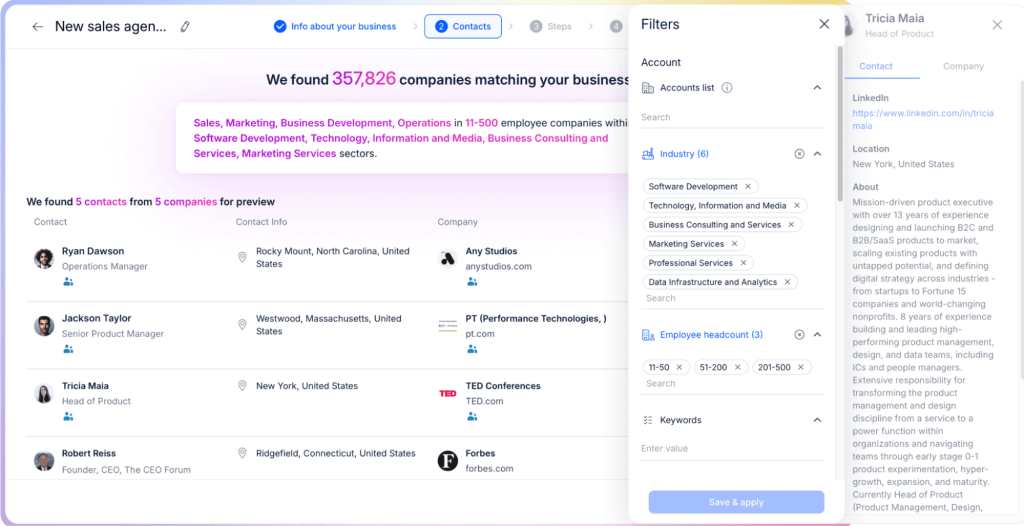
You can use it to find targeted leads from its native lead database, launch automated outreach campaigns across multiple channels, personalize every email and LinkedIn message with relevant, AI-researched data, and book meetings on autopilot.

Jason’s real standout feature is its native AI-powered personalization engine.

It creates messages based on your ideal customer profile (ICP), past interactions, prospect behavior, and even researches each unique recipient (LinkedIn profiles, company website, etc.) for additional context. 

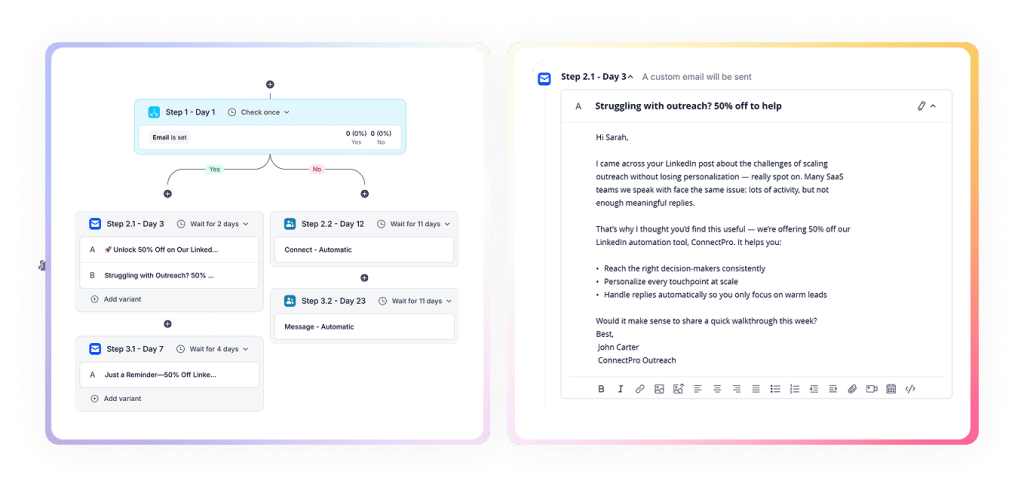
Those hyper-personalized messages then get added into conditional outreach campaigns, meaning that each next step is timed and adjusted in real time based on your recipient’s behavior. 

For instance, if after 2 days your initial email wasn’t opened, it will fire out an automated LinkedIn connection request; once that request is accepted — it will launch a short and personalized LinkedIn message, etc:

And that’s not all — Jason also reads, interprets, and replies to incoming responses by handling objections, answering questions, and booking meetings on your behalf, in your exact tone of voice. 

With all it can do, Jason eliminates the need to use multiple tools for small teams and growing companies.

No-code automation platforms

Unless you’re using an all-in-one solution like Jason AI to build a truly effective AI-powered outreach workflow, you’ll need a reliable automation engine. 

Below are some of the top versatile no-code automation platforms you can consider.

Zapier

Zapier is the go-to choice for connecting your apps without code. It supports thousands of integrations across email, CRM, lead generation, and calendar tools.

You can use Zapier to trigger actions such as sending a follow-up email or adding a lead to your CRM, based on user activity or incoming data.

And to top it all off, Zapier is user-friendly and boasts a massive app library, making it ideal for fast setup and experimentation.

Make (formerly Integromat)

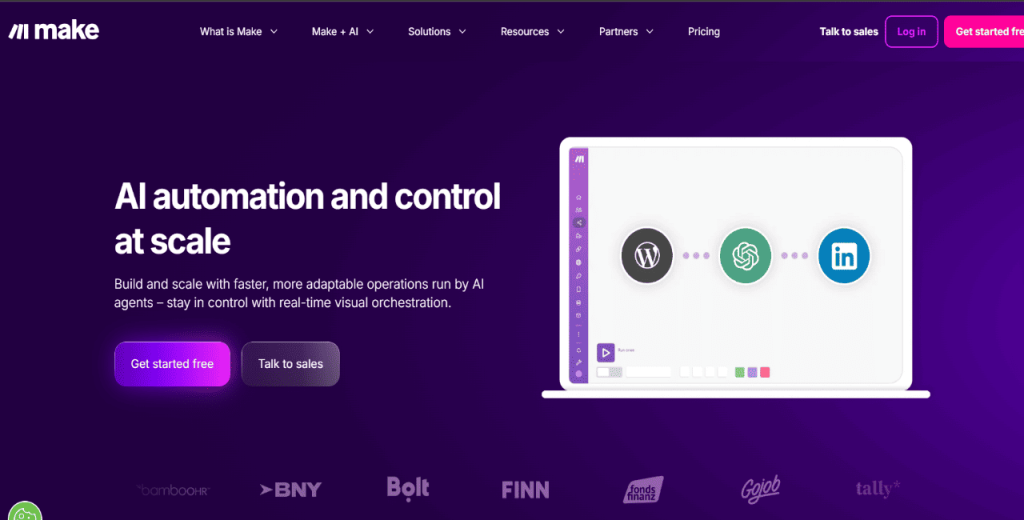
Make offers more flexibility than Zapier for building complex, multi-step workflows.

With its visual builder, you can chain multiple tools together with conditional logic, custom data mapping, and branching paths.

And if your outreach process involves layered steps such as enrichment, scoring, and channel-specific triggers, Make gives you the depth to pull it off.

Other worthy platforms in this category include Pipedream and Power Automate (formerly Microsoft Flow) if you’re already operating in the Microsoft ecosystem.

AI content and NLP sources

Generating personalized, relevant messages at scale is one of the most powerful capabilities of no-code AI. Once again, unless you’re using a dedicated AI outreach platform like Jason AI, you’ll need another separate tool for message generation.  

The platforms below help create dynamic outreach content, analyze language patterns, and detect sentiment.

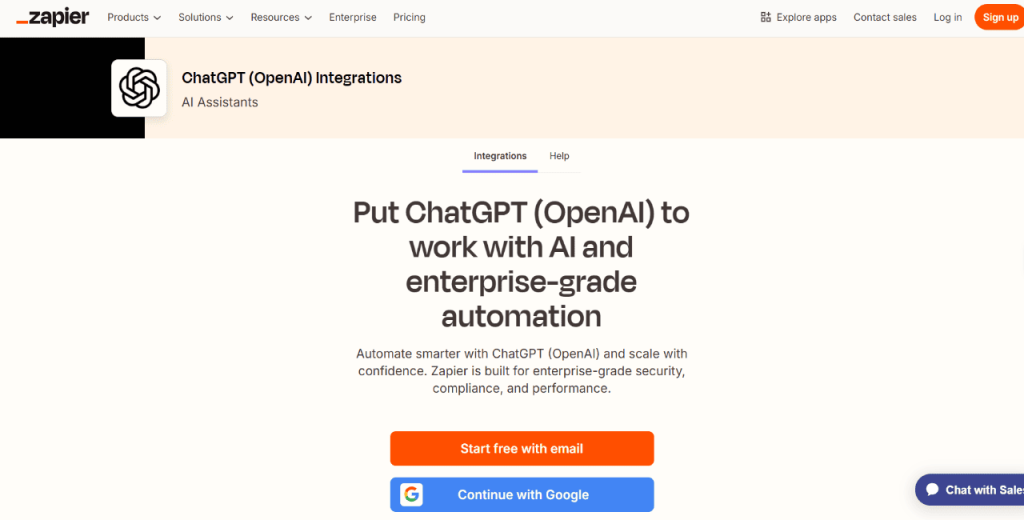
ChatGPT (via Zapier’s OpenAI integration)

ChatGPT is one of the most versatile and advanced language models available today, and it’s very good at taking contextual data to generate effective, human-sounding messages. 

When accessed through no-code tools like Zapier, it allows you to generate personalized subject lines, email content, or follow-up messages on the fly. 

You only need to set the input variables, such as name, company, or pain point, and let the model do the rest. It’s a good platform to bring powerful AI writing capabilities into your existing tool stack. 

There are also many great ChatGPT alternatives out there that can also get the job done, but bear in mind that these only work for one-off messages. since it’s impossible to scale in the context of hundreds or thousands of recipients, unlike with a dedicated AI outreach tool like Jason AI.

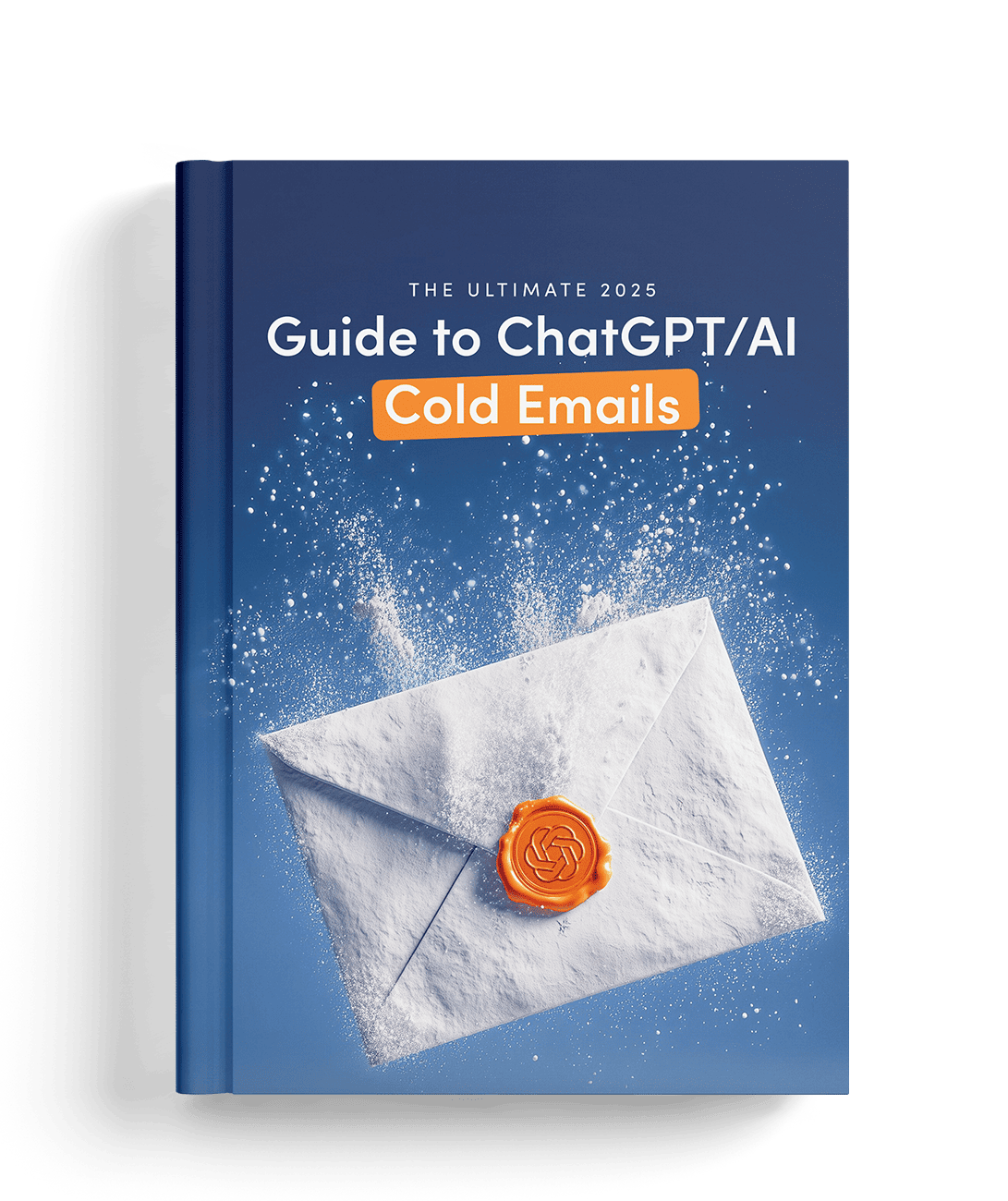
The Ultimate 2026 Guide to ChatGPT/AI Cold Emails

Most people use ChatGPT the lazy way.

This guide shows you the prompts and personalization tricks that turn robotic AI emails into reply-worthy messages. Plus: subject lines, hooks, and CTAs that get prospects clicking.

Google AutoML Natural Language

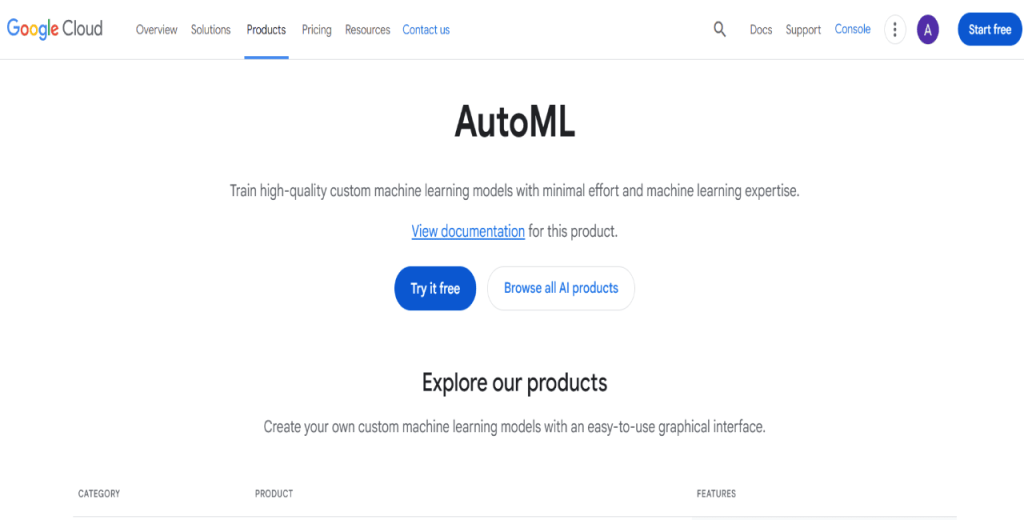
Google’s AutoML NLP platform is excellent for more customized text analysis tasks. 

You can use it to extract entities, classify intent, or analyze sentiment within inbound messages. And, you don’t need deep ML expertise. 

While it’s not purely no-code, it minimizes the technical barrier and integrates well into structured outreach workflows through visual UI and connectors.

Lead generation and enrichment tools

No code automation is great. However, to run successful outreach campaigns, you need accurate, enriched contact data.

The tools below CAN help you find business leads, verify contact information, and enrich your outreach lists.

Reply Data 

Reply Data is one of the leading lead databases out there, with over 1 billion live contacts across numerous industries and locations. 

The way it works is extremely simple — you simply use its countless search filters to narrow down your targeted contacts (industry, location, company size, role, etc.), and it will then give you a ready list that you can export to your CRM, Excel, or outreach platform. 

Each contact profile will be enriched with additional data like email, company data, LinkedIn URL, and more.  

Clearbit

Clearbit specializes in real-time data enrichment.

You can feed it a domain or email, and it returns detailed information about the company or person, such as revenue, team size, industry, and location.

It’s great for improving lead quality and segmenting audiences. Clearbit also integrates with tools such as Salesforce, HubSpot, and Marketo.

Outreach platforms

Once you have targeted and enriched contact lists, you want to get your messages out across the right channels with the right cadence. 

With the right outreach platform in your stack, you’ll have no-code AI campaigns that you set up in minutes, and they run on autopilot for as long as needed. 

Reply.io

Being one of the leading AI-powered outreach platforms on the market, Reply.io helps businesses create automated sequences across email, LinkedIn, SMS, calls, and more. 

Each step will be timed for maximum effectiveness and following conditional logic, meaning that steps and messages will be adjusted in real time based on the recipient’s online behavior. 

Each email, follow-up, and LinkedIn message will be hyper-personalized based on unique researched data (along with other data uploaded from your enrichment tool), even in the context of hundreds or thousands of prospects. 

With a built-in lead database, email deliverability, analytics, and native integrations with the top CRMs, Reply.io is a true one-stop shop for your team’s entire outreach workflow. 

Mailshake

Mailshake focuses on simplicity and scalability, making it one of the go-to options for marketing teams. 

It’s a solid choice for email outreach automation, especially for teams running high-volume campaigns.

With features like click tracking, automated follow-ups, and CRM integrations, Mailshake allows you to run efficient campaigns with minimal setup.

How do I set goals and prepare data?

Before you automate anything, you need to define what success looks like. More importantly, you must ensure your data is ready to support your campaign.

Here’s how to set goals and prepare clean, enriched data for effective no-code outreach.

Define clear outreach goals

Start by identifying what you want your outreach to achieve.

Some common goals include increasing reply rates, booking more demos, or improving lead-to-customer conversion.

Pro tip: Pursue SMART goals — specific, measurable, achievable, relevant, and time-bound. For example, “Book 30 qualified demos in 45 days” is a stronger goal than “Get more leads.”

Clean your contact data

Garbage in, garbage out.

Therefore, make sure your data is clean, complete, and structured. You can use tools like Airtable or Google Sheets to organize contacts.

While at it, remove duplicates, correct typos, and verify email addresses before launching a sequence. Remember, dirty, incomplete data affects deliverability and your campaign performance.

Segment and prioritize your contacts

Segment your list by firmographics such as company size, industry, or title.

You can also use behavior or past engagement to create tiers. As a rule of thumb, prioritized segments enable more relevant messaging and higher engagement.

Enrich your data 

Be sure to use tools like Clearbit or Reply Data to fill in missing data points.

These tools can automatically pull in firmographic details, job titles, company info, and more. Then, you can integrate them into your workflows so your lead profiles are complete and actionable.

Implement privacy and compliance rules

Outreach without compliance carries significant risk.

So, apply GDPR principles such as consent and data minimization. Also, include unsubscribe links to comply with CAN-SPAM, and ensure your opt-out and suppression are always up to date.  

That said, tools like Jason AI and Reply.io come with built-in guardrails and safety features to ensure your outreach always stays compliant with email servers and LinkedIn. 

How do I pick the right no-code AI platform?

With dozens of no-code AI tools available, choosing the right one can be overwhelming. However, you’ll want to pick one that aligns with your goals, team structure, and current stack.

Here’s what to look for in the best no-code AI agent builder.

  • Ease of use: Pick a platform with a minimalist, intuitive interface that anyone on your team can use. Look for drag-and-drop builders, visual workflows, and prebuilt templates. 
  • AI and automation power: Choose tools that offer robust automation and advanced AI capabilities. Consider features like GPT-4/5 access, sentiment analysis, intent signals, and lead scoring.
  • Multichannel support: Your tool should automate outreach across email, LinkedIn, and SMS. With such a platform, you can meet prospects where they are without juggling multiple platforms.
  • Strong integrations: Look for native or API-based integrations with tools you already use. Integrations streamline your stack and make workflows more cohesive.
  • Flexible pricing: Compare subscription vs. pay-as-you-go models. Look for platforms that offer free trials, reasonable pricing tiers, and good value for task volume and usage.
  • Scalability: Ensure the platform can handle large contact lists, high email volume, and complex workflows as your outreach grows.
  • Minimal vendor lock-in: Go for no-code AI agents that allow data exports and flexible workflows. That way, you can remain adaptable as your stack evolves.  

And finally, we’d highly recommend opting for a consolidated all-in-one platform like Jason AI rather than working with separate tools for lead generation, lead enrichment, message generation, outreach automation, and analytics.

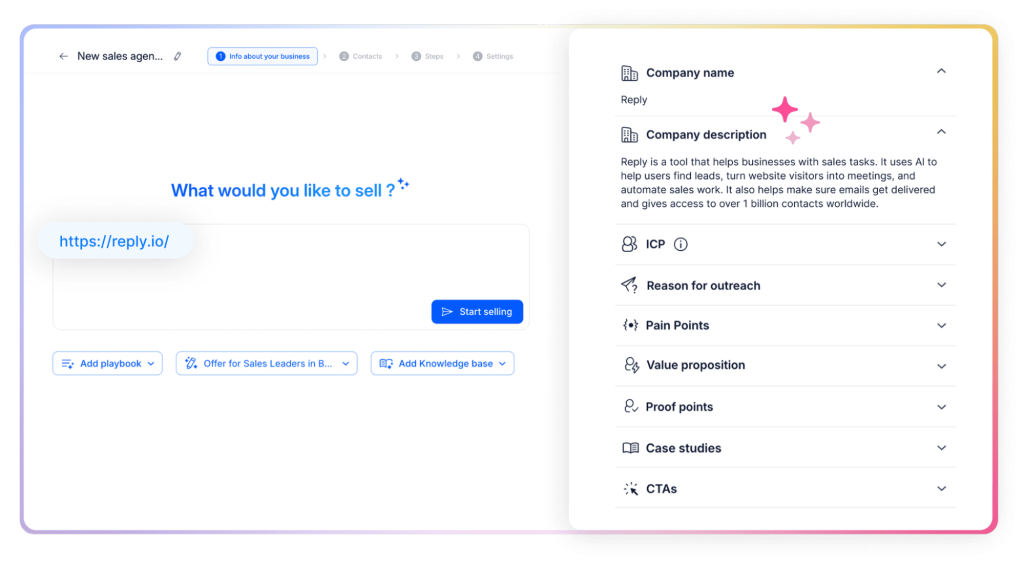
With Jason, you simply describe your business, ideal customer, value proposition, and whatever else you find relevant, and it will then begin finding potential buyers, researching them to find relevant data, use that data to personalize messages, and fully automating your outreach. 

This way, your team will be getting a steady flow of targeted and qualified leads, and they can now spend their time and effort on building meaningful connections and closing deals, rather than admin work like writing emails or researching prospects.

How to build automated workflows step-by-step?

Creating an automated outreach workflow with no-code AI might sound complex. However, it’s straightforward once you break it down.

The idea is to connect your data sources, personalize content, and trigger messages based on prospect behavior, without writing a single line of code.

Here’s a simple step-by-step process to guide you:

Step 1: Connect your contact database

Use tools like Airtable or Google Sheets to store your leads, and link them to your workflow automation platform via native connectors or API access.

Step 2: Enrich your contact data

Add Clearbit, Reply Data, or Apollo to your workflow to auto-fill missing fields like company size, role, industry, or tech stack. This step ensures your messages are data-rich and relevant.

Step 3: Generate personalized message templates

Use GPT-4/5 via Zapier or Levity AI to create dynamic email content. Then create prompts that pull in variables such as name, company, pain points, and previous interactions to tailor messaging.

Step 4: Set up automation triggers and actions

With tools like Zapier or Make, you can build rules like: when a new lead is added, send a personalized email via Gmail, Outlook, or SendGrid.

Step 5: Add multichannel follow-ups

Branch your sequence based on responses. You can use LinkedIn tools like Phantombuster for profile visits or messages, and Twilio for SMS follow-ups. Also, space messages with delays and set limits.

Step 6: Integrate your CRM

Connect Salesforce or HubSpot to automatically update lead status, sync engagement data, and trigger internal workflows for your sales team.

Step 7: Test and refine

Use sample data to test messaging, sequence timing, and logic branches. That way, you can identify errors before going live.

Pro Tip: Document each step, monitor error logs, and use version control for your workflows to keep them organized and agile.

With a dedicated AI agent like Jason AI, you can build these complex automated workflows with a few clicks.

How to write effective AI-powered outreach messages?

AI can write fast. However, to write well, it needs clear instructions and relevant data.

Here’s how to guide your AI to generate messages that resonate with your prospects:

  • Use prompt engineering strategies: Write definitive system and user prompts that guide the AI to create concise, benefit-driven messages. Also, define tone, structure, and call to action in advance.
  • Personalize messages dynamically: Insert details like the recipient’s name, company, recent news, or pain points. That way, you can increase relevance and show intent.
  • A/B test message variants: Use AI to create multiple versions of subject lines, CTAs, and body text to see what resonates.
  • Keep it authentic: Avoid generic copy. Instead, reference recent conversations or mutual connections to add a human touch.
  • Stay compliant: Always include opt-out links, clear sender information, and avoid clickbait. Ensure your outreach complies with GDPR and CAN-SPAM.
  • Pre-check for sentiment: Use tools like Levity AI to analyze tone and flag messages that may come across as negative or spammy.

Finding targeted prospects, then researching each one for relevant context, then using that data to personalize messages can get really complicated and time-consuming. even with AI. 

That’s why teams that are serious about no-code AI outreach always gear up with an AI outreach platform like Reply.io or an AI sales agent like Jason AI, who ensure each and every message is relevant, effective, and sent to the right person at the right time. 

Final thoughts

No-code AI is making outreach automation available to everyone in sales and marketing, regardless of technical know-how. 

But as exciting as no-code AI agents are, it’s best to start small. Test your workflows, measure results, and iterate based on first-hand data. 

As a rule of thumb, always blend AI speed with human insight for campaigns that feel personal and perform better.

And if you want a head start, Jason AI has everything you need to launch no-code AI outreach right from the get-go, without the need for building complex multi-software workflows or hiring more people.

Subscribe to our blog to receive the latest updates from the world of sales and marketing.
Stay up to date.

Related Articles

Top 12 GTM Outbound Sales Platforms to Try in 2026

Top 12 GTM Outbound Sales Platforms to Try in 2026

Top 12 GTM Outbound Sales Platforms to Try in 2026
What’s New in Reply: New API, AI Custom Fields, LinkedIn Enrichment, and More

What’s New in Reply: New API, AI Custom Fields, LinkedIn Enrichment, and More

What’s New in Reply: New API, AI Custom Fields, LinkedIn Enrichment, and More
Best 12 CRM for Marketing Agencies in 2026

Best 12 CRM for Marketing Agencies in 2026

Best 12 CRM for Marketing Agencies in 2026