
How to Find Chief Executive Email Addresses in 2026

How to Find Chief Executive Email Addresses in 2026

Getting a CEO’s email can unlock deals, partnerships, and fast answers — but it’s also one of the easiest things to mess up. Bad data, gatekeepers, privacy rules (GDPR/CCPA), and generic outreach all stack the odds against you.

So the goal isn’t to just “find any email.” It’s to find the right email, verify it, and reach out in a way that actually gets read.

In this guide, we’ll cover the practical methods that work in 2026: email finders and verification, LinkedIn + browser extensions, search-engine tactics, and best practices for emailing executives without sounding like a template. 

How can I use email finder tools to quickly get verified CEO emails?

Email finder tools are the fastest way to pull CEO emails at scale, especially when you’re targeting lots of accounts and don’t want manual digging for each one.

Reply Data is a strong starting point here: it gives you verified B2B contact data (including exec-level) for over 1 billion leads across industries and locations, along with built-in email validation and enrichment, including buying intent signals.
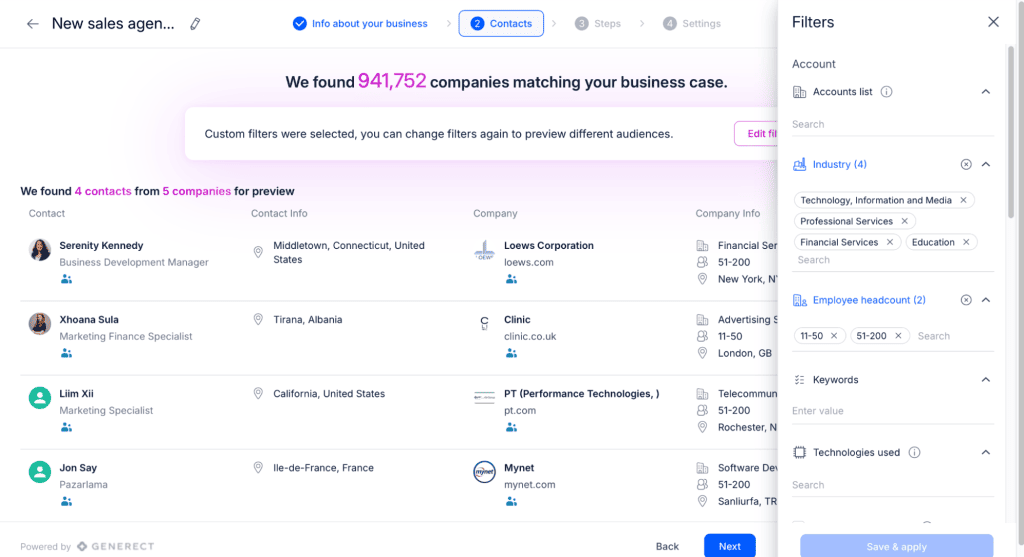
live data

Other options teams use as well include Hunter, Lusha, Apollo, ZoomInfo, Seamless, and more.

Not all email finders are equal, though, which is why it’s crucial to compare them with the following criteria: 

Feature What it means for you
Verified CEO emails & phone numbers Reduces hard bounces and bad data
Large contact database (e.g., 700M+ contacts) Increases chances of finding the right executive
Advanced filtering (title, seniority, size, location) Targets real decision-makers
Bulk extraction (10,000+ per plan) Enables scalable prospecting
CRM integrations (Salesforce, HubSpot, Zoho) Moves leads into workflow instantly
GDPR, CAN-SPAM, CCPA compliance Reduces legal exposure
Built-in bounce protection (syntax, domain, SMTP checks) Protects sender’s reputation
AI-powered lead generation & intent search Identifies high-fit prospects faster

How to use email finders step-by-step

Most “email finders” today are really databases + enrichment + verification in one. So the workflow isn’t just “type a name, get an email.” It’s closer to: build the right list, then validate it before outreach.

A clean process looks like this:

  • Start with search filters inside the tool: target by title (CEO/Founder/Managing Director), company size, industry, HQ location, and sometimes funding stage/tech stack. This gets you a focused first-pass list fast.
  • Layer in your own sources: import accounts or contacts from LinkedIn, Crunchbase, spreadsheets, or your CRM. Most platforms support CSV imports and direct integrations, so it’s not a copy/paste exercise. 
  • Resolve and enrich: match people to the correct company/domain, pull missing fields, and standardize records (so you don’t end up with duplicates and half-filled profiles). 
  • Verify before sending: run verification on the final list to reduce bounces and protect deliverability (especially important with exec outreach, where domains are often strict or catch-all). 
  • Export or sync to execution: push contacts into your CRM or outreach tool and launch sequences with tracking + suppression lists in place.

That’s the difference between “we found emails” and “we built a list we can actually send to without breaking our domain.”

Where and how do I find CEO emails on LinkedIn effectively?

LinkedIn is still one of the best places to identify the right CEO — and then work your way to a usable email. The key is using LinkedIn for what it’s good at (role + context), and using a data source for what it’s good at (verified contact info).

Start with manual LinkedIn profile searches

For a single account (or a small list), manual works just fine:

  • go to the company page → People
  • search titles like CEO, Chief Executive Officer, Founder, Managing Director
  • sanity-check that you found the real exec (not “ex-CEO,” advisor, or subsidiary lead)

This is especially effective with smaller companies where the CEO is active and easy to spot.

Use LinkedIn Sales Navigator for smarter targeting

If you’re building lists, Sales Navigator is where you stop wasting time.

You can filter by title, seniority, company size, location, industry, and save lead lists for ongoing tracking. This is also where segmenting leads becomes practical: you can break CEOs into clean buckets (region, industry, size, funding stage if you have it elsewhere) and run different messaging based on that.

Enrich profiles with verified email data

LinkedIn won’t reliably give you exec emails. So once you’ve identified the right people, you enrich their profiles.

Two clean paths:

  • use a database like Reply Data to pull verified contact info for those execs (along with additional context)
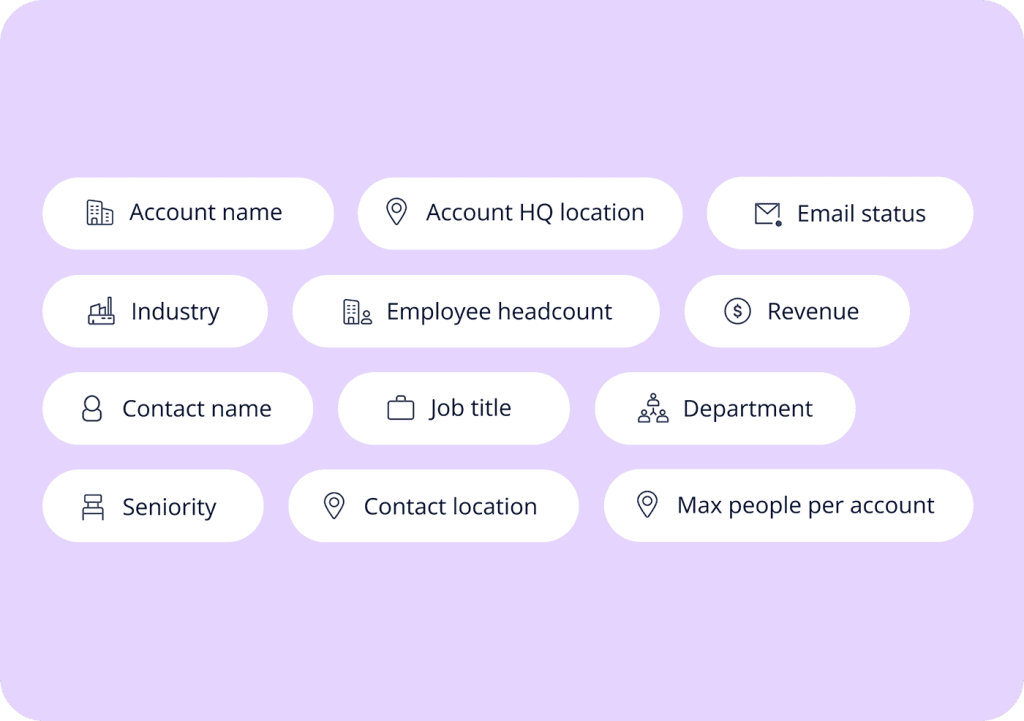
  • or use enrichment extensions/tools (e.g., Kaspr, Lusha, RocketReach, Skrapp) to source emails and then verify before sending

Either way, treat LinkedIn as the targeting layer and your data tool as the email layer.

Warm up, then go multichannel

You don’t have to connect first, but it often helps with CEOs.

A simple approach:

  • engage once (a real comment, not “great post!”)
  • send a short connection message if it’s natural
  • then email with a tight, context-based message

Email + LinkedIn together usually beats either channel alone, because you get familiarity without dragging the process out.

Stay within LinkedIn’s limits

Keep it clean:

  • privacy settings can hide contact info
  • aggressive automation/scraping can get accounts restricted
  • prefer manual workflows, compliant tools, and reasonable volume
Unlock the Power of LinkedIn: Your Hands-on Guide to Social Selling

With over 900 million users worldwide, LinkedIn offers an unparalleled opportunity to reach a highly targeted audience and grow your business. 

Whether you’re a small business owner, a sales professional, or a marketer, here’s a hands-on guide to building your brand, generating leads, and closing more sales through LinkedIn.

Can browser extensions help find CEO emails outside LinkedIn?

If we keep it strictly LinkedIn: yes — that’s actually where extensions are most useful.

LinkedIn helps you identify the right CEO (name, exact company, location, recent activity). Then, email-scraping browser extensions handle the missing piece: pulling an email tied to that profile so you don’t have to jump between tools.

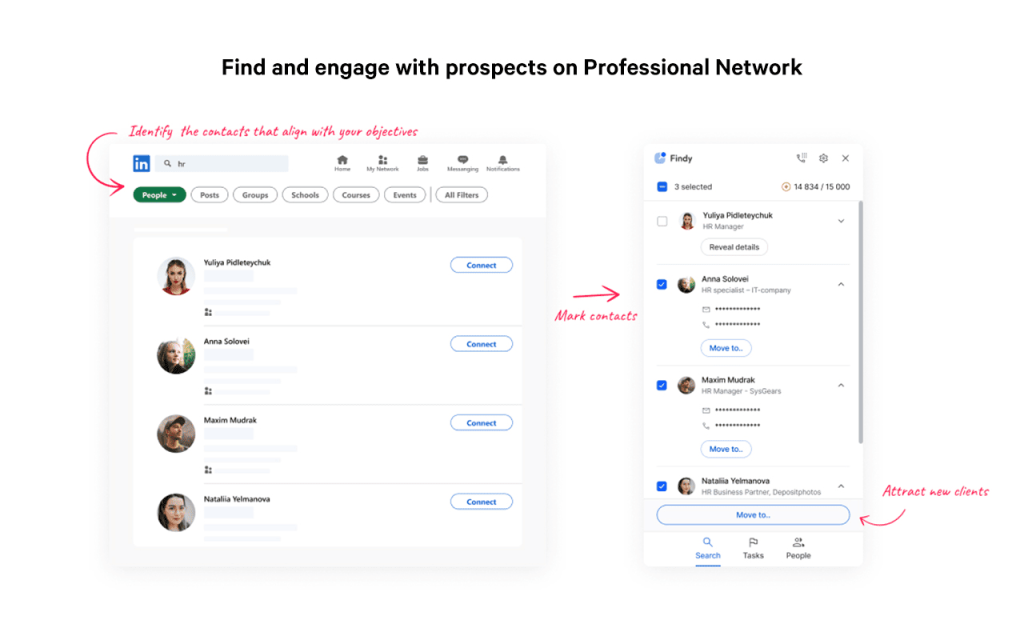
A practical example is Findy — designed specifically for identifying emails from LinkedIn profiles, verifying them in real time, and turning that into a usable contact you can export/sync into your CRM or outreach tool.

How to use this well:

  • confirm you’re on the right LinkedIn profile (real CEO, correct company, not an advisor/ex-employee)
  • run the extension to surface the email, make sure it clearly states “verified”
  • export/sync to your CRM or sales engagement tool and start your outreach

Keep expectations realistic: such extensions are great for one-off contacts, but if you’re building large contact lists and are scaling your outreach, you still need a dedicated outreach platform like Reply.io to get the job done.

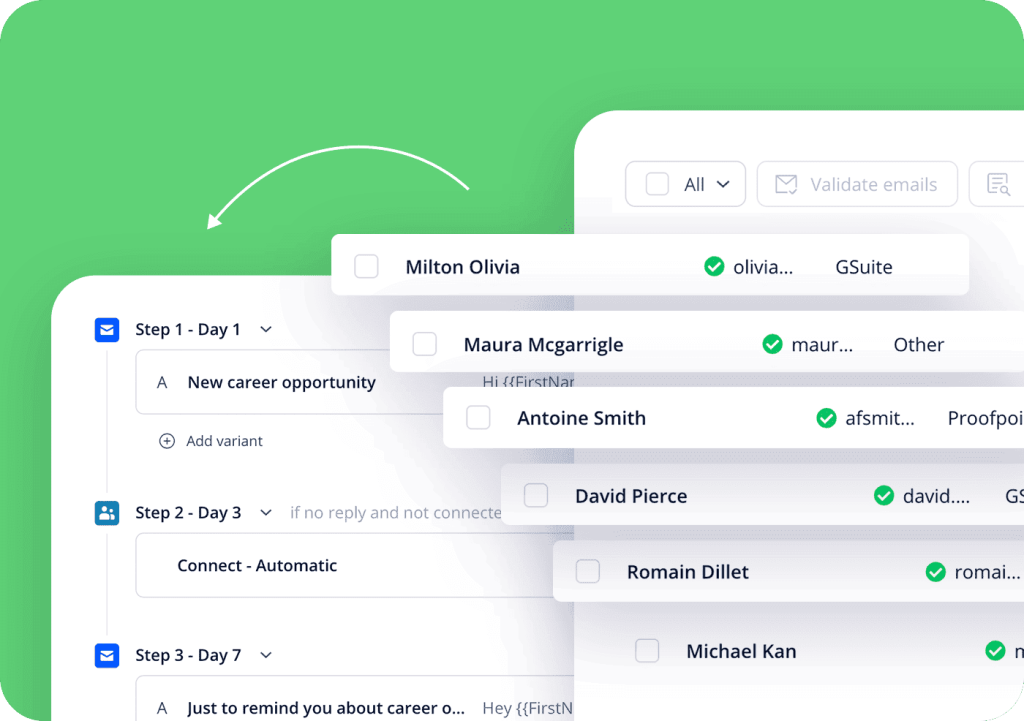
With Reply, you can search for targeted executives directly within its native lead database, add them to your lists, and let Reply verify email addresses and enrich their profiles with additional data (researched from their LinkedIn profiles, company websites, and more). 

Best part? You can then add those executives to your AI-powered outreach sequences (across email, LinkedIn, and more) with just a click of a button:

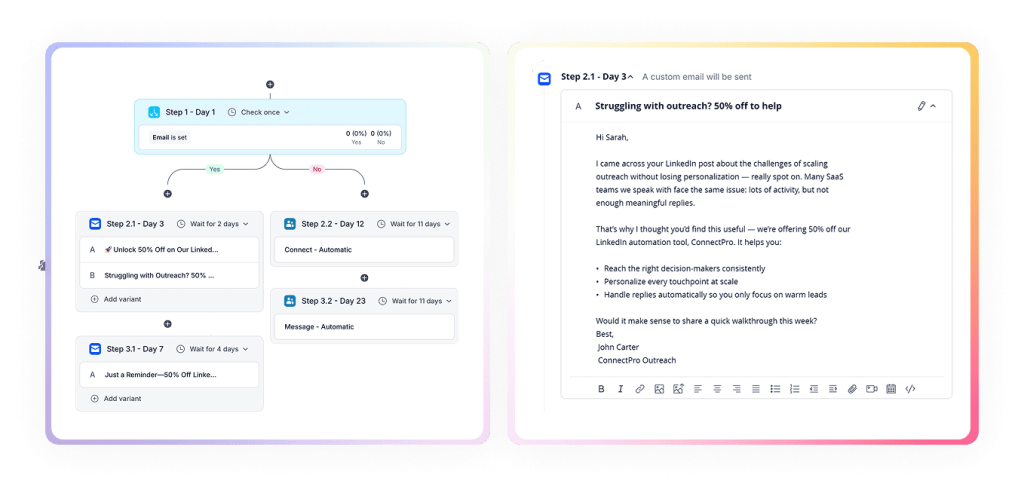
At that point, Reply’s AI engine automatically enriches each profile, creates a tailored multichannel sequence, and uses its AI engine to personalize each email and LinkedIn message with relevant, real-time data — at scale. 

How do I find CEO emails manually on company websites?

Sometimes the fastest path is still the direct one: check the company site.

Start where exec info usually lives:

  • About / Team / Leadership
  • Contact
  • Investor Relations (public companies especially)
  • Press pages and PDFs (media kits, filings, decks)

Smaller companies and startups occasionally list their CEO’s email publicly (or make it easy to infer).

If nothing’s obvious, use Google to dig through the domain:

  • site:company.com “CEO”
  • site:company.com “contact”
  • site:company.com “leadership” email

When you’ve got the CEO’s name + domain but no email, you can infer the likely format (first.last@, first@, etc.) and verify it with an email finder/verification tool.

Track what you find with three fields: name, email, source URL (date/verification if you’re doing this at scale).

If you want to remove the manual grind, Reply.io can automate this part of discovery and help you find and prioritize the most reliable exec contacts for outreach.

What if I can’t find the CEO email? How do I use generic company emails effectively?

Sometimes you won’t get a direct CEO email. That’s normal. It doesn’t mean you’re stuck — it just means you’re going through an inbox that’s probably monitored by an assistant, ops, or a general queue.

Common ones include:

  • info@, hello@, contact@
  • sales@ (sometimes routes fastest)
  • team@, support@ (less ideal, but works in smaller orgs)

If you use a generic inbox, write the email so it’s easy to forward:

  • Be explicit about who it’s for (name the CEO in the first line)
  • Lead with the trigger (funding, expansion, hiring, product launch — one real reason you’re reaching out now)
  • Keep it short (gatekeepers forward clear notes, not essays)
  • Make the ask simple: “Could you forward this to [CEO Name] or point me to the right person?”

Subject lines that work are plain and intentional, not gimmicky. For example:

“For [CEO Name] — quick question about [topic]”

And if you’re still coming up empty on direct exec contacts, that’s where Reply Data helps — you can pull verified decision-maker emails (including exec-level) instead of trying to force everything through a generic inbox.  

Can social media platforms help me contact or find CEO emails?

Yes — sometimes it can be a neat shortcut.

On X (Twitter), check the CEO’s bio for an email, a personal site, or “DM for…” notes. If nothing’s listed, skim recent posts/replies for interview links or “reach me here” hints.

If you DM, keep it tight:

  • reference one specific post or company event
  • one sentence on why you’re reaching out
  • one simple ask (not a pitch deck)

Small move that helps: follow them first and leave one real comment before you message. Not “great insights” — something specific. It turns a cold DM into a warm-ish one.

Beyond X, you’ll occasionally find execs active on Instagram, niche communities, and industry forums. Just treat it as a signal source + light touch channel, not your primary outreach engine.

How can AI tools assist in finding CEO emails, and what are their limits?

AI is genuinely useful for exec contact discovery — not because it magically “knows” private emails, but because it speeds up the parts that usually eat your day: research, pattern detection, enrichment, and list-building.

Here’s where AI prospecting tools help many teams in this workflow:

  • Account research at speed: pull quick context on a company, recent changes, and where it sits in the market, so you’re not reaching out blind.

  • Exec identification: confirm the right CEO (especially when titles vary: CEO vs Founder vs Managing Director vs President).

  • Pattern and domain logic: infer likely email formats based on the domain and known employee patterns, then tee them up for verification.

  • Prioritization: rank accounts and contacts based on fit + intent signals so you’re not spending time on low-probability targets.

  • Message drafting that doesn’t feel generic: generate tailored first drafts based on real triggers, then keep it consistent across follow-ups.

The “limits” aren’t that AI is bad — it’s that inputs matter. If the tool is working off incomplete or stale signals, you’ll get incomplete or stale outputs. Which is why the best setup is AI + verified data + automation that keeps the workflow tight.

That’s exactly where Jason AI, one of the top AI sales assistants on the market, comes into play. 

Instead of just suggesting what to do, it can run the entire workflow end-to-end: find targeted executives, enrich their profiles with additional individual and company data, and verify their email addresses. 

Then, it will launch multichannel outreach (across email + LinkedIn + more) with conditional sequences, meaning the strategy (channel, context, timing) adjusts in real time based on each exec’s behavior.

For instance, Jason starts the outreach sequences with a personalized email; if they haven’t replied to your initial email, Jason sends out an automated LinkedIn connection request; If that connection request is accepted, Jason sends a short personalized LinkedIn message and cancels the scheduled email follow-up, and so on.

Each email, follow-up, and LinkedIn message will be highly personalized based on the previously uncovered data and any company/intent signals, and that’s how you get the balance of verified emails of relevant execs + personalized, AI-powered outreach at scale.

How do I guess CEO emails using common company email patterns?

If you can’t find a direct CEO email, pattern guessing is the next-best move — as long as you do it intelligently.

Most companies stick to a handful of formats: 

  • first.last@
  • f.last@
  • first@
  • first_last@
  • sometimes last@

The fastest way to avoid random guessing is to first confirm the company’s pattern by finding any real email on the domain (press contact, careers, a PDF footer, etc.), then mirror that format for the CEO.

You can generate permutations with tools like Email Permutator+, Name2Email, or Hunter. Then verify before sending (especially on catch-all domains) so you don’t rack up bounces and hurt deliverability.

How can I use search engines to find CEO emails via advanced operators?

Search engines are underrated for this. With the right operators, you can surface emails buried in PDFs, press kits, investor docs, conference pages, and old “contact” pages that never show up in normal browsing.

A few queries that actually work:

  • site:company.com (“@company.com” OR email) (CEO OR “Chief Executive Officer”)
  • site:company.com “CEO Name” (“@company.com” OR email OR contact)
  • filetype:pdf site:company.com (“@company.com” OR email OR contact)
  • filetype:pdf “CEO Name” “@company.com”
  • intext:”@company.com” “executive team” “Company Name”
  • “CEO Name” (“@company.com” OR “[email protected]”) -linkedin

Two quick tips:

  • Try Bing as well — it often indexes different PDFs and cached pages.
  • When you find something, log email + source URL (and date if you’re doing this at scale). Old docs can be gold… and also outdated.

If you want to cut the manual cross-checking, Jason AI SDR can consolidate contacts from multiple sources and keep the workflow organized, so you’re not stitching results together by hand.

Got it — you’re right. That “X isn’t…, it’s…” construction reads like AI, and the short stop-start sentences do too.

Here’s the corrected section in your style (condensed, value-first, no weird AI framing):

Is cold calling still a useful method to obtain CEO email addresses?

Yes — it still works, especially with smaller companies or when the CEO’s inbox is locked down and you’re not getting clean data elsewhere.

When you call, you’re usually speaking to a receptionist or EA, and the goal is simple: get the right path to send a short note that actually reaches the CEO.

Keep it tight:

  • who you are + why you’re calling (10 seconds)
  • ask for the best email to send a brief note for the CEO’s review
  • if they can’t share it, ask what they can share (EA email, process, or the correct inbox)

Don’t argue — gatekeepers reward clarity and professionalism, and they shut down pressure fast.

Cold calling also works better when it’s paired with email: quick call to set context, then a short, personalized email right after while your name is fresh.

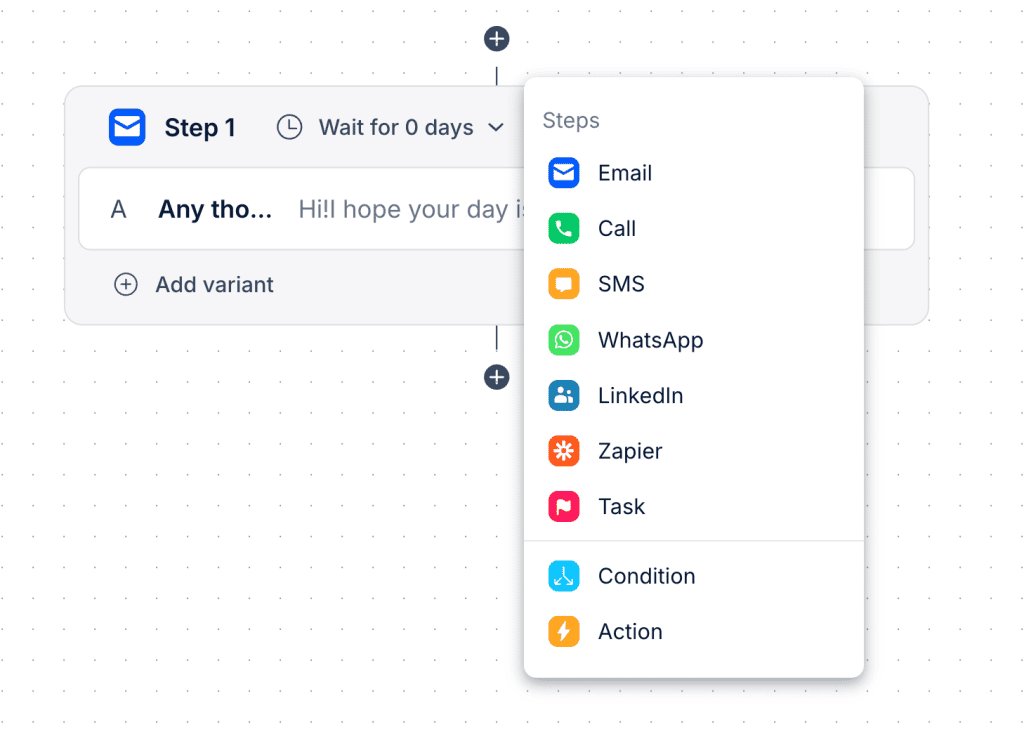
And if you’re running this at scale, Jason AI can package calls alongside email + LinkedIn, with SMS/WhatsApp where it fits, all inside one cohesive multichannel sequence.

Why is it risky to buy CEO email lists?

Buying a CEO list feels like a shortcut, but in practice, it’s one of the fastest ways to waste budget and mess up deliverability. Here’s why:

  • The data is usually stale → CEOs change roles, companies rebrand, domains shift, assistants rotate, and a “good” list can turn bad in months (sometimes weeks). Stale exec data = bounces, and bounces hurt everything you send after that.

  • You’re not the only buyer → these lists aren’t exclusive, so you end up competing in the same tiny inbox set as everyone else who bought the file. Even if the email is valid, engagement drops because the CEO is already saturated.

  • Compliance gets messy fast → depending on where you’re sending (GDPR/CCPA/CAN-SPAM territory), the way that list was sourced matters. If it’s unclear, you’re taking on risk you don’t need — complaints, blocks, and potential legal headaches.

  • Brand damage is real → CEOs don’t forget spammy outreach. If your first impression is “random list blast,” you don’t get a second clean shot.

The better move is building lists from verified, compliance-aware data sources and targeting based on relevance (role + timing + reason) instead of raw volume.

What are the best practices for emailing CEOs?

Emailing a CEO is different because the bar is higher and the tolerance for fluff is basically zero. If they can’t understand “why this matters” in a few seconds, you’re done.

Here’s what actually works:

  • Do 2 minutes of homework → reference one real trigger: funding, hiring, expansion, a product move, a quote, a post. Not compliments, context.

  • Get to the point immediately → first 1–2 lines should answer: why you, why now, why them.

  • Keep it short → think 3–6 tight sentences. No long intros, no backstory, no “just reaching out.”

  • Talk in outcomes → revenue, pipeline, speed, risk, efficiency, cost, retention — pick the one that matches their world.

  • Make the ask low-friction → one clear action: “Open to a quick 10–15 min call next week?” (or “Should I speak to [role]?”).

  • Subject lines: plain + specific → short, non-hype, tied to the trigger. “Question on your [region] expansion” beats “Helping you scale.”

  • Follow up like a normal person → 1–2 follow-ups, each adding one new piece of context. Make it easy to ignore or say no.

Jason AI is the go-to tool when you want this done consistently at scale without turning into templated spam: it pulls verified prospect/company signals, generates messages from your playbooks in your tone, and runs multichannel sequences (email + LinkedIn) with conditional logic — so outreach stays relevant, short, and timely, even when you’re targeting hundreds of execs.

The practical CEO email workflow for 2026

Finding CEO emails works best when you combine a few methods: databases and enrichment for speed, LinkedIn + search operators for extra coverage, and calls/generic inboxes when direct emails aren’t available.

Whatever path you use, verify before you send, keep the message short, and stay compliant (GDPR/CCPA/CAN-SPAM) so you don’t trade a few contacts for long-term deliverability or brand reputation damage.

If you want to run this as one system instead of many disconnected steps, Reply.io pulls CEO discovery, verification, and enrichment, AI personalization, and multichannel sequencing into a single workflow. Start your free trial to see it in action! 

Subscribe to our blog to receive the latest updates from the world of sales and marketing.
Stay up to date.

Related Articles

What’s New in Reply: New API, AI Custom Fields, LinkedIn Enrichment, and More

What’s New in Reply: New API, AI Custom Fields, LinkedIn Enrichment, and More

What’s New in Reply: New API, AI Custom Fields, LinkedIn Enrichment, and More
Top 12 Cognism Alternatives for Finding Leads in 2026

Top 12 Cognism Alternatives for Finding Leads in 2026

Top 12 Cognism Alternatives for Finding Leads in 2026
Mailtrap Review 2026: Is This Email API the Right Fit for Your Team?

Mailtrap Review 2026: Is This Email API the Right Fit for Your Team?

Mailtrap Review 2026: Is This Email API the Right Fit for Your Team?