
Step-By-Step: How to Build Your GTM Intelligence Strategy

Step-By-Step: How to Build Your GTM Intelligence Strategy

Your marketing team sees an account downloading case studies. SDRs see the same account hitting high-intent pages. AEs notice a new VP has been hired. CS spots rising product usage.

Individually, each team sees something interesting. But collectively, nobody sees the full picture, and an opportunity slips through the cracks. Not because the signals were wrong, but because they were scattered.

GTM Intelligence fills that gap. It unifies signals, surfaces what matters, and coordinates the next move across every team so your revenue engine finally runs as one system and not five disconnected parts.

In this article, we’ll walk through a step-by-step process to build your GTM Intelligence strategy, explore the GTM Intelligence framework, and show practical use cases for each team.

What is GTM Intelligence

Traditional approaches provide you with signals and expect you to figure out what they mean. GTM Intelligence processes those signals through predictive models, applies your business logic, determines the right action, and executes it across the right channels. The signal is just the input. The intelligence is what happens next.

Your team stops reacting to random triggers and starts operating from a unified playbook. For example, marketing knows which accounts SDRs are prioritizing. SDRs know which accounts AEs are actively working on. AEs know which deals CS flagged as expansion opportunities. Everyone works from the same intelligence, which means accounts get consistent, coordinated engagement instead of disconnected touches.

The GTM Intelligence framework

We’ve narrowed down this framework into four layers that work together to turn raw data into actions that’ll improve your revenue. Let’s break them down.

Layer 1: Data foundation

This layer brings together your customer and market data from every source that touches your revenue process. 

Your CRM, be it Salesforce or HubSpot, serves as your central customer data hub. It stores account records, contact information, opportunity data, and activity history. But your CRM alone doesn’t give you the complete picture.

That’s why data from your marketing automation platform, product usage tool, intent data providers, enrichment tools, and website analytics all flow into the CRM.

So you’ll have data enrichment tools like Clearbit, ZoomInfo, 6sense, or Reply.io filling in firmographic and technographic details. These tools add company size, industry, technology stack, funding history, and employee count to your account records. When a new lead enters your system, enrichment happens automatically, so your teams always have complete context.

Website visitor tracking tools such as RB2B and Albacross connect anonymous website visitors to known contacts in your database. So when someone visits your pricing page, these tools match that session to an existing contact record and attribute the activity to the right account.

Product analytics tools like Amplitude or Mixpanel track how customers use your product. This data is used to identify expansion opportunities and renewal risks based on actual usage patterns.

Most tools will natively integrate with your CRM through APIs, and for those that don’t have native integration, you can use Zapier or Make. The key is bidirectional sync. When your sales team updates an account in your CRM, that information flows to your other tools. When your product team sees usage patterns in Amplitude, those flows back to your CRM. Everyone works from the same data.
Layer 2: Signals

Signals tell when a prospect is interested in your product or is looking for a product like yours. Platforms like Bombora and 6sense collect these third-party intent data by monitoring what prospects are researching online, what publications they are reading, and their search behavior.

Web and behavior analytics tools like Google Analytics 4, Hotjar, or Mixpanel track engagement on your own website and app. They then show which pages accounts visit, how long they spend on content, and which resources they download. 

But signals mean nothing in isolation. A funding announcement doesn’t tell you whether to reach out, what to say, or who should own the account.

Layer 3: Decision layer

This layer processes all your signals and data to make predictions, score accounts, define buying stages, and recommend next actions. This is where you move to actual intelligence. 

Here, predictive account scoring will calculate which accounts are most likely to buy, expand, or churn based on all your signals and data combined.

Your CRM of choice has some form of predictive lead scoring, or you can get a dedicated revenue intelligence platform like Clari or Gong to analyze patterns and predict which deals will close.

Layer 4: Activation

This layer enrolls accounts in sequences, creates tasks for your reps, and launches ABM campaigns. This is where you act on intelligence. Your marketing automation platform will, for example, set off different campaigns when the buying stage changes. 

Let’s say an account moves to the evaluation stage, your automation tool will pause the nurturing sequences with educational content and enroll the account in a different sequence where it will send case studies and sales enablement content to prospects.

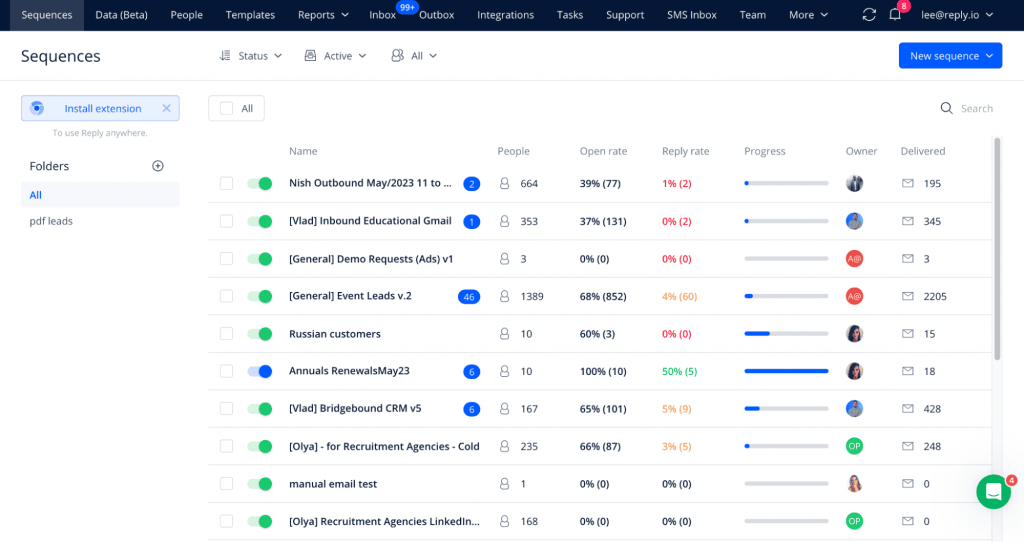
You can also use Reply.io to build outreach and ABM campaign sequences for different triggers and buying stages. But each team works through the same data, so your marketing team is less likely to send nurturing content while at the same time your SDR is pitching your product.

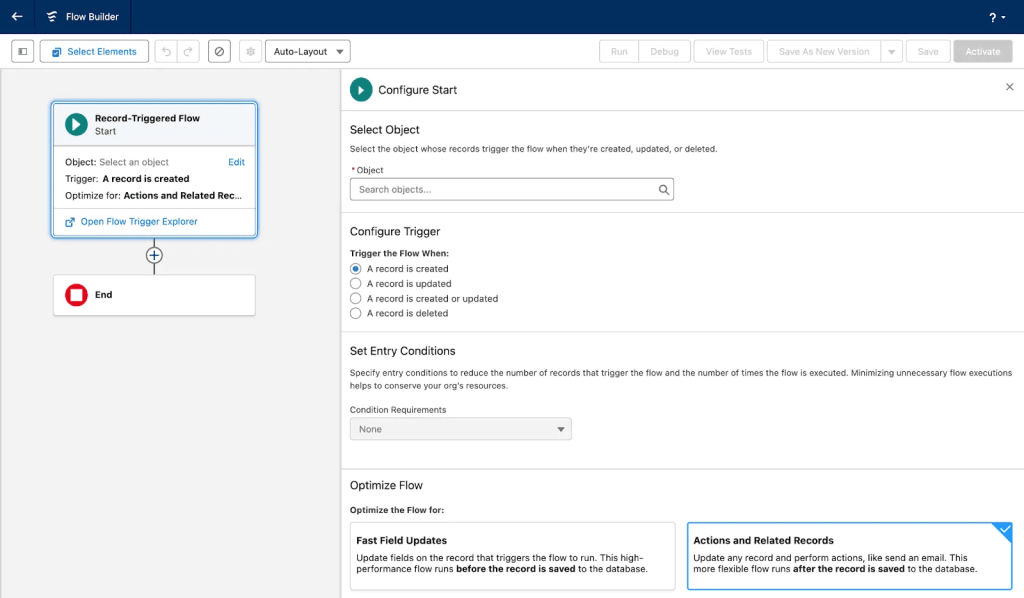
Here’s an example of a GTM intelligence workflow in action:

If you are using Salesforce, for example, you can build an “ICP Fit Score” where if the account’s industry is SaaS, add 20 points. If the company has between 100 and 500 employees, add 15 points. If the account is based in North America, add 10 points. This automatically calculates the ICP fit for every account.

Now, when an account’s score increases by 20+ points within seven days, the ICP Fit Score is true, and a Bombora intent score exceeds 70, an automated workflow can route the account to the appropriate rep, create a high-priority task, enroll it in a relevant Reply.io sequence, and send a Slack notification with context.

How to build your GTM Intelligence system

Building a GTM Intelligence system might seem like just connecting your tools, but it goes beyond just this. It requires an approach where every layer supports the next, in that automating your outreach would require you to fix your data first and collect intent signals.

Unify your data

This means having a single source of truth where every record of an account is complete, accurate, and connected to all of your revenue tools. So you’ll have data flowing with ease from one platform to the next. Without this, your scoring models will be inaccurate because they’re working with incomplete records. Your sequences will target the wrong people because job titles are missing. Your routing logic will break because duplicate accounts exist.

So it’s best to start integrating enrichment tools with your CRM. Configure which data fields to populate when an account is created, whether that’s company size, industry, technology stack, funding stage, employee count, or revenue range.

Install your website visitor tracking snippet in your website header, and also integrate your tracking tool with your CRM so that tracked events flow directly into account contact records. Also, connect your product analytics and configure which events should sync, whether it’s “Completed Onboarding,” “Used Core Feature 10+ Times,” or “Reached Usage Threshold.” Then map these events to custom fields in your CRM.

After connecting all your tools, clean the data before building any kind of automation. Use your CRM’s deduplication tools to merge duplicate accounts and contacts, then run bulk enrichment on your existing accounts to add extra details about your contacts. 

Also, be sure to add validation rules to prevent bad data entry. These rules make sure critical fields need to be filled before records can be saved. For example, you  might require that all accounts have Industry, employee count, and Website fields populated before an SDR can mark them as “Qualified.”

Build your ICP and scoring models

Now that your data is unified, you can see patterns in who buys and who churns. Use this data to build your ICP.

Look at your closed-won deals from the past 18 months and identify the characteristics they share. What industries do they work in? What size are they? What technologies do they use? How do they engage before they buy? 

Calculate conversion rates by segment and identify the segments that convert at 2x or more of your average conversion rate. You can go further and calculate average deal size by segment, average sales cycle length by segment, and churn rate by segment. 

Your ICP should identify accounts that convert at high rates, close larger deals, move faster, and stay longer.

But who should you talk to first? That’s where your scoring model comes in. In your CRM, you can create an ICP Fit Score where if a prospect’s score increases by a certain number, one of your reps will be notified, and they’ll approve the outreach sequence in Reply.io.

Map your customer journey and buying stages

This creates a common understanding among your team that aligns signals, ownership, and outreach strategies so your team will reach out to prospects at the right time with the right message.

Mapping the journey connects the signal, stage, message, and the owner. For example:

Stage Buyer Mindset Key Signals (Observable) Primary Owner Actions Exit / Transition Criteria
Awareness Recognizing a need or problem; not evaluating vendors yet Problem-focused blog visits, industry research content downloads, thought leadership email engagement, and ad clicks on problem framing Marketing Educational nurture, thought leadership, problem framing, and ads Views solution/product pages, attends product webinar, downloads solution-oriented content
Consideration Actively researching solutions and approaches Product/solution page views, solution webinar attendance, use case content downloads, repeated site sessions Marketing → SDR Value-based outreach, solution education, case studies, demo invitations (soft CTA) Pricing page views, comparison guide download, demo request, review site engagement
Decision / Purchase Shortlisting vendors and making a buying decision Pricing page visits, competitor comparison content, G2/review activity, demo attendance, proposal, or security review AE Personalized AE outreach, tailored demos, differentiation, proof points, deal acceleration Contract signed, opportunity closed-won
Retention / Loyalty Using the product and assessing ongoing value Product usage data, feature adoption, training attendance, support interactions, NPS/CSAT responses Customer Success Onboarding, adoption enablement, proactive support, renewal planning Consistent usage, positive health score, expressed satisfaction or expansion interest
Advocacy Willing to recommend and promote the brand High NPS, referral activity, case study participation, review submissions, community engagement Customer Success → Marketing Reference requests, advocacy programs, referrals, reviews, and customer marketing Referral given, public endorsement, case study published

You can start by interviewing recently closed customers to understand their actual journey. Ask what triggered them to start looking for a solution. What content did they consume? What questions did they ask at different points? Document common patterns and define stages relevant to your business. 

And for each stage, define a clear trigger that moves a prospect from one stage to the next. Then, set up stage tracking in your CRM by creating a custom property and mapping it to company records. In Salesforce, for example, you can use this to build record-triggered flows that update buying stages based on account activity signals.

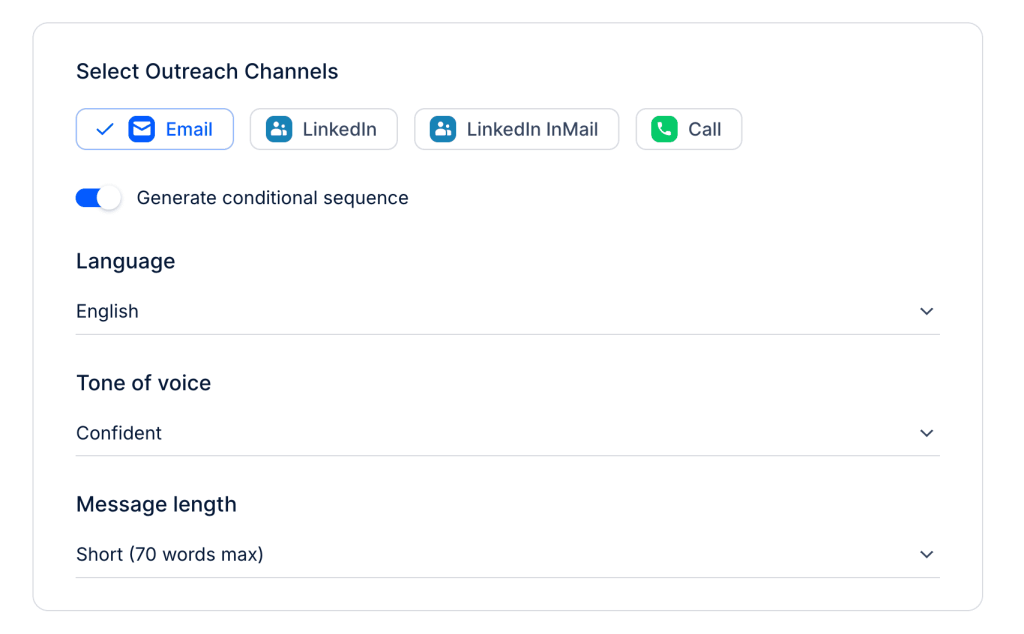
And lastly, set up stage-based outreach in your outreach platform like Reply.io that’ll build separate sequences for each buying stage. What sets reply.io apart from other tools is that you can run a multichannel outreach program that its AI will help you build, and you can approve a sequence to automatically stop when a prospect replies.

Measure the loop

This means tracking which signals actually predict outcomes, which actions drive results, and which models are accurate versus which ones need improvement.

Build a signal performance report where, for each signal, you calculate total opportunities influenced, revenue influenced, conversion rate for accounts showing this signal, average deal size, and cost per opportunity.

In your CRM, you can start by pulling a report of accounts flagged by each signal type 90 days ago and their current status. Filter to accounts where, for example, “Intent Score increased 30+ points 90 days ago” and check how many converted. Compare this to accounts where “Funding announced 90 days ago.”

Track your model accuracy. Pull accounts your predictive scoring model rated highly (80+ score) from 60-90 days ago. What percentage actually converted? This is your model accuracy rate.

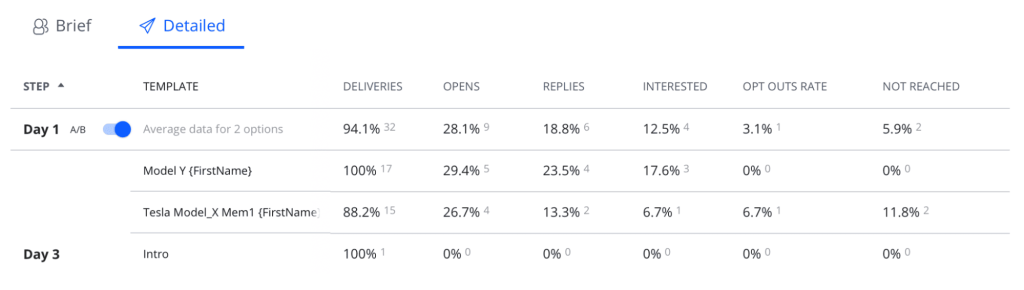
As for your trigger-based workflows, Reply.io shows you performance metrics by sequence. This makes it easy to compare sequence performance across different segments. You can even run A/B tests on sequences. 

Create two versions of your decision stage sequence, where one has the current messaging and the other takes a new approach. Split your audience and measure which generates more meetings and opportunities.

Cross-team use cases

Now, let’s look at how different functions use the same GTM Intelligence for different purposes.

Marketing

Marketing uses GTM Intelligence to move from demographic targeting to behavioral and predictive segmentation. So instead of building static audiences based on title and company size, your marketing team is able to create dynamic segments that update automatically based on buying stage, intent signals, engagement patterns, and buyer intent scores.

Even how marketing tracks campaigns changes. Measuring success shifts from email open rates to tracking intent-driven campaigns that actually produce pipeline and not just clicks. They track accounts that converted after entering different stages of the funnel, revenue influenced by ABM campaigns targeting high-intent accounts, and cost per opportunity by audience segment.

SDRs and BDRs

Reps spend hours researching accounts, deciding which ones to reach out to, and writing messages without knowing what will resonate. A GTM Intelligence system removes this inefficiency from your team.

Your reps can now primarily work from reply.io and your CRM. Your CRM will surface the leads with the highest priority, and on each account, reps will see the full context of an account. They’ll see enriched data like recent funding, company size, contact person to reach out to, and also behavioral data like which pages they visited.

Reply.io can then run trigger-based outreach campaigns across email, LinkedIn, and WhatsApp. 

When the contact replies, it automatically stops the sequence, creates an appointment directly on the platform, and notifies the assigned AE in Slack.

Account Executives

AEs use GTM Intelligence to manage their pipeline and to run forecasts based on signals about the account.

It lets them see when an account’s engagement drops off. They spot when prospects are researching competitors and receive early warnings when deals are progressing more slowly.

Let’s say, for example, a deal’s health score dropped. Your AEs will view the account and see that the economic buyer, the decision maker, hasn’t engaged in 12 days; only technical stakeholders have attended the meetings. Gong also flagged budget concerns mentioned in the last call.

Clari will identify that finance stakeholders are typically involved at this stage based on patterns from similar deals and recommend engaging the CFO. ZoomInfo would already have identified the CFO’s contact and their email.

Your AEs will use this intelligence to reach out to the CFO with relevant messaging. They’ll reference specific budget concerns mentioned in previous calls and any other concerns that would have been captured by Gong.

Customer Success

 CS can use GTM Intelligence to manage expansion and renewal.

They use Gainisight or churnZero, which are connected to your CRM and also product usage data from your product analytics tool, such as Amplitude. A deal’s health score is then calculated from the product usage trends, engagement with CS content, support ticket patterns, and other intent signals.

So, when, for example, the health score and product usage drop, the CSM will see the full context about the account. Amplitude data will also show which features the account stopped using, and the support ticket will reveal that they had repeated frustrations with a certain integration.

This will give the CS team an understanding of what happened directly in the CRM and allow them to attend to the account before they churn entirely.

Common pitfalls in GTM Intelligence adoption

You might have invested in GTM Intelligence and not seen the impact you expected. But it’s not because you lack the tools or the data, it’s because of how GTM Intelligence is implemented. Here’s what to watch out for and how to avoid these challenges.

Trying to operationalize triggers without fixing your data

The most common mistake is jumping straight to automation before building a solid data foundation. You start building triggers and workflows on top of messy data, but what all this does is create garbage-in-garbage-out kind of automation.

Your sequences target the wrong people because contact data is incomplete. Your scoring models are unreliable because account records are full of gaps. Your routing logic breaks because duplicate accounts mean the same company gets assigned to multiple reps.

To avoid this, before connecting to Reply.io or any activation tool, clean your CRM data. Use your CRM’s duplicate management feature to merge duplicate accounts. Use ZoomInfo or any other enrichment tool to fill in missing details and set up validation rules to prevent bad data from entering in the first place.

Building scoring models with no feedback loop

Another common mistake is treating scoring models as “set it and forget it.” You enable predictive scoring in your CRM, and the model starts prioritizing accounts based on historical data, often from 12 to 18 months ago. But you never check whether those predictions are still accurate.

Without a feedback loop, your model gets less accurate over time. Six months later, reps complain that the “high-priority” accounts aren’t converting.

So to avoid this, create a monthly report in your CRM or the platform you use to score your leads and calculate your model accuracy rate. For example, in Salesforce, build a report that tracks:

  • Accounts scored 80+ by Einstein
  • The score date (e.g., 60 days ago)
  • The account’s current opportunity stage

Calculate the percentage of those accounts that progressed into an opportunity or closed. That number is your model accuracy rate.

If accuracy starts to decline, retrain the model using more recent data and update the signals it prioritizes so scoring reflects how buyers behave today and not how they behaved a year ago. 

For example, your model might heavily weight job titles or company size, but recent wins may show that product usage depth, integration adoption, or visits to specific pages are far stronger predictors of conversion.

Over automation without human intervention

Your entire GTM Intelligence runs on automations, but blindly automating everything based on signals without any human input is most times not the right thing.

For example, your routing logic assigns a strategic enterprise account to a junior SDR because it technically fits the automated criteria. But human judgment would have sent it to your enterprise team.

To solve this, when creating sequences, build confidence thresholds. For lower confidence scenarios, create tasks for human review instead of auto-enrolling leads in sequences. Let your SDRs see the recommendation (enroll in this sequence), but require them to confirm before it happens.

For high-value accounts, always add a human checkpoint. Use workflows to create tasks rather than triggering immediate automation. Your enterprise SDRs review the context and apply judgment before engaging.

Conclusion

GTM Intelligence isn’t about adding another tool or chasing more signals. Most teams already have plenty of data. The real problem is that everyone sees a different piece of the picture and acts on it in isolation.

But when GTM Intelligence is done right, that stops happening. Marketing, sales, and customer success all work from the same signals, the same priorities, and the same understanding of what should happen next. 

Your SDRs have a prioritized list of prospects with recommended sequences and full context. Your AEs have deal intelligence showing buying committee engagement and risk factors. Your CS team gets early warnings about renewal risk and expansion opportunities. 

Reply.io sits at the activation layer of this system. When your GTM Intelligence identifies the right account at the right moment, Reply.io executes that strategy across email, phone, LinkedIn, and other channels. 

But get the foundation right first. Connect your data. Define your signals. Decide how your teams should respond. Then run your automation with confidence knowing every action is informed by intelligence.

Subscribe to our blog to receive the latest updates from the world of sales and marketing.
Stay up to date.

In this article

Your Superhuman SDR

Jason learns your product, tone, and strategy — then runs outreach with the precision of your best rep.

Your Superhuman SDR
Book a demo

Related Articles

What’s New in Reply: New API, AI Custom Fields, LinkedIn Enrichment, and More

What’s New in Reply: New API, AI Custom Fields, LinkedIn Enrichment, and More

What’s New in Reply: New API, AI Custom Fields, LinkedIn Enrichment, and More
Top 12 Cognism Alternatives for Finding Leads in 2026

Top 12 Cognism Alternatives for Finding Leads in 2026

Top 12 Cognism Alternatives for Finding Leads in 2026
Mailtrap Review 2026: Is This Email API the Right Fit for Your Team?

Mailtrap Review 2026: Is This Email API the Right Fit for Your Team?

Mailtrap Review 2026: Is This Email API the Right Fit for Your Team?